


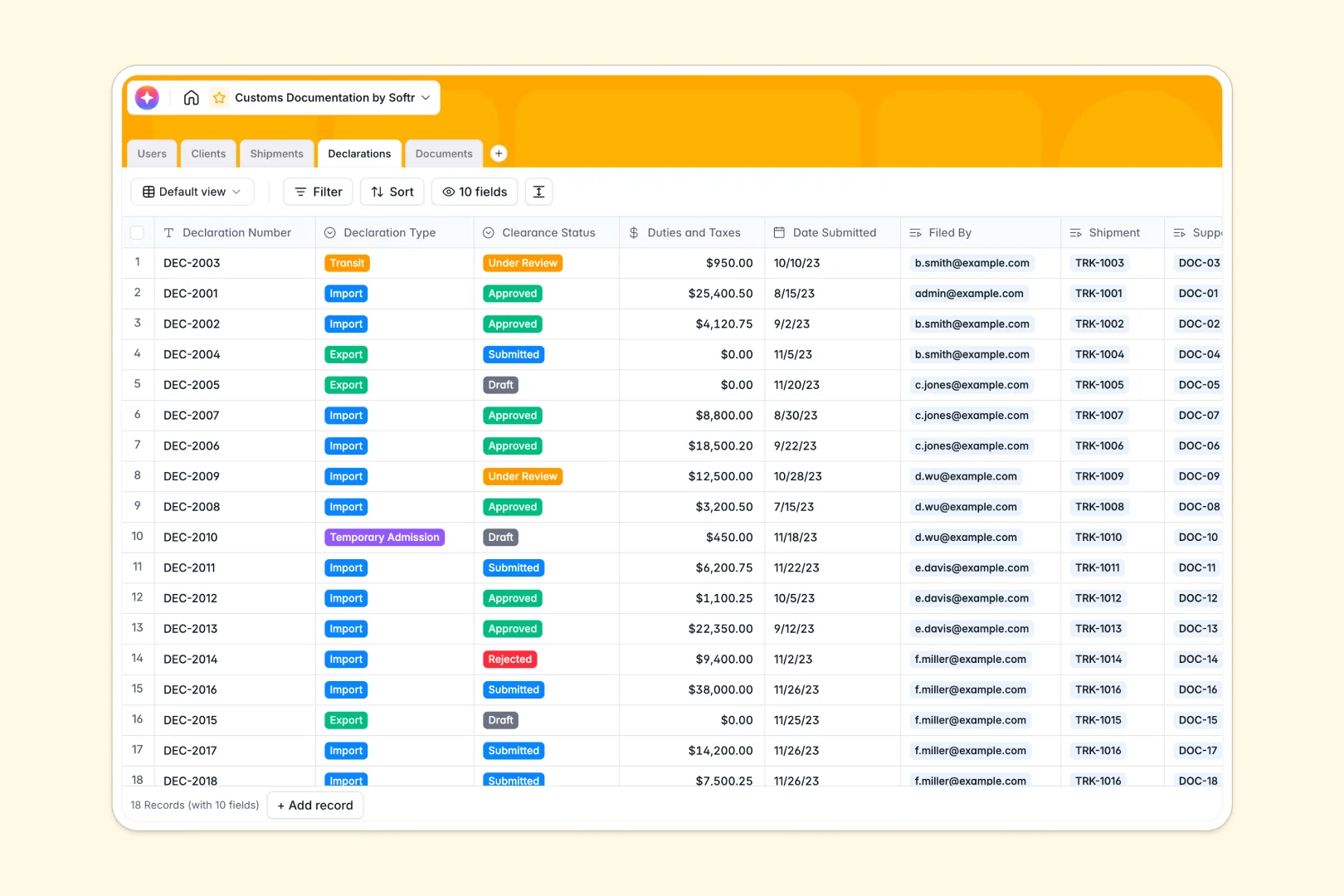
Your Customs Documentation database at a glance
This template replaces scattered spreadsheets with a highly secure, connected system for tracking shipments, handling clients, and filing declarations.
It natively links your Shipments, Declarations, and Documents tables together so nothing gets lost. When you view a customs declaration, you instantly see the commercial invoices and packing lists attached directly to it.
Built-in AI agents automatically act on your data—researching client backgrounds, summarizing shipment routes, and even evaluating the rejection risk of your declarations.
Why customs documentation gets messy in spreadsheets
Tracking international shipments in Google Sheets or Excel quickly becomes a liability. Crucial commercial invoices get lost in links, status updates overwrite critical history, and manual errors inevitably delay freight clearance.
What a structured database changes
A structured system guarantees that your logistics data acts exactly how it should. You can securely attach heavy commercial invoices or certificates of origin directly to a declaration record without breaking the file.
Instead of running fragile VLOOKUPs across multiple tabs, every shipment links natively to the exact client and broker handling the process.
This reliability is exactly what Softr Databases are built for. You get the simplicity of a spreadsheet, but the rigorous structure needed to pass audits and clear customs efficiently.
What you can do with this template
Start immediately by tracking your core operations all in one view. You can easily log pending shipments, securely upload commercial invoices, and monitor clearance statuses from Draft to Approved.
Protect your shipments effortlessly using native Database AI agents. These agents automatically scan your declarations to flag potential rejection risks before you even submit them.
-
Users
Manage personnel profiles, roles, and administrative access for customs filings
-
Clients
Store client company data with AI-powered research on market presence and services
-
Shipments
Track logistics and freight with AI-generated summaries of transit routes and status
-
Declarations
Process formal filings using AI to analyze rejection risks and clearance status
-
Documents
Centralize supporting files with AI-generated internal notes for document validation
Who is this Customs Documentation database for
This database is built for logistics operations that need to eliminate clearance delays and stay fully compliant.
- Customs Brokers: Instantly track active declarations, duties owed, and missing commercial invoices.
- Logistics Managers: Oversee live shipment routes from origin to destination without losing contextual history.
- Import/Export Firms: Keep an audit-ready library of all clients, past transactions, and required permits.
How to take it further
You can easily customize this database to fit your exact compliance needs. Adjust the dropdown fields for specific declaration types, or simply refine the verification statuses for your documents.
Drop your existing logistics data in via CSV to populate your clients list and active shipments instantly.
When your team is ready to scale, you can transform this database into a secure client portal using Softr's interface builder. Full-stack apps handle logins naturally without extra code.
Just apply users and permissions so that your shipping clients only ever see their own specific shipments and clearance statuses, while your brokers see everything.
-
1
-
2
-
3
-
4
Frequently asked questions
-
What is a customs documentation database?
-
Why use a no-code database to build a customs documentation tool?
-
How can AI help managing data for customs documentation?
-
Can I build an app with this customs database?
-
Is this Customs Documentation database free?
-
How is a customs documentation database different from a spreadsheet?
Start building today. It's free!
Build and launch your first app in under 30 minutes.