


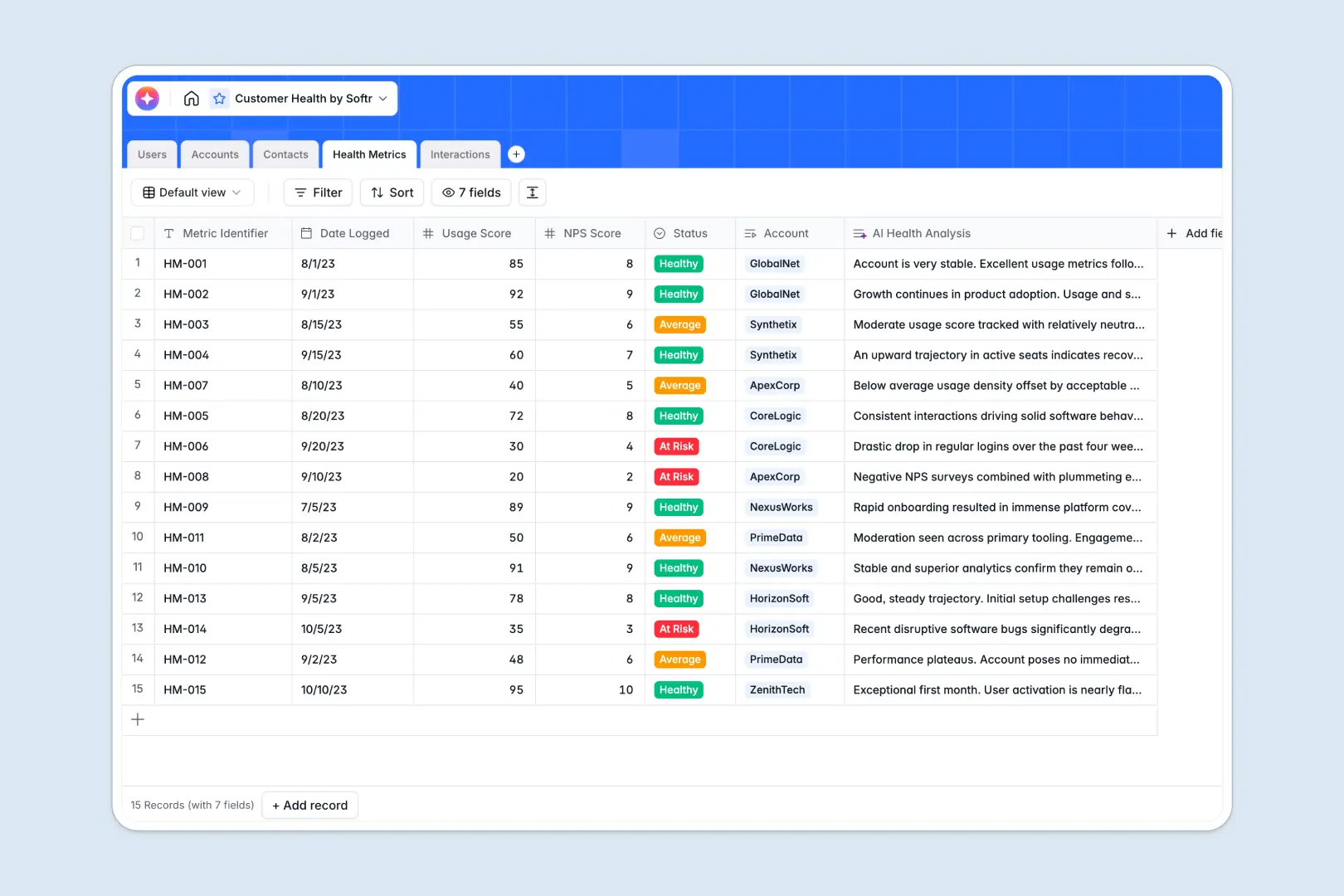
Your Customer Health database at a glance
This template gives you a complete view of your customers' well-being, helping you track metrics, monitor sentiment, and spot at-risk accounts instantly.
It neatly organizes your workflow across five connected tables. You can effortlessly link specific Accounts to Contacts, assign them to your team's Users, and tie every touchpoint inside the Interactions log without manual data entry.
Built-in AI automatically extracts actionable next steps directly from meeting notes, generates company overviews, and evaluates account risk levels based on your raw metrics.
Why tracking customer health gets messy in spreadsheets
Keeping tabs on complex customer relationships in Google Sheets usually leads to disorganized tabs, lost meeting notes, and outdated health scores.
What a structured database changes
In a database, data stays cleanly organized as your customer base scales, ensuring dates stay dates and emails stay emails. Each account connects naturally to multiple stakeholders and meeting logs without relying on fragile VLOOKUPs that break when a row is deleted.
This means you can view an entire customer history in one clean record instead of searching across multiple corrupted worksheet tabs. This is exactly what Softr Databases are designed for.
What you can do with this template
Stop copying, pasting, and manually deciphering sprawling meeting takeaways. With native Database AI agents, this template rapidly summarizes a client's risk level and extracts key action items from your typed notes in seconds.
You instantly see how many interactions an account has had and can easily filter your entire book of business by health tier. It seamlessly prepares your team to act fast when intervention is needed.
-
Users
Manage customer success managers and admins with roles and contact info
-
Accounts
Track client companies with tiers and AI-generated business summaries
-
Contacts
Centralize client stakeholders and champions linked to specific accounts
-
Health Metrics
Monitor account health with NPS, usage scores, and AI risk analysis
-
Interactions
Log client touchpoints and extract AI-powered action items from notes
Who is this Customer Health database for
This template provides an immediate, reliable structure for teams managing recurring revenue and long-term client relationships.
- Customer Success teams: Keep a unified record of NPS, usage scores, and champion statuses to proactively prevent churn.
- Account Managers: Track QBRs, support escalations, and action items in one central client history.
- CS Leaders: Get a high-level view of account distribution across your team to balance workloads properly.
How to take it further
Customizing this database takes just a few clicks. You can easily add new tier levels to the account status field or adjust the interaction dropdown choices to match your specific customer journey stages.
Instead of starting from scratch, import your current customer list directly via CSV or set up an API connection. Your historical notes and contact details map perfectly into the new structure in seconds.
When your team is ready, you can move beyond internal lists and build a complete, full-stack app natively. By leveraging precise users and permissions, you can ensure that each CSM only sees the specific accounts assigned to them. Starting with this well-structured database makes launching a powerful external dashboard or client portal completely effortless.
-
1
-
2
-
3
-
4
Frequently asked questions
-
What is a customer health database?
-
Why use a no-code database to build a customer success tool?
-
How can AI help managing data for customer health?
-
Can I build an app with this customer health database?
-
Is this Customer Health template free?
-
Why is a customer health database better than a customer health spreadsheet?
Start building today. It's free!
Build and launch your first app in under 30 minutes.