


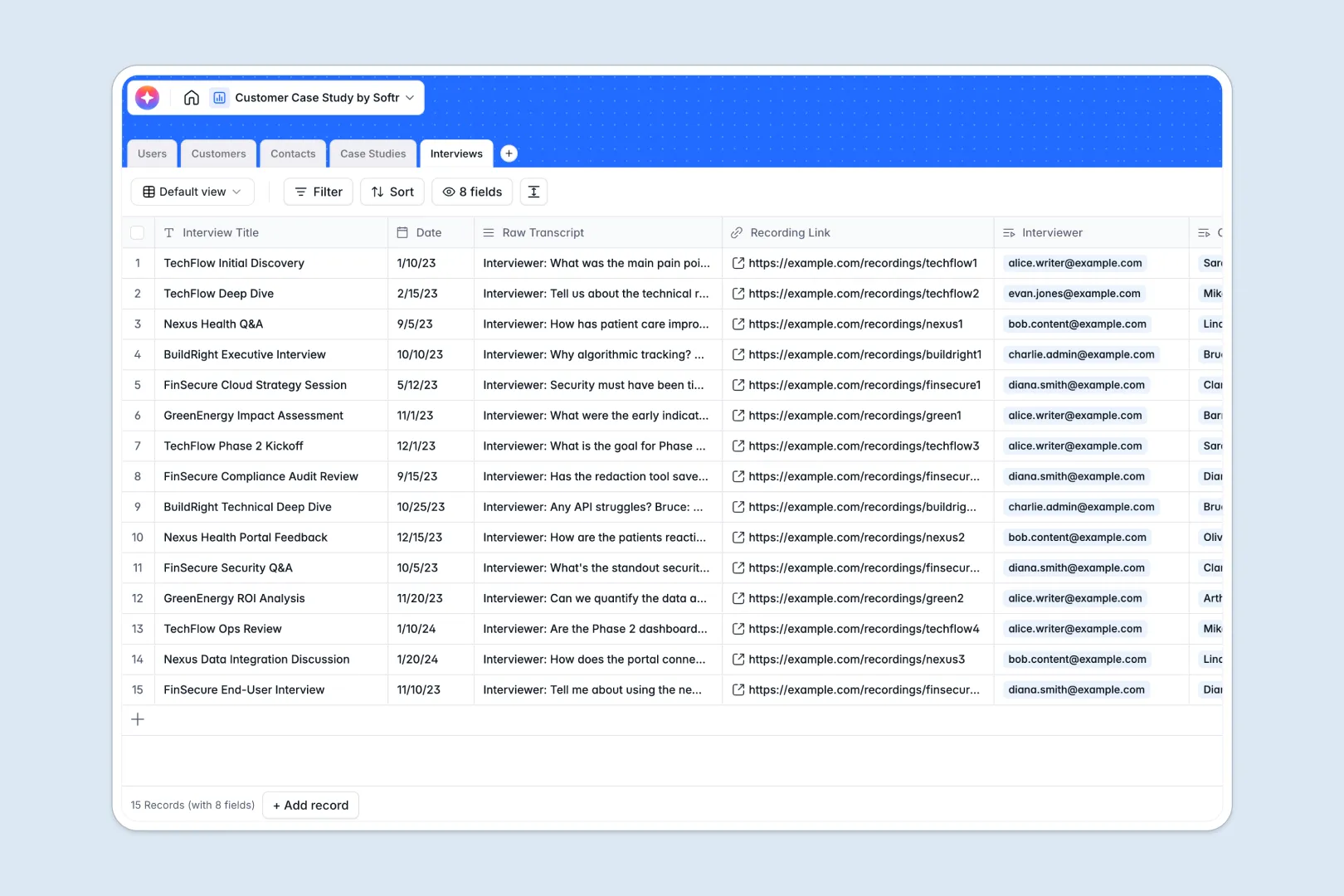
Your Customer Case Study Database at a glance
Centralize your entire success-story pipeline from raw client interview transcripts to finished, highly structured case studies. Keep your production workflows fully on track without losing momentum or assets.
This database connects target customer accounts directly to client contacts, designated content writers, draft versions, and raw meeting records. This setup keeps your files unified so you never have to search across multiple locations.
Built-in intelligent fields automatically generate company backgrounds and construct clear, actionable executive summaries directly inside your project records.
Why a customer case study spreadsheet gets messy
Managing text-heavy production pipelines inside a standard spreadsheet quickly leads to platform slowdowns, untrackable interview voice recordings, and major version-control issues.
What a structured database changes
Unlike traditional tables, structured systems enforce strict formats so your drafted copy, publication dates, and company logos remain exactly where they belong.
Instead of copy-pasting the same client information across dozens of loose grids, you can relate deep customer contacts directly to assigned writers and active drafts.
This relational setup ensures your marketing team views the absolute truth as files scale. This is exactly what Softr Databases are designed for.
What you can do with this template
Log interview transcripts immediately alongside customer records to guarantee key metrics and valuable client voice elements are preserved correctly in context.
You can map exact production phases like planning, drafting, and client review to clarify which writer owns each next step.
Additionally, direct rollups compile structural insights and help evaluate which pieces of social proof are officially ready for public launch.
-
Users
Manage internal staff profiles, portal access levels, and content assignments
-
Customers
Store client profiles with web-sourced AI research on company backgrounds
-
Contacts
Maintain directory of external stakeholders and participants for interviews
-
Case Studies
Oversee the lifecycle of success stories with AI-generated executive summaries
-
Interviews
Log session transcripts and use AI to extract key insights and pain points
Who is this Customer Case Study database for
This structure helps fast-growing creation networks organize the operational logistics behind customer success content.
- Content Marketing Managers: Effortlessly track draft statuses, deadlines, and assigned internal writer workloads.
- Customer Success Teams: Easily nominate successful accounts and log direct stakeholders for interview pipelines.
- Freelance Writers: Access pre-researched company summaries and transcribed notes directly inside designated records.
How to take it further
Customize the database
You can easily tailor this setup by editing select choices, expanding your customer metadata fields, or adding custom attributes like industry verticals and target languages.
Import your existing data
Import your spreadsheets instantly with a straightforward CSV upload or seamlessly integrate your contacts via modern API systems.
Build a full app around it
Once your team settles in, you can easily deploy this structure into a complete internal workflow system. This transitions your back-end tables into structured interfaces with zero coding required.
Having a structured data framework allows you to easily distribute custom users and permissions. This ensures freelancers and external client contacts only access their assigned files.
-
1
-
2
-
3
-
4
Frequently asked questions
-
What is a customer case study database?
-
Why use a no-code database to build a customer case study spreadsheet alternative?
-
How can AI help managing data for case studies?
-
Can I build an app with this customer case study database?
-
Is this Customer Case Study Database template free?
-
How do databases prevent duplicate customer entries compared to spreadsheets?
Start building today. It's free!
Build and launch your first app in under 30 minutes.