


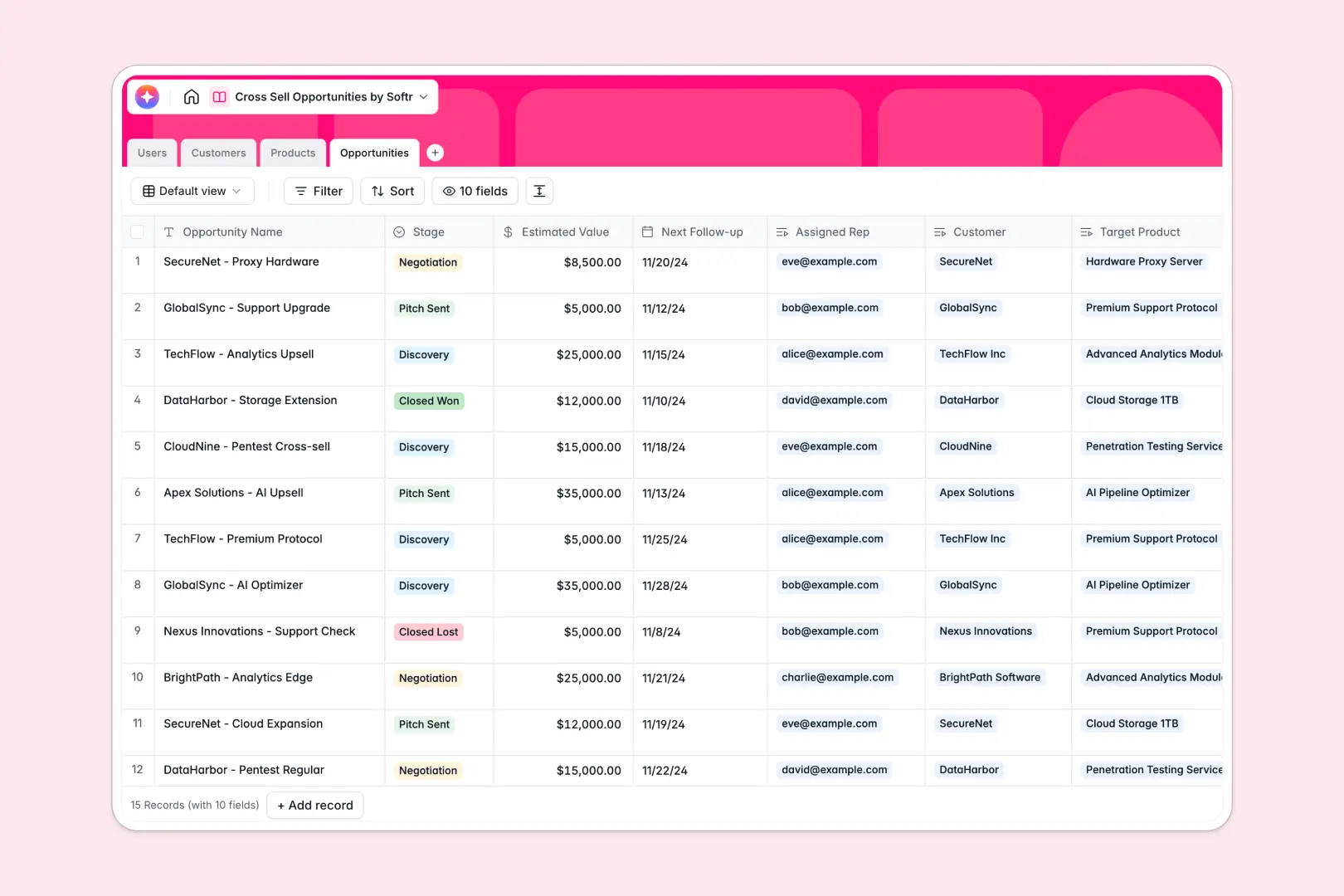
Your Cross Sell Opportunities database at a glance
This template gives your sales team a clear overview of active cross-sell pipelines, customer stacks, and target products. It helps you identify revenue opportunities within your existing client base without wrestling with messy rows.
The database natively links your Account Managers, Customers, Products, and Opportunities. When you review a customer record, you immediately see what they own, what they need, and who is working the deal.
AI automatically does the heavy lifting for you as data changes. It researches company news, extracts key product selling points, and drafts personalized pitch emails based on the client's current setup.
Why tracking cross-sell opportunities gets messy in spreadsheets
When you track cross-selling in spreadsheets, data quickly becomes fragmented across different tabs for clients, products, and reps.
What a structured database changes
Spreadsheets rely on fragile VLOOKUPs to connect a customer’s tech stack to new opportunities, which often break as teams scale. Sorting through mixed data types and manually copying product details wastes valuable sales time.
By enforcing clean relationships, every opportunity is automatically linked to the right client and target product without formulas. This is exactly what Softr Databases are built for, keeping your deal pipeline scalable and error-free.
What you can do with this template
You can instantly view deals by stage while tracking estimated values and next follow-up dates. Automated rollups calculate total active opportunities per client so you always know where to focus.
You also get built-in Database AI agents that research client websites to summarize company backgrounds in real time. They even generate custom pitch emails by comparing the customer's current stack with target product benefits.
-
Users
Manage internal sales staff profiles with roles, accounts, and assignments
-
Customers
Store client accounts with AI-powered background research and product history
-
Products
Catalog of services featuring AI-generated value propositions for sales pitches
-
Opportunities
Track the sales pipeline using AI to generate personalized customer emails
Who is this Cross Sell Opportunities database for
This database is built for sales and account management teams looking to expand existing revenue.
- Account Managers: See existing customer product stacks and easily spot logical upsell paths.
- Sales Representatives: Manage active cross-sell pipelines and track follow-up dates across all deals.
- Sales Directors: Monitor total pipeline value and view deal stages across the entire sales team.
How to take it further
Customize the database
You can quickly rename opportunity stages or add new product categories directly in the database. Adding new fields, formula columns, or team members takes just a few clicks.
Import your existing data
Bring in your current client lists and product catalogs instantly using a standard CSV import. You can also connect via API to automatically sync new records from your existing billing software.
Build a full app around it
When your team outgrows spreadsheets entirely, you can build an app on top of this data to give reps a polished internal portal. A clean custom interface makes it much easier for account managers to drag deals through a kanban board.
You can also set up strict users and permissions to control data access. This ensures your sales reps only view and edit the specific cross-sell opportunities assigned to their accounts.
-
1
-
2
-
3
-
4
Frequently asked questions
-
What is a cross-sell opportunities database?
-
Why use a no-code database to track cross-sell pipelines?
-
How can AI help manage data for cross-selling?
-
Can I build an app with this cross-sell database?
-
Is this Cross Sell Opportunities database free?
-
Why is a database better than a cross sell opportunities spreadsheet?
Start building today. It's free!
Build and launch your first app in under 30 minutes.