


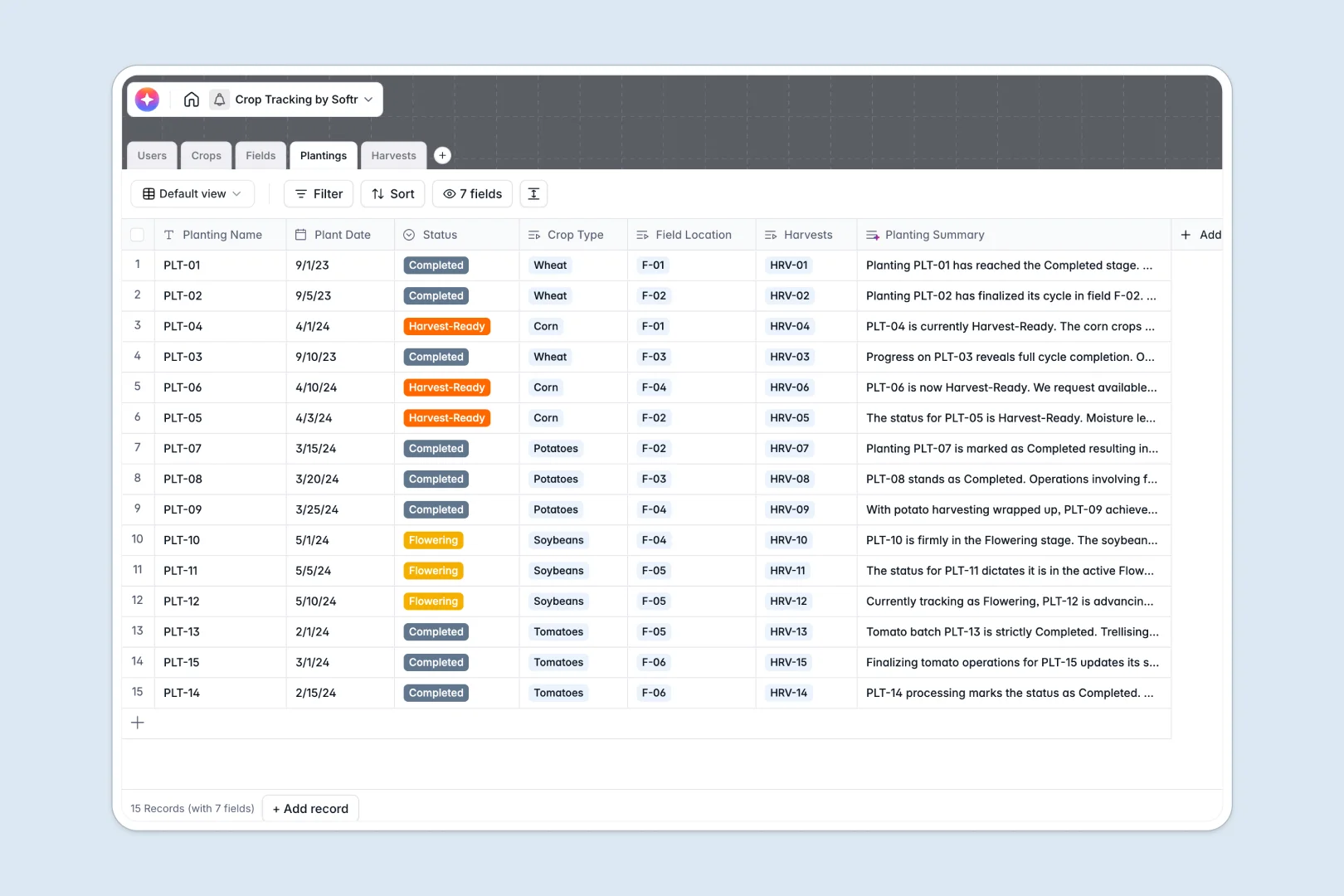
Your Crop Tracking Database at a glance
This template centralizes your entire agricultural operation, from planning seed varieties to logging final harvest yields. It helps farm operators eliminate scattered files and maintain an accurate, real-time view of field productivity.
The system connects five core tables: Crops, Fields, Plantings, Harvests, and Users. Assigning a crop to a specific field automatically tracks its life cycle from seedling to completion without any duplicate data entry.
Built-in AI agents automatically generate cultivation best practices based on the crop name and extract concise executive summaries directly from your manual harvest quality notes.
Why crop tracking gets messy in spreadsheets
Relying on flat rows and columns to track soil types, dynamic plant dates, and harvest weights quickly leads to human error. Tracking exact yields over multiple growing seasons becomes virtually impossible when data is not properly linked.
What a structured database changes
A relational system enforces strict column rules so plant dates remain correct and crop varieties stay fully categorized. You can instantly link a vegetable variety to multiple fields without relying on complex, fragile VLOOKUP formulas.
This ensures every logged harvest is permanently tied to the right staff member, precise field location, and planting batch. This is exactly what Softr Databases are specifically designed to handle.
What you can do with this template
Right away, you can monitor field utilization, track crop life cycles like vegetative or flowering phases, and automatically calculate total plantings per field.
Smart AI fields are already configured to search the web for unique crop cultivation tips and auto-generate progress overviews. You simply enter the core data, and the system organizes the rest effortlessly.
-
Users
Manage farm personnel roles and field assignments for operational coordination
-
Crops
Catalog plant varieties with AI-generated cultivation guides and best practices
-
Fields
Track physical land boundaries and soil specifications for resource planning
-
Plantings
Monitor growth status through AI summaries that track cycles from seed to harvest
-
Harvests
Log crop output using AI to analyze yield quality and extract executive summaries
Who is this Crop Tracking Database for
This foundational system is specifically designed for agricultural operations aiming for total visibility and reliable records.
- Farm Managers: Track field utilization and monitor exact planting statuses across the entire property.
- Agronomists: Analyze harvest yield quality and instantly review auto-generated crop cultivation guides.
- Field Staff: Log accurate harvest quantities and record quality notes effortlessly from their directly assigned fields.
How to take it further
You can easily customize this database to match your exact climate or growing habits. Add new soil types like clay or loamy directly to the Fields table, or modify the planting statuses to match your unique growth cycles.
Ditch your old records quickly by uploading your historical harvests and field data via a simple CSV import.
When your farm's staff grows, you can easily turn this database into a robust agricultural portal. Setting up proper users and permissions ensures that seasonal field workers only see their assigned fields while managers access the full overview. A well-structured backend makes building intuitive farm tools completely seamless down the road.
-
1
-
2
-
3
-
4
Frequently asked questions
-
What is a crop tracking database?
-
Why use a no-code database to build a crop tracking tool?
-
How can AI help managing data for crop tracking?
-
Can I build an app with this crop tracking database?
-
Is this Crop Tracking Database free?
-
How is a crop tracking database different from an Excel spreadsheet?
Start building today. It's free!
Build and launch your first app in under 30 minutes.