


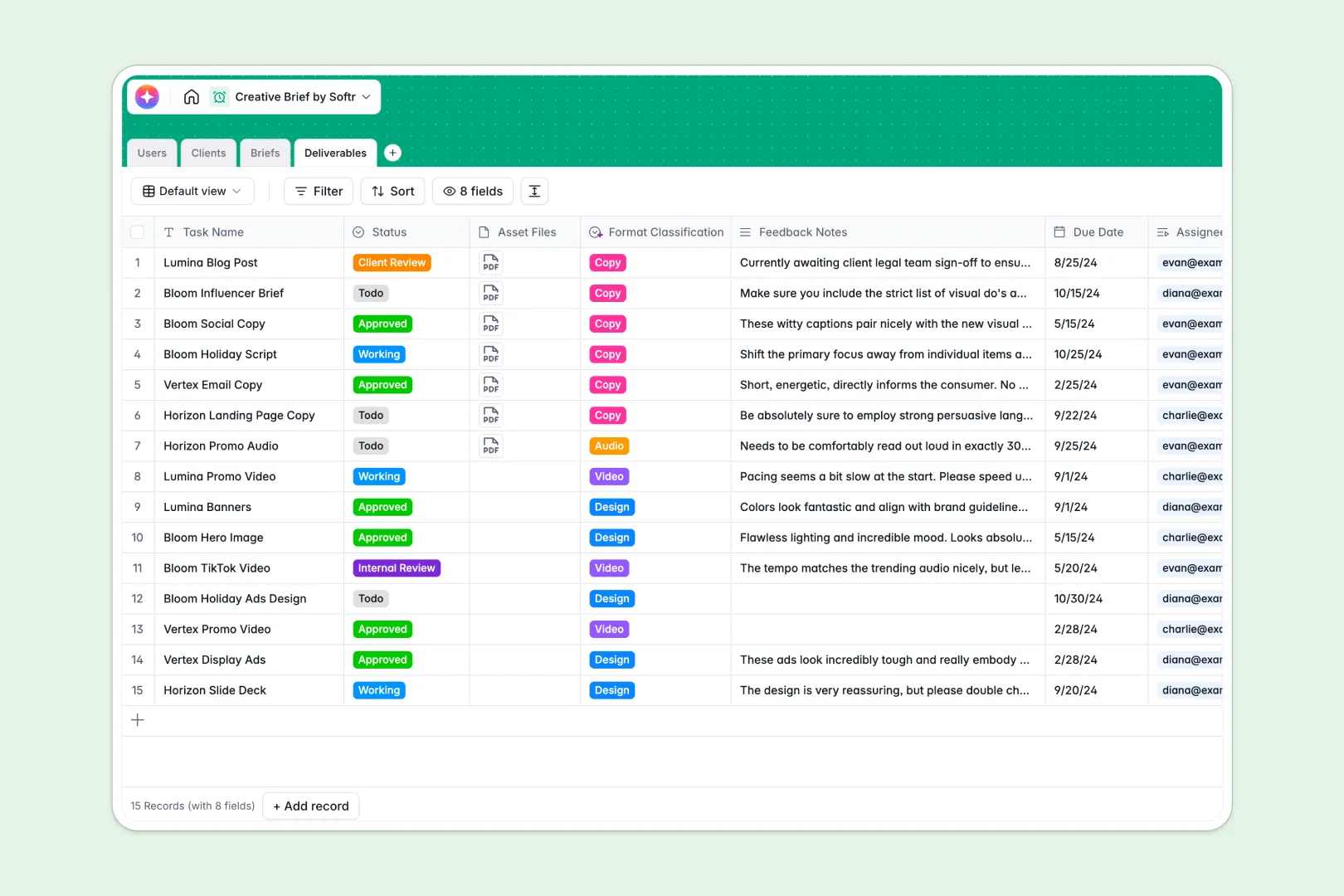
Your Creative Brief Database at a glance
This template serves as a unified command center for your entire creative workflow, connecting campaigns, creative tasks, and team roles instantly. Out-of-the-box relationships ensure you can track deliverables and see which campaign or client they belong to in just one click.
Instead of digging through scattered files, you get four dedicated tables for Users, Clients, Briefs, and Deliverables. These tables link together perfectly so your team always knows what to design, write, or record next.
The database also handles heavy administrative work for you via integrated AI tools. For example, it automatically summarizes complex campaign goals and categorizes your creative deliverables behind the scenes.
Why managing creative briefs in spreadsheets gets messy
As your client list and campaign volume grow, tracking everything in a standard creative brief spreadsheet quickly turns into a nightmare. You end up copy-pasting the same client details across multiple rows, losing track of active draft statuses, and hunting down the latest asset design links in massive scrollable grids.
What a structured database changes
A proper relational database structures your operations by treating clients, briefs, and tasks as distinct, connected objects instead of flat rows. This structural layout makes it impossible for someone to accidentally delete a due date formula or mess up client data.
This is exactly what Softr Databases are designed for. They protect your data integrity while ensuring you can scale your creative agency's operations smoothly.
What you can do with this template
With this template, you can assign creators to specific deliverables and store finished asset files directly in the database. Built-in Database AI agents can automatically research client backgrounds from their website URLs or categorize deliverables by format instantly. This eliminates double-data entry and keeps your team focused entirely on the actual creative work.
-
Users
Manage creative staff and clients with contact info, roles and assignments
-
Clients
Organize brand profiles with AI-generated background research and manager links
-
Briefs
Define campaign goals and timelines with AI-powered executive brief summaries
-
Deliverables
Track project assets using AI for automated format classification and status updates
Who is this Creative Brief Database for
- Creative Agencies: Keep multiple client briefs, brand assets, and project assignments neatly separated.
- In-house Marketing Teams: Streamline creative requests and collaborate on campaign execution across departments.
- Freelancers and Creators: Direct your clients to store briefs in one spot and submit deliverable files without friction.
How to take it further
Customize the database
You can easily adapt this template by tweaking the Status choices for both your briefs and deliverables to match your current agency review stages. Adding custom fields for budget, specific social channels, or target audiences takes only a few seconds.
Import your existing data
If you are currently migrating from an old spreadsheet, you can import your CSV files in bulk directly into the Clients or Users tables. This lets you preserve your historical brand data and team records instantly.
Build a full app around it
When your workflow grows, you can easily build a client portal or internal app directly on top of this structure. Using Softr's native interface builder, you can turn your database tables into clean, interactive grids and forms.
This allows you to set up granular users and permissions to control exactly who sees what. Clients can log in to submit brand briefs and review deliverables on their own dashboard without accessing your internal team database.
-
1
-
2
-
3
-
4
Frequently asked questions
-
What is a creative brief database?
-
Why use a no-code database to build a creative brief system?
-
How can AI help managing data for creative briefs?
-
Can I build an app with this creative brief database?
-
Is this Creative Brief Database template free?
-
How is a creative brief database different from a traditional creative brief spreadsheet?
Start building today. It's free!
Build and launch your first app in under 30 minutes.