


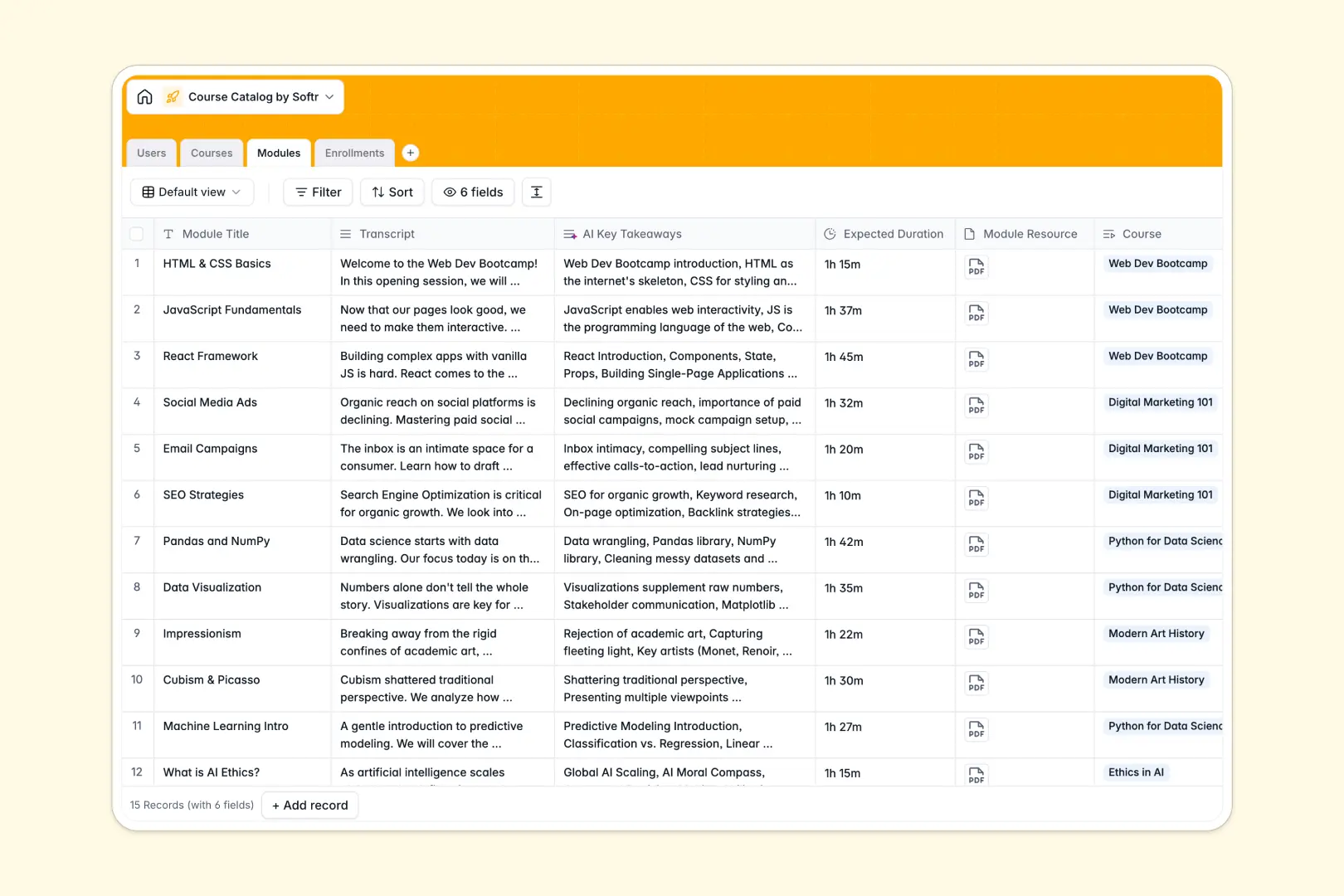
Your Course Catalog Database at a glance
This template tracks your entire educational program, from course categories to student enrollment statuses. It gives you a clean, structured view of who is teaching what and how students are progressing.
The database connects everything logically without messy formulas. Users link directly to Courses, which are broken down into Modules, while the Enrollments table tracks active or completed progress reliably.
It also features built-in AI to handle content automatically. The database summarizes text into bullet points and extracts key takeaways directly from your module transcripts.
Why course catalogs get messy in spreadsheets
Tracking courses and enrollments in a spreadsheet quickly becomes a nightmare of copied rows, mixed data, and broken tracking. A simple sheet cannot handle the complexity of matching hundreds of students to dozens of modules securely.
What a structured database changes
Instead of fragile formulas, a database uses native connections to link one instructor to multiple courses seamlessly. Every column has a strict type, ensuring status dropdowns stay clean and attached module files never get lost in a cell.
This is exactly what Softr Databases are designed for. You get the intuitive simplicity of a grid with the relational power needed to scale your educational programs without data chaos.
What you can do with this template
You can instantly assign students to courses and monitor total enrollments automatically using built-in rollup fields. Everything stays neatly categorized by topic and dedicated instructor.
You can also rely on built-in AI automation to speed up administrative tasks. The system reads your transcripts and extracts the main concepts so your curriculum stays accessible and perfectly organized.
-
Users
Manage student and staff profiles with roles, avatars, and course links
-
Courses
Catalog learning content using AI to generate high-level course summaries
-
Modules
Break down courses into units with AI-extracted takeaways from transcripts
-
Enrollments
Monitor student registration status and course progress over time
Who is this Course Catalog Database for
This system is built for teams and educators who need to manage growing curriculums without wrestling with data operations.
- School Administrators: Track active enrollments and match students to the right instructors in seconds.
- Corporate Trainers: Organize internal training modules, durations, and employee completions efficiently.
- Online Academy Founders: Keep course categories, transcripts, and downloadable resources neatly structured.
How to take it further
You can easily customize this database to fit your exact curriculum. Add new status types for enrollments, tweak AI extraction prompts, or rename training categories in just a few clicks.
Bring your existing educational content to life instantly. You can bulk-import your current student list, enrollments, or class roster via CSV to get started immediately.
When your team is ready, you can transform this clean data into a fully functioning student portal or internal coaching app. Simply connect interactive screens to your tables to let users securely view their own assigned modules.
By combining this structured data with granular users and permissions, you can ensure instructors only edit their assigned classes. Starting with a highly organized database makes building these web apps completely effortless.
-
1
-
2
-
3
-
4
Frequently asked questions
-
What is a course catalog database?
-
Why use a no-code database to build a course catalog?
-
How can AI help managing data for course catalogs?
-
Can I build an app with this course catalog database?
-
Is this Course Catalog Database free?
-
How is a course catalog database different from Google Sheets or Excel?
Start building today. It's free!
Build and launch your first app in under 30 minutes.