


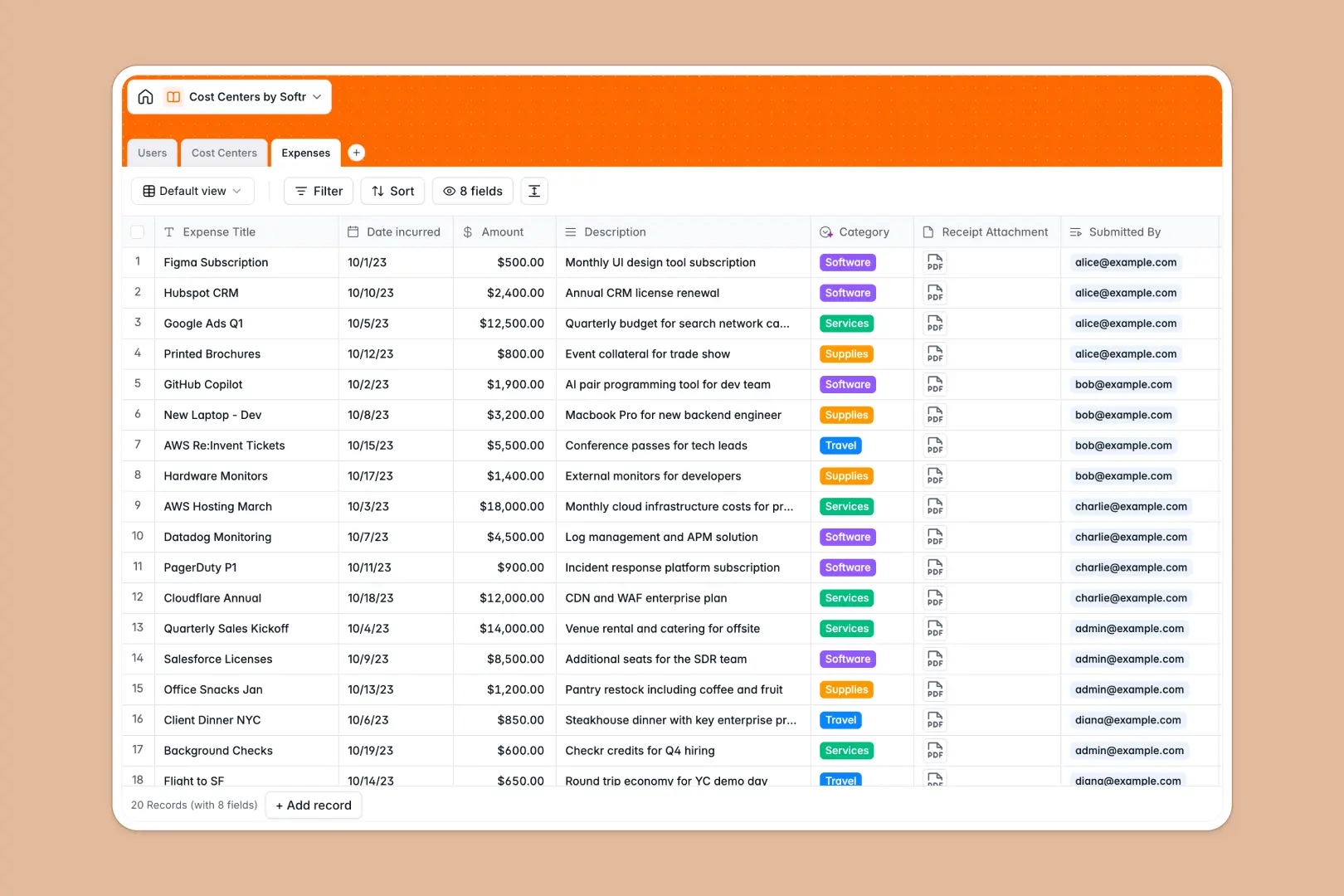
Your Cost Centers Database at a glance
This template gives you a central source of truth for tracking department budgets and aggregating expenditures. It completely replaces fragile cost center spreadsheets with a structured, automated system.
It connects Users, Cost Centers, and individual Expenses automatically. Every receipt submitted directly updates the Total Spent and Budget Remaining for its respective department without any manual calculations.
Best of all, built-in AI automatically categorizes new expenses based on descriptions, saving hours of manual data entry.
Why managing budgets in a cost centers spreadsheet breaks down
Spreadsheets might work for a small handful of business expenses, but they quickly become chaotic as teams scale. VLOOKUPs break, rows get misaligned, and tracking real-time budget depletion becomes impossible.
What a structured database changes
A structured system enforces strict rules so your financial data stays perfectly organized. Columns have explicit types—currencies stay as currencies, and receipts are securely attached as files directly to the expense record.
Instead of copying and pasting manager names into fifty different rows, tables link directly to each other. This is exactly what Softr Databases are designed for.
What you can do with this template
You can monitor real-time budget balances as expenses roll in, ensuring teams never exceed their operating limits. Everything recalculates perfectly and automatically.
You can also leverage Database AI agents to instantly classify expenses into categories like Travel or Software. This transforms a static tracker into a self-maintaining financial ledger.
-
Users
Manage employee profiles, access levels, and links to global expenses
-
Cost Centers
Track department budgets with AI-generated profiles and financial health
-
Expenses
Log individual costs while using AI to auto-classify spending categories
Who is this Cost Centers database for
This system is built for organizations that need strict visibility over department spending without administrative overhead.
- Finance Teams: Track operating budgets and instantly see remaining balances across all departments in one view.
- Department Managers: Monitor team expenditures and oversee expenses that have been effortlessly categorized by AI.
- Operations Leads: Maintain a clean, continuously updated directory of employees and their specific spending activities.
How to take it further
Customize this database effortlessly to fit your exact operational needs. Add new AI categorization tags, adjust budget rollup formulas, or create new fields to track specific vendor names.
Got historical spending data? Import your existing cost centers and past expenses seamlessly via CSV bulk upload or API sync.
When you are ready to share this securely across the company, you can use the interface builder to turn this database into a full internal portal. Well-structured databases make building tailored front-end experiences incredibly simple.
By leveraging users and permissions, you can ensure that department managers only see the budget data and expenses relevant to their specific cost centers.
-
1
-
2
-
3
-
4
Frequently asked questions
-
What is a cost center database?
-
Why use a no-code database to track department expenses?
-
How can AI help manage data for cost centers?
-
Can I build an app with this cost centers database?
-
Is this Cost Centers template free?
-
How is a cost center database different from a cost centers spreadsheet?
Start building today. It's free!
Build and launch your first app in under 30 minutes.