


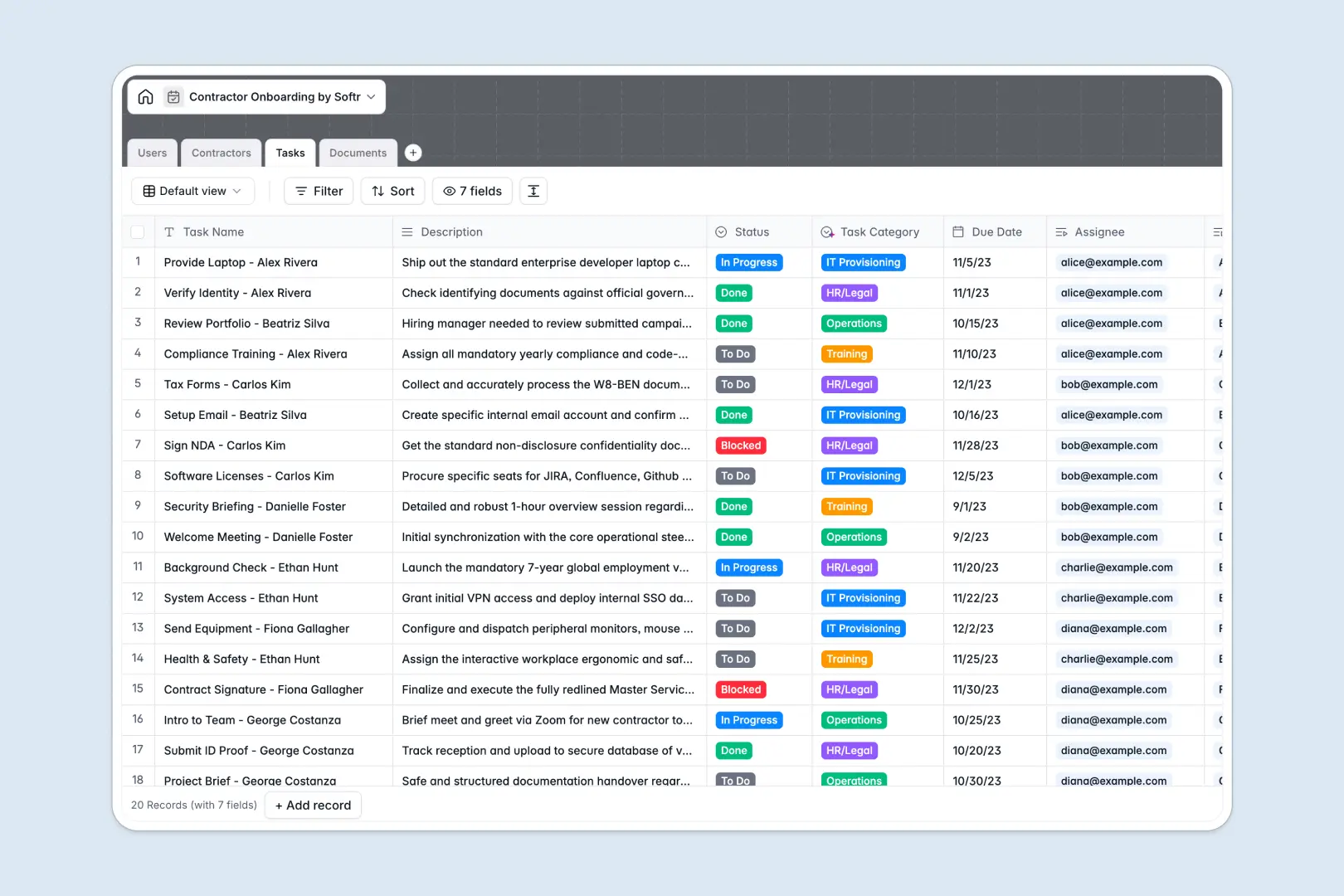
Your Contractor Onboarding Database at a glance
This template replaces messy spreadsheets with a structured system to track contractors, assign tasks, and manage documents in one reliable place.
It directly links your central contractor pipeline to specific onboarding tasks and securely uploaded documents like NDAs and tax forms.
Built-in AI automatically summarizes contractor portfolios from the web, and instantly categorizes tasks and uploaded documents to save your HR team hours of manual data entry.
Why contractor onboarding gets messy in spreadsheets
When you manage external hires in Google Sheets, scaling becomes impossible as rows get deleted, attachments pile up in chaotic drive folders, and VLOOKUPs break.
What a structured database changes
A structured database enforces clear rules for your data. Document attachments stay directly linked to the right contractor profile, while task statuses update cleanly without scrolling past hundreds of rows.
Instead of duplicating contractor information across multiple tabs, relational tables connect staff, contractors, and tasks perfectly. This gives your team a single source of truth, establishing exactly what Softr Databases are built to provide.
What you can do with this template
Track every contractor's progress from document collection to full onboarding with pre-configured status views and automated task counting.
Deploy embedded AI to automatically read and summarize portfolio URLs without leaving your table or needing external web scrapers.
Automatically classify newly uploaded tax files or NDAs, ensuring full compliance without manual review.
-
Users
Manage internal staff and HR managers who oversee contractor onboarding
-
Contractors
Track contractor profiles with AI-generated bios from portfolio URLs
-
Tasks
Organize onboarding steps with AI-powered task classification and status
-
Documents
Store legal files with AI-driven document classification and verification
Who is this Contractor Onboarding database for
This template is designed for teams that need a reliable, error-free way to bring external talent up to speed.
- HR Managers: Track compliance documents and onboarding statuses across dozens of external hires simultaneously.
- Operations Teams: Assign standard provisioning tasks and ensure contractors have system access on day one.
- Project Supervisors: Monitor individual contractor readiness and review auto-generated professional summaries.
How to take it further
Customize the database to fit your exact workflow. You can easily add new onboarding stages to the select fields or tweak the AI prompts to extract specific skills from portfolios.
Quickly import your existing contractor records via CSV. Once imported, your data populates instantly and connects securely to the predefined task lists.
When your team is ready, you can transform this database into a secure portal where external contractors can log in to upload their own files and check off assigned tasks.
You can configure custom users and permissions so contractors only see their own checklists, while HR retains full visibility. Well-structured databases make building these fully-fledged apps effortless.
-
1
-
2
-
3
-
4
Frequently asked questions
-
What is a contractor onboarding database?
-
Why use a no-code database to build a contractor onboarding system?
-
How can AI help managing data for contractor onboarding?
-
Can I build an app with this contractor onboarding database?
-
Is this Contractor Onboarding Database free?
-
How is this template different from a contractor onboarding spreadsheet?
Start building today. It's free!
Build and launch your first app in under 30 minutes.