


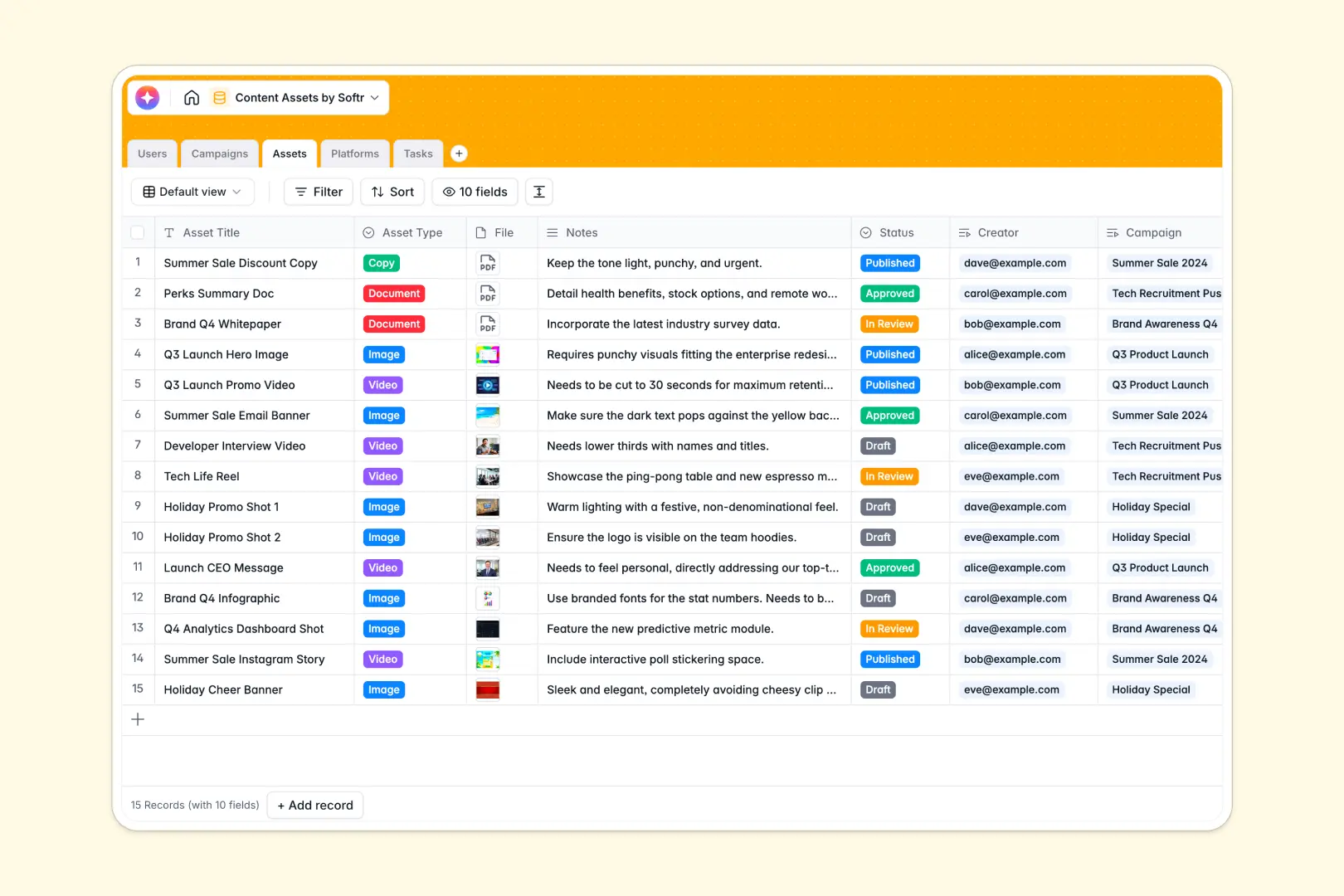
Your Content Assets Database at a glance
This template is a complete central hub to plan, track, and manage your entire content pipeline. It removes the chaos of finding files and tracking production statuses manually.
It connects your Users, Campaigns, and specific Assets seamlessly together. You can break down big projects into actionable Tasks and track which Platforms receive which content without ever duplicating rows.
Instead of reading through pages of documentation, native AI fields automatically extract top goals from campaign briefs and draft initial copy directly from your asset notes.
Why managing content assets in spreadsheets breaks down
Content production is inherently messy, and trying to track images, documents, and videos across hundreds of spreadsheet rows only makes things worse.
What a structured database changes
Spreadsheets force you to cram attachments, feedback, and due dates into an unorganized, infinite grid. When campaigns scale up, fragile formulas break and crucial files inevitably get unlinked or lost.
With a relational structure, you can link a single piece of copy directly to multiple social platforms or team members instantly. Files stay categorized, and dates remain clearly formatted as your library grows.
This clear separation of data objects is exactly what Softr Databases are built to handle naturally.
What you can do with this template
Instantly view all assets tied to an active campaign and securely store file attachments directly on the related record. You can assign precise production tasks to creators or reviewers and track every deadline.
Thanks to Database AI agents, your records manage themselves. The database automatically summarizes complex campaign briefs into top goals and generates copy drafts the moment a new asset is added.
-
Users
Manage team members, roles, and project assignments within the system
-
Campaigns
Group marketing efforts with goals and AI-generated brief summaries
-
Assets
Store content pieces with AI-powered draft generation and status tracking
-
Platforms
Define distribution channels and track total content volume per outlet
-
Tasks
Track production steps, deadlines, and ownership for specific content items
Who is this Content Assets database for
This system is designed for marketing departments and agencies that need to produce, review, and distribute creative assets efficiently.
- Marketing Agencies: Manage multiple client assets, track approvals, and organize complex campaigns across distinct brands seamlessly.
- Content Marketing Teams: Align writers, designers, and managers around shared campaign briefs and transparent deadlines.
- Social Media Managers: Map specific videos and graphics to target platforms and monitor total active asset counts automatically.
How to take it further
1. Customize the database
Start by adjusting the database to perfectly match your existing workflow. You can quickly add new distribution channels to the Platforms table or update the Asset status dropdown to reflect your team's specific approval process.
2. Import your existing data
Connect your historical data in minutes for immediate value. Use a CSV upload to securely import your current content inventory, ongoing tasks, and historical campaign briefs all at once.
3. Build a full app around it
When your content production relies on lots of external stakeholders, you can easily turn this database into a robust portal. Using Softr's interface builder, you can create beautiful visual front-ends for your data.
By leveraging users and permissions, you can ensure freelance creators only see the specific tasks assigned to them. This provides external collaborators a tailored experience while keeping your master marketing data perfectly secure.
-
1
-
2
-
3
-
4
Frequently asked questions
-
What is a content assets database?
-
Why use a no-code database to build a content management tool?
-
How can AI help managing data for content assets?
-
Can I build an app with this content assets database?
-
Is this Content Assets database free?
-
Why is a database better than a content assets spreadsheet?
Start building today. It's free!
Build and launch your first app in under 30 minutes.