


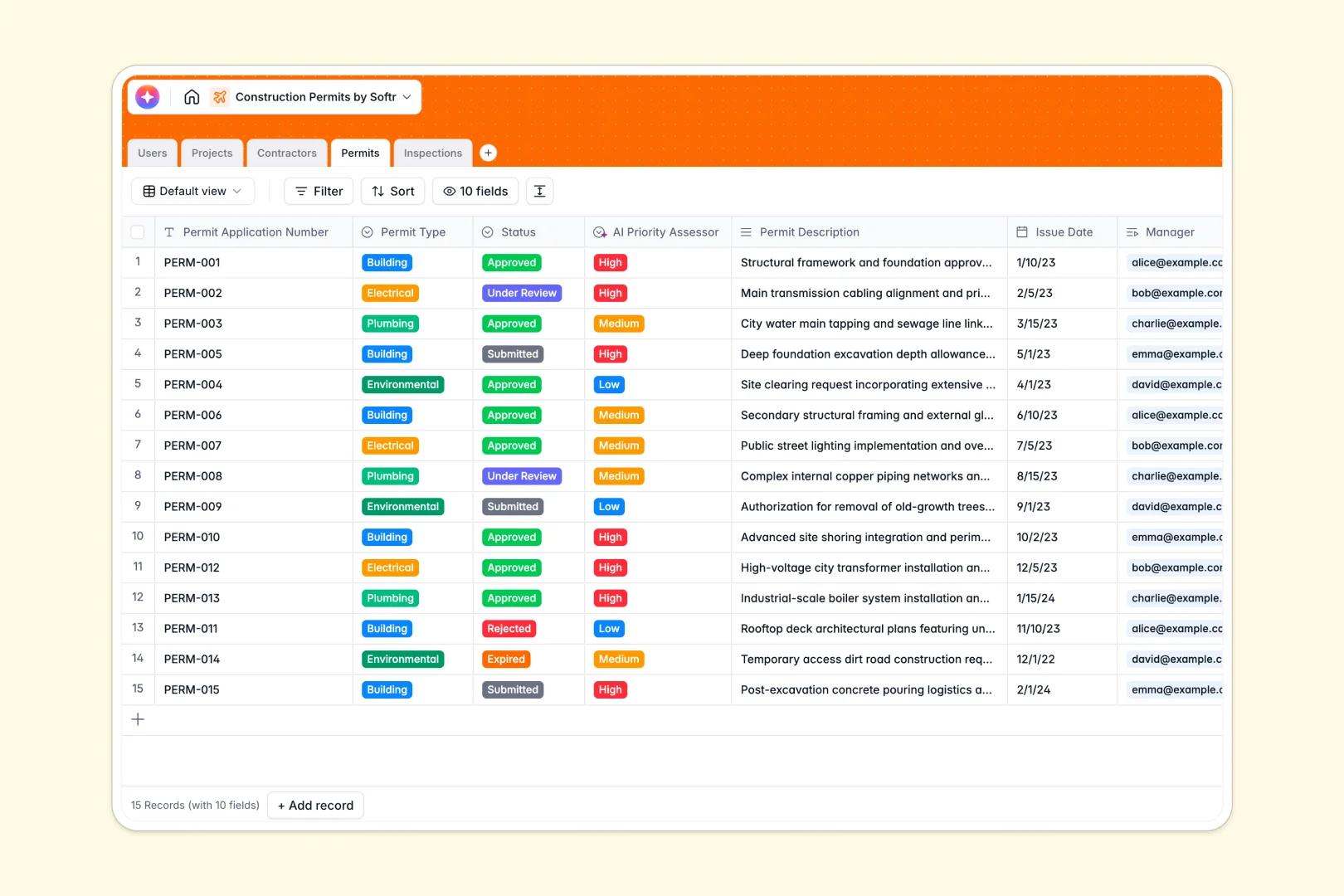
Your Construction Permits Database at a glance
This template centralizes your active applications, project details, and site inspections so nothing falls through the cracks. It ensures your building projects keep moving forward seamlessly and compliantly.
It cleanly connects Projects, Permits, and Contractors in related tables. When an application moves from "Under Review" to "Approved," you can instantly schedule and link Inspections directly to the parent permit.
Built-in AI speeds up your workflow by automatically assessing the priority of new permit requests and summarizing lengthy inspection notes into quick bullet points.
Why tracking construction permits in spreadsheets breaks down
Managing site approvals across multiple tabs quickly turns into chaos. Formulas break, critical dates get missed, and tracking which external contractor holds which permit becomes impossible.
What a structured database changes
A structured system keeps everything strictly organized and reliable. Dates stay formatted exactly as dates, and dropdowns ensure regulatory statuses remain perfectly consistent across your team.
Instead of relying on fragile VLOOKUPs, database tables connect intuitively. You can link a single Contractor to dozens of Permits without ever duplicating entry data across rows.
This is exactly what Softr Databases are designed for. They provide a scalable, error-free foundation that naturally grows alongside your construction portfolio.
What you can do with this template
Instantly log new applications and assign them to specific permit managers. Every inspection outcome and site photo is linked securely to the original permit, creating a clear audit trail.
With built-in Database AI agents, the system actively handles administrative heavy lifting. It can automatically browse a contractor's website to generate a company overview, or instantly classify permit urgency so your team knows exactly what to tackle first.
-
Users
Manage administrative staff and inspectors with roles and contact details
-
Projects
Organize building initiatives with site details and AI-generated titles
-
Contractors
Track external firms with web-sourced AI overviews and contact info
-
Permits
Monitor permit status and types using AI to assess application priority
-
Inspections
Log site visit outcomes and notes with AI-generated executive summaries
Who is this Construction Permits Database for
This system is built for teams managing complex site approvals and compliance requirements.
- Permit Managers: Track application statuses and issue dates confidently across multiple ongoing projects.
- Site Inspectors: Log field assessments securely, upload site photos, and document definitive inspection outcomes.
- General Contractors: Keep a strict, organized record of sub-contractor details and their associated approvals.
- Project Leads: Gain immediate visibility into which delayed permits might impact construction start dates.
How to take it further
Customizing this template takes just a few intuitive clicks. You can easily add new permit categories or modify the inspection outcome options to perfectly match your local municipal regulations.
Bring your existing records over effortlessly in minutes. Just import your historical permit logs via CSV files and pick up immediately where you left off.
When your team scales, you can transform this database into a full operational tool using the interface builder. Create a custom portal where external contractors can submit missing documents directly into your system.
By leveraging users and permissions, you maintain total security over your data. Inspectors will only see their specific scheduled site visits, while administrative managers command the complete project bird's-eye view.
-
1
-
2
-
3
-
4
Frequently asked questions
-
What is a construction permits database?
-
Why use a no-code database to build a permitting tool?
-
How can AI help managing data for permit tracking?
-
Can I build an app with this permits database?
-
Is this template free?
-
Why do spreadsheets fail for tracking construction permits?
Start building today. It's free!
Build and launch your first app in under 30 minutes.