


Overview
Building a client portal shouldn't require months of development. With the Softr Client Portal, you can quickly turn your Airtable or Google Sheets data into a fully functional, secure portal. Share documents, manage tasks, and track project status in a single, branded environment.
Softr vs. Traditional Development
When deciding how to build your application, the difference is clear.
Speed to Market
Traditional development takes months, whereas Softr's templates allow you to launch in days or even hours.
Cost Efficiency
Hiring a dev agency can cost thousands. Using Softr drastically reduces overhead, allowing you to invest in your actual business rather than custom code.
-
Users
Manage employee and officer profiles with roles and document ownerships
-
Departments
Organize teams and departments to facilitate bulk compliance assignments
-
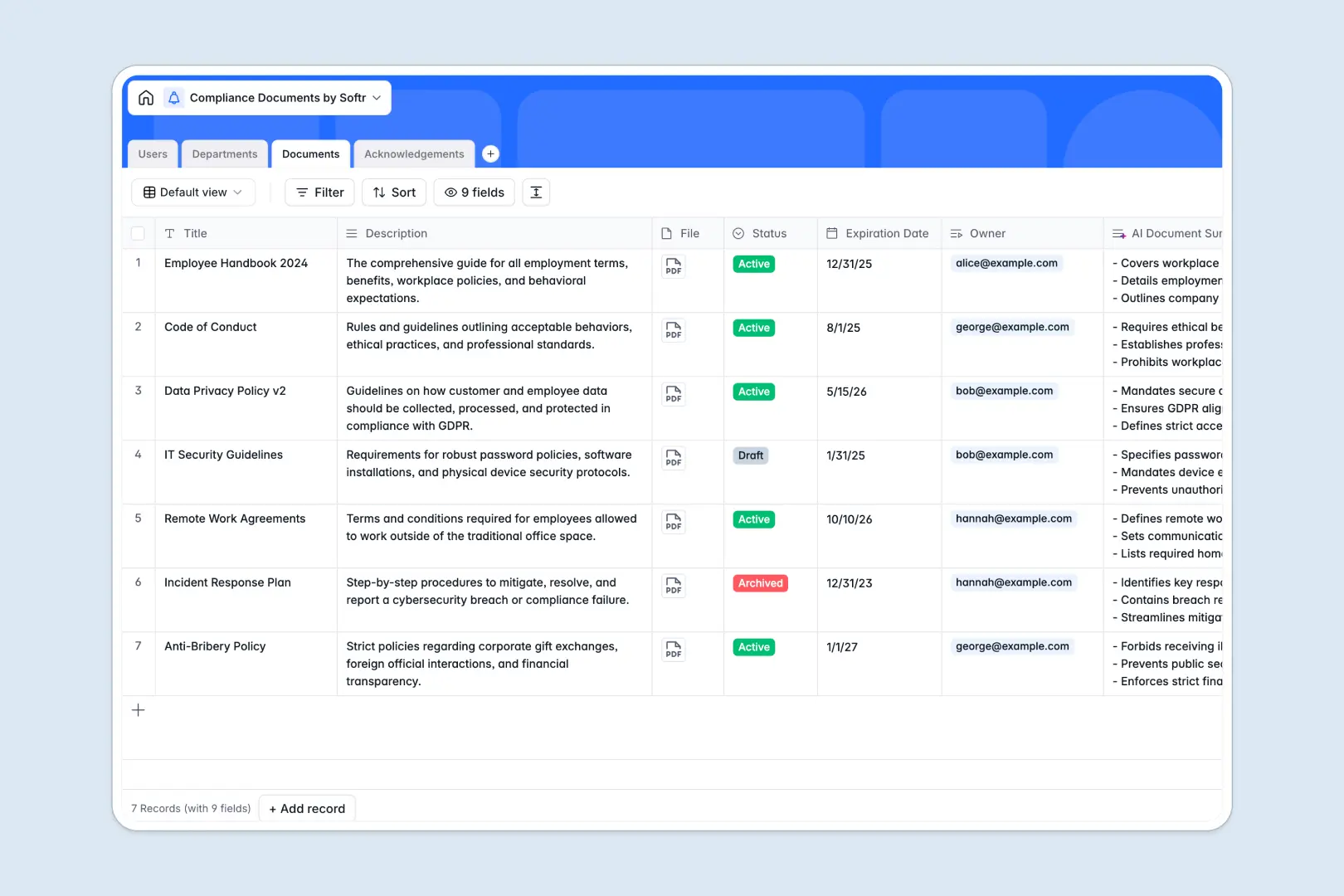
Documents
Store policies and utilize AI to generate concise document summaries
-
Acknowledgements
Track and verify user consent and signatures for specific policies
Who is this for?
This template is perfectly suited for businesses that need to interact closely with external stakeholders.
- Agencies: Share deliverables and track revisions with your clients.
- Consulting Firms: Keep all strategic documents and reports in one secure platform.
- Freelancers: Give your business a professional edge by providing a central hub for all client communications.
How to take it further
Start by integrating your existing tools. You can easily connect Softr Data Sources like Airtable or Google Sheets to automatically sync updates. Then, supercharge your portal by adding dynamic blocks, granular user permissions, and custom branding options available in Softr Pro to accommodate your growing client base.
-
1
-
2
-
3
-
4
Frequently asked questions
-
What is a client portal template?
-
Do I need coding skills to use this?
-
Can I connect it to my existing database?
-
How do I manage user access and permissions?
-
Is it possible to use my own custom domain?
Start building today. It's free!
Build and launch your first app in under 30 minutes.