


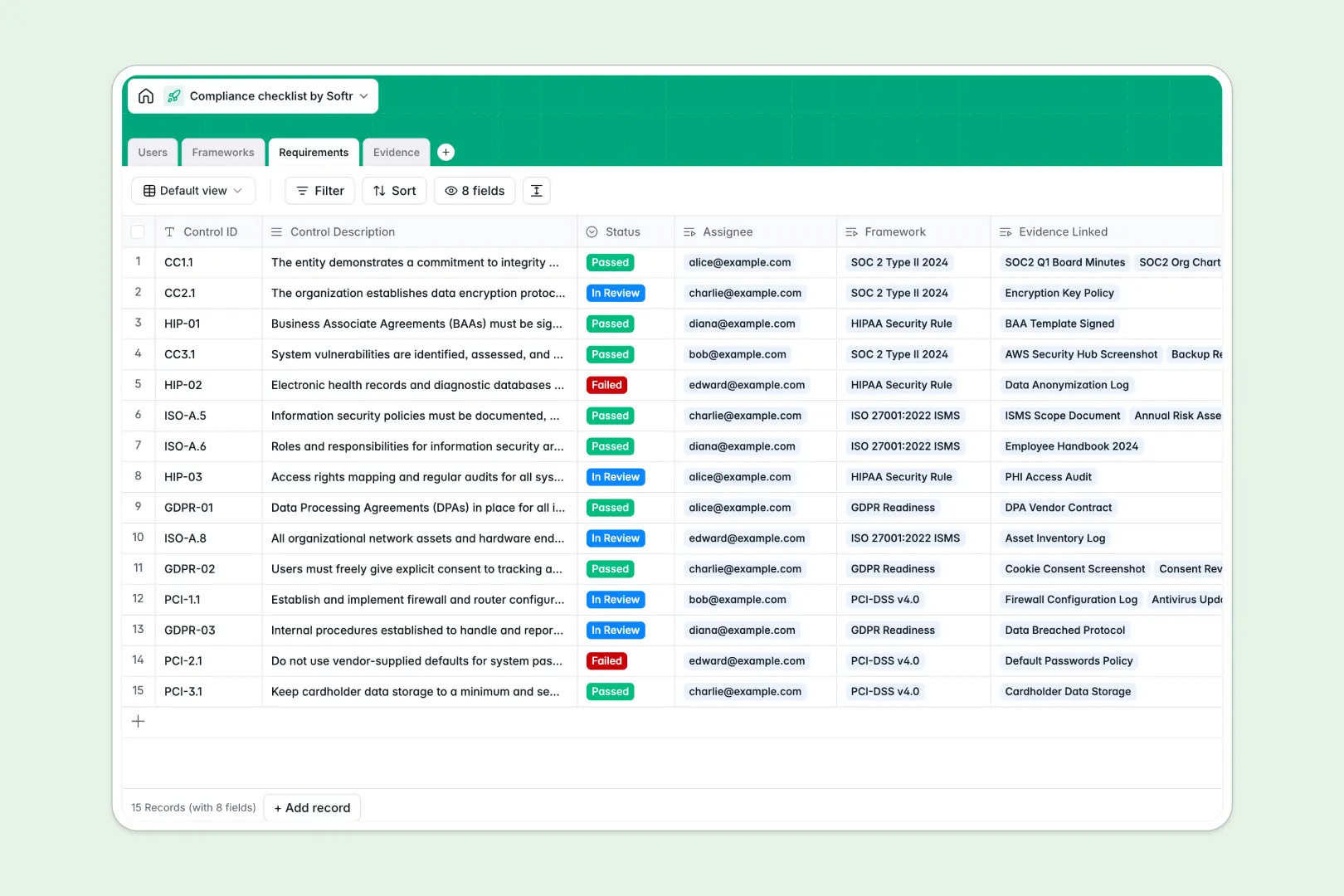
Your Compliance Checklist database at a glance
This ready-to-use template centralizes your compliance frameworks, controls, and evidence into one secure system. It eliminates the chaos of scattered documents and ensures you are always audit-ready.
The database links your high-level frameworks like SOC 2 directly to specific requirements and the team members assigned to them. As users upload proofs, evidence is automatically tied to the right control without fragile formulas.
Built-in AI agents automatically summarize framework progress and suggest next steps for pending controls. They even classify uploaded evidence files so nothing ever gets lost.
Why tracking compliance in a spreadsheet breaks down
Managing security frameworks in a compliance checklist spreadsheet quickly turns into a nightmare of broken links and untracked document versions. When an audit hits, teams spend hours manually hunting down who uploaded what.
What a structured database changes
A true database naturally connects your data without error-prone workarounds. Instead of copying and pasting assignee names across multiple tabs, you log a control once and relate it directly to the uploaded evidence.
Every column enforces strict data rules, meaning an approval status can only contain valid options, and attachments stay securely tied to their respective requirements. This is exactly what Softr Databases are designed for.
What you can do with this template
You can instantly assign specific controls to team members and track their progress through designated status stages. Reviewers can then easily verify uploaded evidence and approve or reject it in real time.
You can also eliminate manual data entry with native AI processing. The system will automatically categorize the type of document uploaded, completely streamlining your workflow.
-
Users
Manage compliance staff and auditors including their specific roles and access
-
Frameworks
Organize compliance audits with AI-generated summaries of goals and progress
-
Requirements
Track control items using AI to determine next steps and compliance statuses
-
Evidence
Store audit proof with AI-powered classification of document types and logs
Who is this Compliance Checklist database for
This template provides a clear, reliable structure for teams managing strict security and operational frameworks.
- Compliance Officers: Track overall framework readiness and spot missing evidence before an official audit begins.
- IT & Security Teams: Manage specific technical controls and securely store logs or policy documents in one unshakeable system.
- Department Managers: Easily see which requirements are assigned to their team members and monitor follow-ups.
How to take it further
You can easily customize this database to fit your exact compliance needs. Rename framework statuses, add new evidence categories, or adjust the built-in AI prompts to match your specific industry language.
Getting started is seamless and immediate. Simply import your existing controls and historical evidence via CSV to turn a chaotic spreadsheet into an organized tracker.
When your team is ready, you can build an app on top of this database. This allows you to create a custom compliance portal where employees safely log in to complete their assigned controls.
By leveraging users and permissions, you can ensure that assignees only see the tasks they own. At the same time, external auditors can be given a secure, read-only view of approved evidence.
-
1
-
2
-
3
-
4
Frequently asked questions
-
What is a compliance checklist database?
-
Why use a no-code database to build a compliance tracking system?
-
How can AI help managing data for compliance?
-
Can I build an app with this compliance database?
-
Is this compliance checklist database free?
-
How does a compliance database beat a spreadsheet?
Start building today. It's free!
Build and launch your first app in under 30 minutes.