


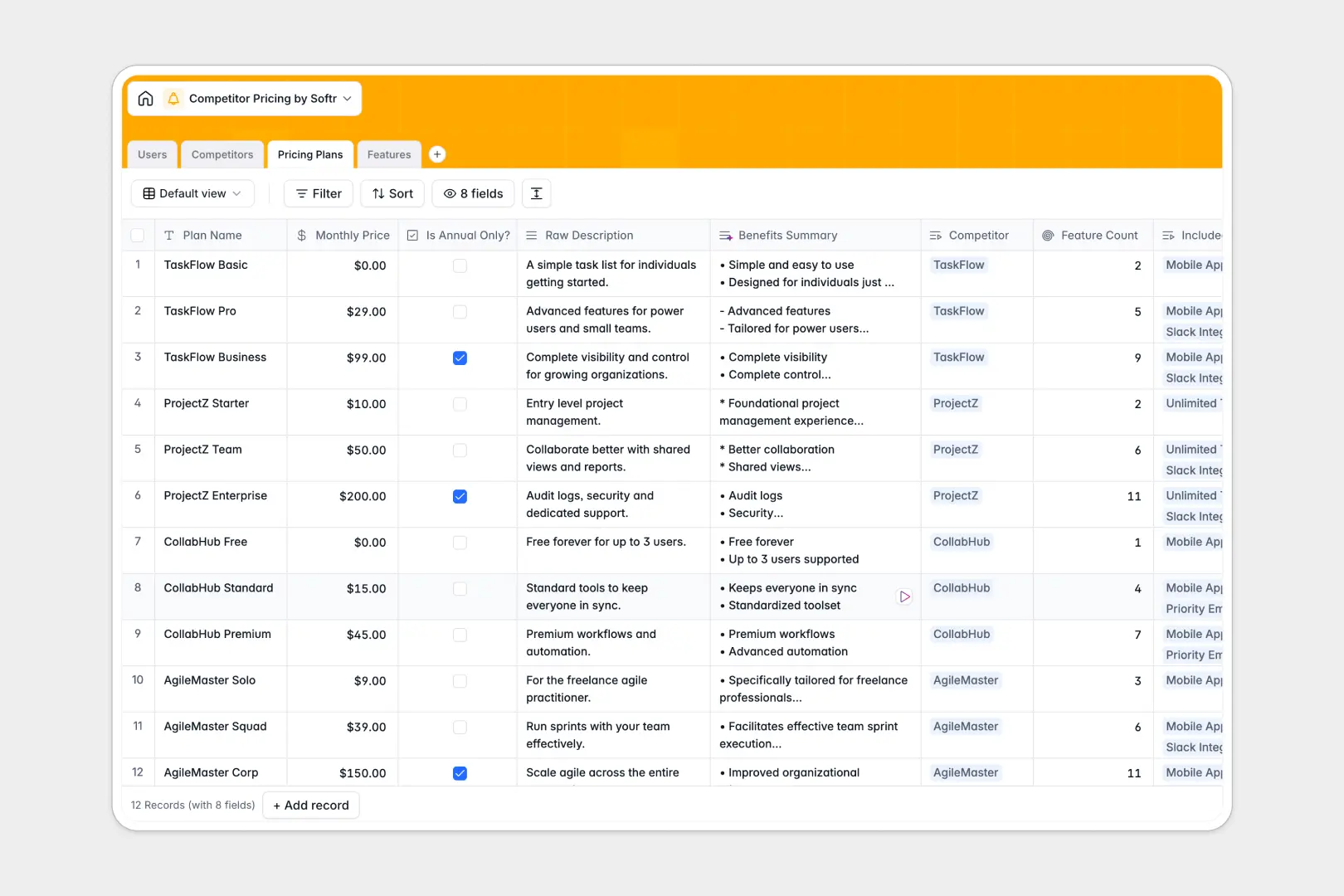
Your Competitor Pricing Database at a glance
Track rival products, analyze their pricing strategies, and map feature rollouts in a single structured view. This template organizes your market research so you instantly know how your product stacks up without digging through scattered tabs.
Built on connected tables for Competitors, Pricing Plans, and specific Features, everything is natively linked. Assign analysts to specific companies and use automatic lookups to see exactly which rivals offer a "Critical" feature.
It features built-in AI to automate your manual research. The database automatically searches the web to draft company overviews, generates SWOT analyses, and summarizes pricing benefits to save you hours.
Why tracking competitor pricing in spreadsheets gets messy
Comparing multi-tiered plans and granular features across competitors quickly pushes Google Sheets to its limit. You end up with duplicated columns, broken VLOOKUPs, and zero structure as your feature list grows.
What a structured database changes
With a relational structure, you stop repeating data across tabs and endless columns. You simply enter a feature once and intelligently link it to any competitor's pricing plan that includes it.
Because every column enforces a type—like emails for users or strict categorization for features—your data stays completely clean as you scale. This is exactly what Softr Databases are designed for.
What you can do with this template
Forget repetitive copy-pasting and manual web scraping. With native Database AI agents, your database automatically searches the web to draft competitor overviews and extracts key benefits straight from their pricing pages.
Rollups instantly count the exact number of features per plan, while native lookups show you which competitors offer similar capabilities. It is a ready-to-use system that maps your entire competitive landscape right out of the box.
-
Users
Manage internal team roles, contact info, and monitored competitor lists
-
Competitors
Track rival companies with AI-generated SWOT analyses and overviews
-
Pricing Plans
Organize competitor price tiers with AI summaries of key plan benefits
-
Features
Compare granular features using AI to auto-classify items by category
Who is this Competitor Pricing database for
This template is designed for teams that need to keep a constant, structured pulse on the market.
- Product Managers: Spot feature gaps and align roadmaps by tracking exactly what rivals include in premium tiers.
- Product Marketing: Generate instant battlecards using automated summaries and side-by-side feature comparisons.
- Sales Teams: Access up-to-date intelligence quickly to handle pricing objections during prospect calls.
- Founders: Monitor the competitive landscape clearly to adjust your SaaS pricing strategies with confidence.
How to take it further
Customize this database effortlessly to match your specific industry matrix. Modify the select field values for feature importance or easily add new columns to track custom metrics like discount structures.
Bring inside your existing competitive research in just a few clicks. Use the native CSV import feature to bulk-upload your current spreadsheet rows directly into these connected tables.
When you are ready, you can build an app to share this market intelligence securely across your entire company.
By configuring users and permissions, you can ensure sales reps only view the battlecards while your analysts retain full editing rights. Starting with a well-structured database makes building this internal portal incredibly smooth.
-
1
-
2
-
3
-
4
Frequently asked questions
-
What is a competitor pricing database?
-
Why use a no-code database to build a market research tool?
-
How can AI help managing data for competitor pricing?
-
Can I build an app with this competitor pricing database?
-
Is this competitor pricing template free?
-
Why is tracking competitor pricing in a spreadsheet so difficult?
Start building today. It's free!
Build and launch your first app in under 30 minutes.