


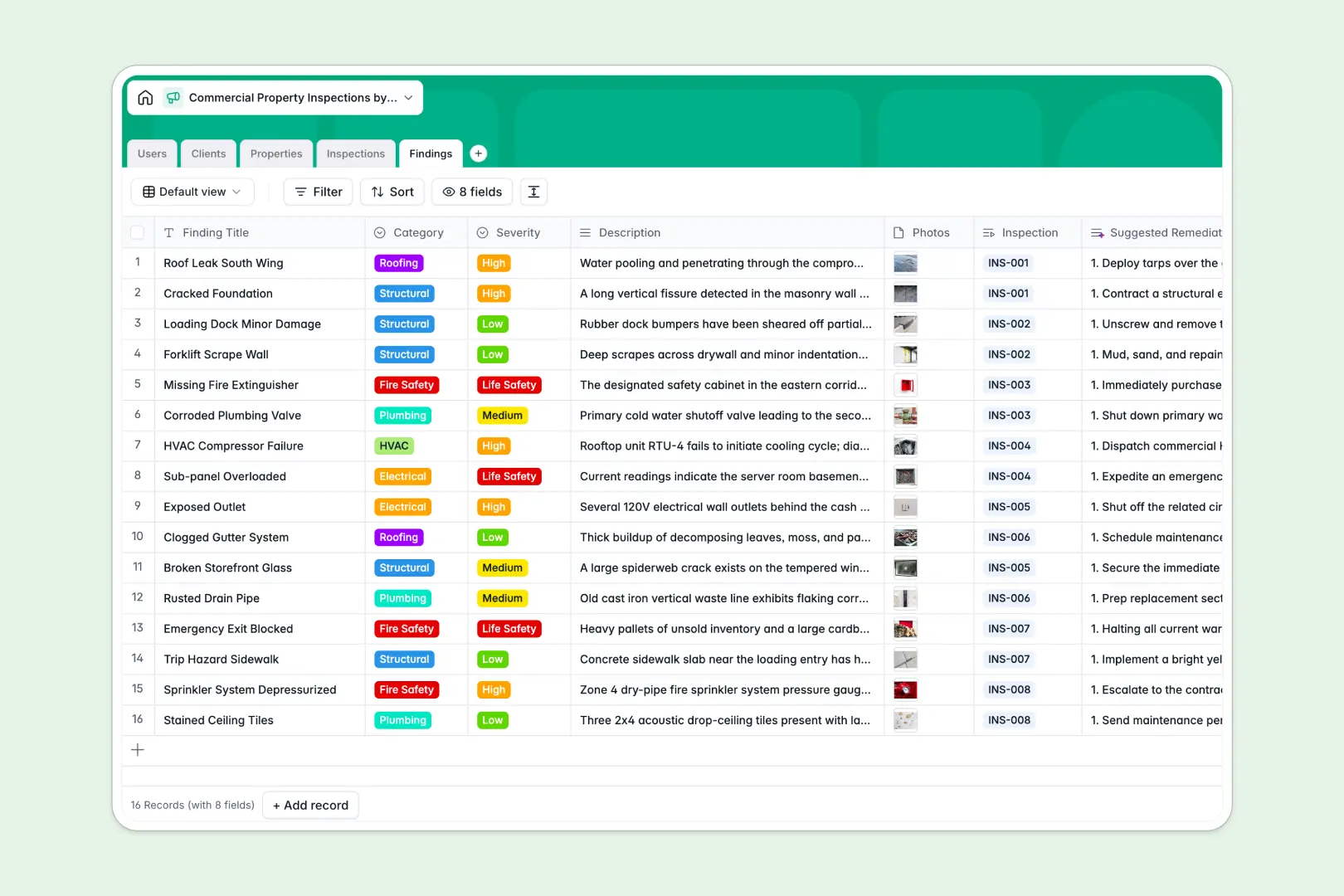
Your Commercial Property Inspections Database at a glance
This template organizes properties, schedules, and specific deficiencies into a single, connected system so nothing falls through the cracks.
It links clients to properties and connects each inspection to its isolated findings. This means you can pull up a building's entire health history and related contacts in seconds.
Native AI automatically researches property histories from the web, drafts executive summaries from raw data, and suggests expert remediation steps for hazards.
Why commercial property data gets messy in spreadsheets
Tracking dozens of buildings, recurring inspections, and hundreds of individual deficiencies quickly turns standard spreadsheets into unmanageable, fragile documents.
What a structured database changes
Spreadsheets force you to cram photos, severity ratings, and long descriptions into tiny cells. When you try to link those findings back to landlords using fragile VLOOKUPs, the sheet breaks.
A structured database solves this by giving every piece of data a dedicated home. Clients connect dynamically to properties, and properties connect seamlessly to inspections.
Everything stays clean and organized as your portfolio scales. This is exactly what Softr Databases are designed for.
What you can do with this template
Log structural, electrical, or plumbing issues with exact severity ratings. You can attach reference photos directly to the specific finding record effortlessly.
Use Database AI agents to automatically draft comprehensive executive summaries the moment an inspector finishes logging their raw data.
Keep inspectors, managers, and admins aligned with a single source of truth that is naturally ready to use right out of the box.
-
Users
Manage internal staff profiles, roles, and assigned property inspections
-
Clients
Track client companies, primary contacts, and their property portfolios
-
Properties
Catalog commercial sites with AI-generated historical and building context
-
Inspections
Log inspection events with AI-powered executive summaries of field data
-
Findings
Document site issues with AI-suggested repair and remediation steps
Who is this Commercial Property Inspections database for
This template is built for real estate and operations teams that need a reliable, scalable way to organize fieldwork.
- Inspection Agencies: Manage a team of field inspectors and track scheduled visits accurately.
- Property Managers: Keep historical records of building compliance across large client portfolios.
- Commercial Landlords: Track deficiencies, prioritize life safety issues, and plan structural remediations centrally.
How to take it further
Customize the database
Easily adapt the database to match exactly how your fieldwork operates. Add new commercial property types, adjust categories like "HVAC," or tweak the severity dropdowns.
Import your existing data
Load your existing property portfolios securely via CSV or connect via API. You can bring all your legacy clients and historical inspections straight into the new structure immediately.
Build a full app around it
When you're ready, you can surface this data by building a custom web portal. Create a mobile-friendly app for your inspectors to log findings on-site, or a secure dashboard for landlords.
Full-stack apps combine your database with interfaces and workflows seamlessly. With built-in users and permissions, you can ensure clients only see the inspection records for their own properties.
-
1
-
2
-
3
-
4
Frequently asked questions
-
What is a commercial property inspection database?
-
Why use a no-code database to build an inspection system?
-
How can AI help managing data for commercial inspections?
-
Can I build an app with this property inspections database?
-
Is this Commercial Property Inspections database free?
-
Why do spreadsheets fail for property inspections?
Start building today. It's free!
Build and launch your first app in under 30 minutes.