


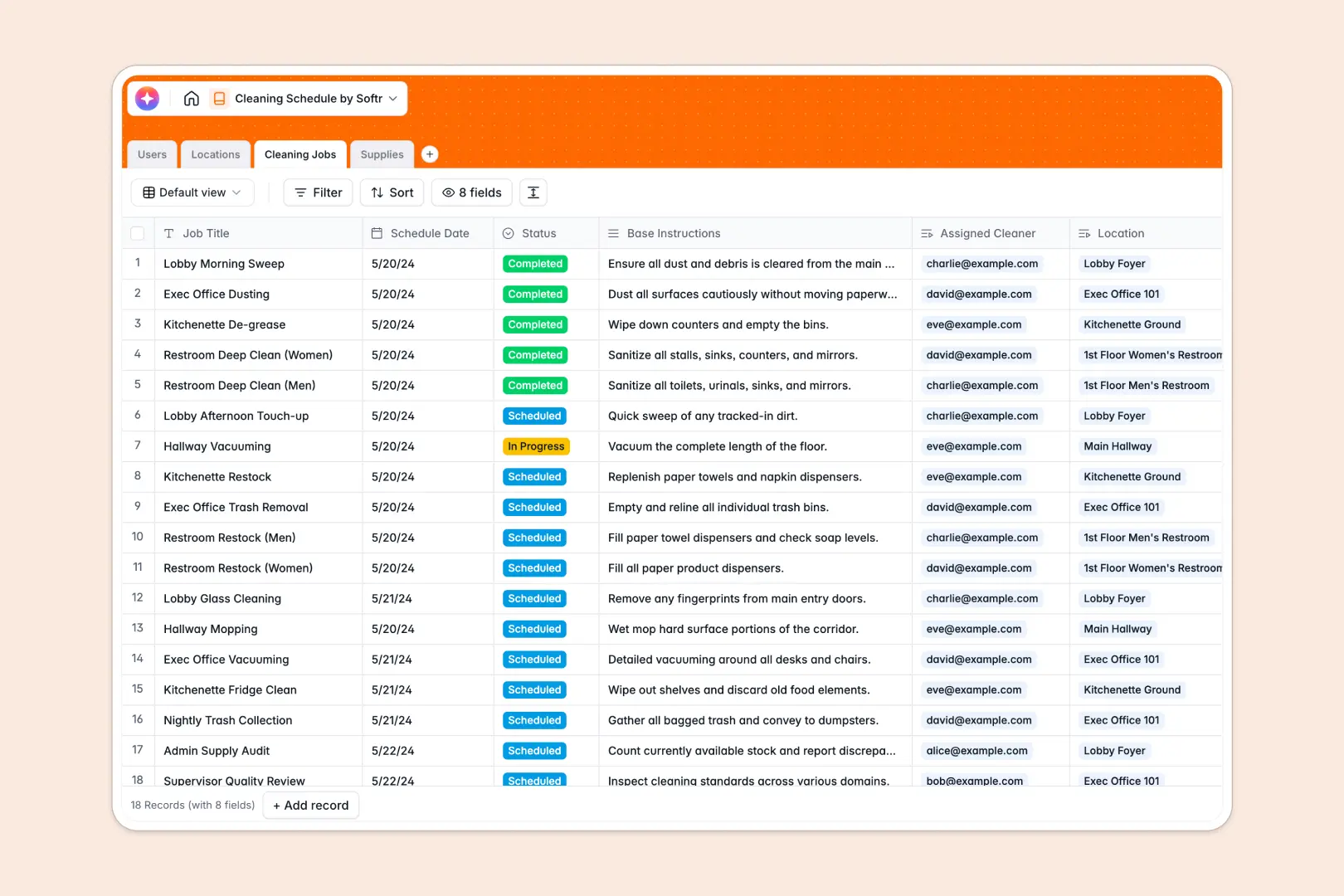
Your Cleaning Schedule Database at a glance
This template organizes your daily cleaning operations, ensuring every location is maintained and staff limits are respected. It connects users, physical zones, specific tasks, and inventory into one continuous workflow.
Instead of juggling spreadsheets, your scheduled jobs automatically link right back to the assigned cleaner, the exact room needing attention, and the supplies required for the shift.
It even features built-in AI that automatically breaks down generic routines into step-by-step checklists, while instantly drafting restock emails when inventory runs low.
Why cleaning schedules get messy in spreadsheets
When managing facility maintenance in Google Sheets, things get chaotic fast. You often end up with disconnected tabs for staff rosters and room locations that require fragile, complicated formulas to talk to one another.
What a structured database changes
A structured setup keeps your data organized by having distinct tables that naturally link together, preventing duplicate data and broken lists. Instead of typing out a cleaner's name over and over, you selectively assign them to a job with one click.
This is exactly what Softr Databases are designed for. They ensure your dates are formatted properly, task statuses stay consistent, and inventory levels are accurate across your entire operation.
What you can do with this template
You can assign specific cleaning tasks to staff members and tie those actions directly to designated facility locations. Track your inventory of chemicals and tools alongside those jobs, ensuring nothing runs out unexpectedly.
The template also leverages Database AI agents to seamlessly automate repetitive management tasks. It easily generates detailed task checklists for your cleaners based on the job title, and drafts restock emails to suppliers the moment stock hits a low status.
-
Users
Manage cleaning staff and supervisors with contact data and job assignments
-
Locations
Identify physical zones and rooms requiring maintenance across facilities
-
Cleaning Jobs
Schedule tasks using AI to generate detailed cleaning checklists from briefs
-
Supplies
Track stock levels and use AI to draft restock emails for low inventory
Who is this Cleaning Schedule Database for
This template is designed to streamline facility maintenance and task coordination across any organization.
- Facility Managers: Plan jobs correctly across different building zones and prevent double-booking staff.
- Cleaning Supervisors: Monitor task statuses from scheduled to completed in real time.
- Operations Leads: Maintain a clear view over supply stock levels and eliminate equipment shortages.
How to take it further
Because this is a native database, you can easily adapt the select fields to match your specific needs. Update the location zones or adjust the roster roles of your cleaning staff instantly.
If you have existing rosters or inventory sheets, you can rapidly import them via a simple CSV upload. This gets your schedules up and running with live details from day one.
When your team is ready, you can transform this setup into a custom facility portal. Using an interface builder, you can securely build an app where cleaners log in to tick off checklists directly on their phones.
By adding proper permissions, you ensure cleaners only see their assigned jobs, while supervisors get a full overview of all locations. Since the database is already fully structured, building this app functionality is incredibly fast.
-
1
-
2
-
3
-
4
Frequently asked questions
-
What is a cleaning schedule database?
-
Why use a no-code database to build a cleaning management tool?
-
How can AI help managing data for cleaning schedules?
-
Can I build an app with this cleaning schedule database?
-
Is this Cleaning Schedule Database free?
-
Why is this database better than a cleaning schedule spreadsheet?
Start building today. It's free!
Build and launch your first app in under 30 minutes.