


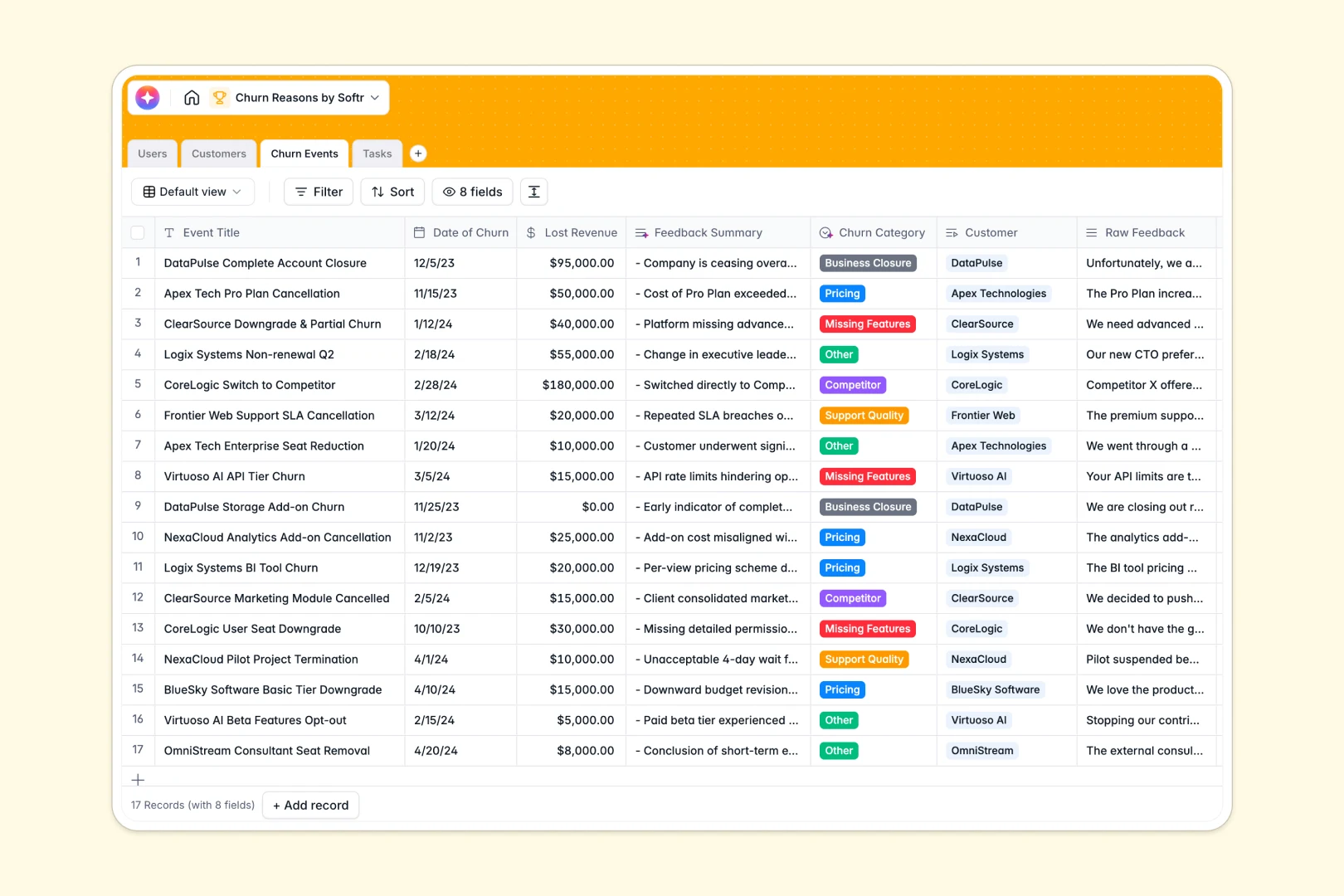
Overview of the Client Portal Template
Managing clients has never been easier. This template provides everything you need to build a secure Softr Client Portal. You can easily track project status, share documents safely, and maintain a seamless communication loop.
Comparison: Softr vs Traditional Methods
Why choose our customized solutions over email threads or generic folder sharing?
The Old Way
Traditional methods like email are scattered, leading to lost attachments and miscommunication.
The Softr Advantage
By leveraging Softr's dynamic features, you bring all tools into a single, intuitive dashboard. Say goodbye to messy inbox searches and hello to structured transparency.
-
Users
Manage internal staff roles and track assignments for customer success and feedback
-
Customers
Track company status and revenue with AI-generated business profiles from websites
-
Churn Events
Log cancellations using AI to categorize churn reasons and summarize raw feedback
-
Tasks
Execute action items with AI assistance for drafting emails and project follow-ups
Who is this for?
This solution is ideal for any organization that requires organized external collaboration.
- Agencies & Freelancers: Share deliverables and gather feedback seamlessly.
- B2B Service Providers: Offer a branded hub for ongoing partner communications.
- Accountants & Consultants: Securely exchange sensitive documents.
How to take it further
Ready to expand your app? You can easily customize this template by adding more data sources or leveraging advanced user permissions. Connect it directly to your existing Airtable base, or utilize Softr Data Sources to pull in live metrics. Add custom code or webhooks to automate your unique business workflows.
-
1
-
2
-
3
-
4
Frequently asked questions
-
What is a client portal?
-
Is my clients' data secure?
-
Can I customize the portal's branding?
-
Do I need to know how to code to use this?
-
Can I integrate this with my existing systems?
-
How long does it take to launch?
Start building today. It's free!
Build and launch your first app in under 30 minutes.