


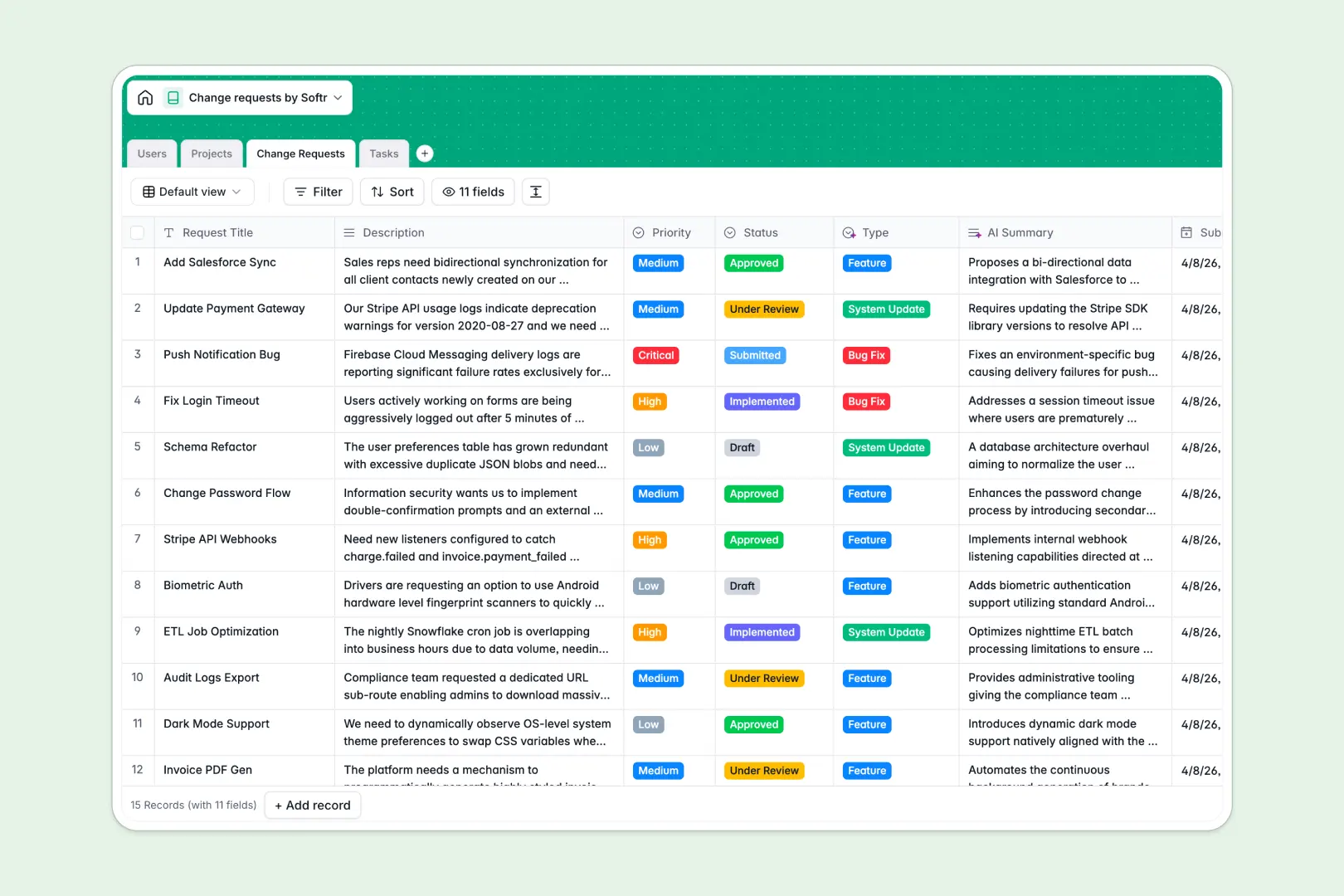
Your Change Requests database at a glance
This template provides a structured hub to log, review, and execute every system update or feature request. It keeps teams aligned from initial submission to final implementation.
The database uses native connections to link specific change requests directly to your existing projects and the corresponding tasks. Reviewers and requesters stay connected automatically without constantly jumping between files.
AI instantly summarizes long request descriptions and categorizes them into types like bug fixes or features. This means your team can skip the manual triage entirely and focus on resolutions.
Why change requests get messy in spreadsheets
Relying on spreadsheets to manage change approvals usually leads to missed requests, chaotic comment threads, and lost context.
What a structured database changes
In a flat spreadsheet, connecting a complex system update to its specific sub-tasks requires fragile formulas. As your list of requests grows, rows get accidentally deleted or overwritten by teammates.
A true relational structure fixes this by linking tables together seamlessly. This is exactly what Softr Databases are designed for.
Every piece of data is enforced by strict column types. Project statuses update reliably and assignees are tracked accurately without hunting through endless tabs.
What you can do with this template
Track every request's journey from draft to approved while keeping associated action items linked directly to the parent ticket.
Leverage built-in Database AI agents to automatically draft step-by-step implementation plans the moment a complex request is logged.
Gain clear visibility into project workloads with automated rollups that count open requests per department or system.
-
Users
Manage internal staff with roles, contact info and request assignments
-
Projects
Track systems or departments linked to ongoing requests and status updates
-
Change Requests
Log official requests with AI-generated summaries and auto-categorization
-
Tasks
Track work items with due dates and AI-powered implementation plans
Who is this Change Requests database for
This template is designed for teams that need a reliable, transparent way to capture and execute requests.
- IT Service Desks: Prioritize critical bug fixes and track system updates without losing details in email threads.
- Product Managers: Categorize feature requests instantly and link them directly to the product roadmap.
- Operations Leads: Manage facility or process modifications with clear approval workflows and assigned tasks.
- Quality Assurance: Log issues seamlessly and auto-generate implementation sequence plans for developers.
How to take it further
Customize the database instantly by renaming priority levels, adjusting status options, or adding specific department tags. Since it's a native no-code database, these edits are immediate and require no technical configuration.
Import your existing backlog of requests easily using a CSV file. You can also connect via API to sync tickets automatically from your company's other tools.
When you need to collaborate with external stakeholders, you can build an app directly on top of this data. This turns your internal log into an interactive portal for submitters to use.
You can easily set up exact users and permissions to ensure requesters only see their own tickets while admins see the entire pipeline. Starting with a well-organized database makes launching these workflows incredibly fast.
-
1
-
2
-
3
-
4
Frequently asked questions
-
What is a change requests database?
-
Why use a no-code database to build a change request system?
-
How can AI help managing data for change requests?
-
Can I build an app with this change requests database?
-
Is this Change Requests template free?
-
How is a change requests database different from an Excel spreadsheet?
Start building today. It's free!
Build and launch your first app in under 30 minutes.