


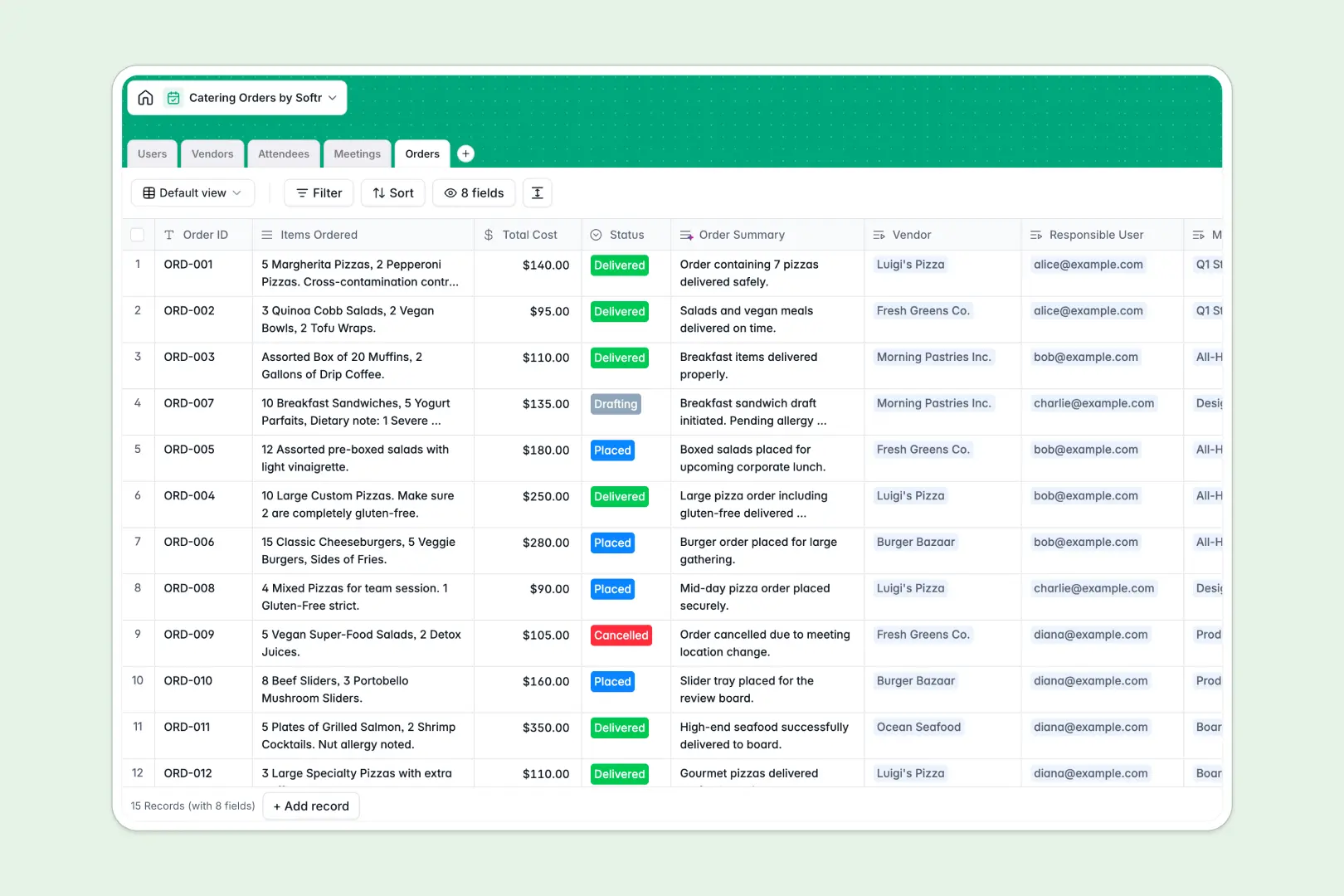
Your Catering Orders Database at a glance
Track orders, coordinate with vendors, and manage attendee dietary needs in one connected workspace. This template eliminates the chaos of juggling multiple catering spreadsheets.
It natively links your meetings, attendees, orders, and vendors together. You can accurately tie an order to a specific meeting and automatically roll up total attendee counts without relying on fragile formulas.
Built-in AI automatically classifies complex dietary restrictions, summarizes food orders into clear briefs, and researches vendor details from the web instantly.
Why managing catering orders in spreadsheets breaks down
Tracking food orders across different meetings and vendors quickly turns into a copy-paste nightmare in traditional spreadsheets. As headcounts change and dietary restrictions pile up, rows get messy and costly mistakes happen.
What a structured database changes
In a dedicated database, every piece of information has a strict format and clear relationships. You link an attendee to a meeting once, and their dietary needs are automatically accounted for without duplicate data entry.
This structure prevents the common spreadsheet issue of lost notes or broken VLOOKUPs when tallying exact meals. This is exactly what Softr Databases are designed for.
What you can do with this template
Organize vendors by category and track exactly how many orders you've placed with each one over time. Keep every detail strictly structured, from initial order drafting to final delivery status.
Use Database AI agents to instantly pull company descriptions from vendor websites. They can also automatically classify raw dietary notes into standard categories like Vegan or Gluten-Free to speed up your recurring workflow.
-
Users
Manage internal staff roles and track the catering orders they organize
-
Vendors
Catalog food suppliers and use AI to generate profiles from web data
-
Attendees
Log participants and use AI to categorize their dietary requirements
-
Meetings
Schedule events and coordinate participants with specific catering needs
-
Orders
Track food costs and use AI to generate briefs from order details
Who is this Catering Orders database for
This template provides a ready-to-use foundation for anyone managing office food logistics and event planning.
- Office Managers: Coordinate daily lunches, manage vendor relationships, and ensure accurate headcounts without manual hunting.
- Event Planners: Track complex catering across multiple meetings while instantly accommodating severe allergies and dietary needs.
- Admin Teams: Maintain a clear record of internal food costs, responsible employees, and order statuses in one centralized view.
How to take it further
Start by customizing the database to match your exact workflow. You can quickly edit vendor categories, add new order statuses, or adjust the AI prompts to classify dietary restrictions according to your specific caterer's menu.
Easily import your existing lists of regular attendees, preferred vendors, and past orders via CSV. You'll instantly transition away from your old catering spreadsheet without losing any historical data.
When you are ready to scale, you can transform this database into a complete internal tool by connecting a dedicated interface builder. By leveraging users and permissions, you can ensure employees only see their own meetings while office managers view the complete vendor list. A well-structured database makes launching custom workplace apps entirely seamless.
-
1
-
2
-
3
-
4
Frequently asked questions
-
What is a catering orders database?
-
Why use a no-code database to build a catering management system?
-
How can AI help managing data for catering orders?
-
Can I build an app with this catering database?
-
Is this Catering Orders template free?
-
How is a catering database different from a catering orders spreadsheet?
Start building today. It's free!
Build and launch your first app in under 30 minutes.