


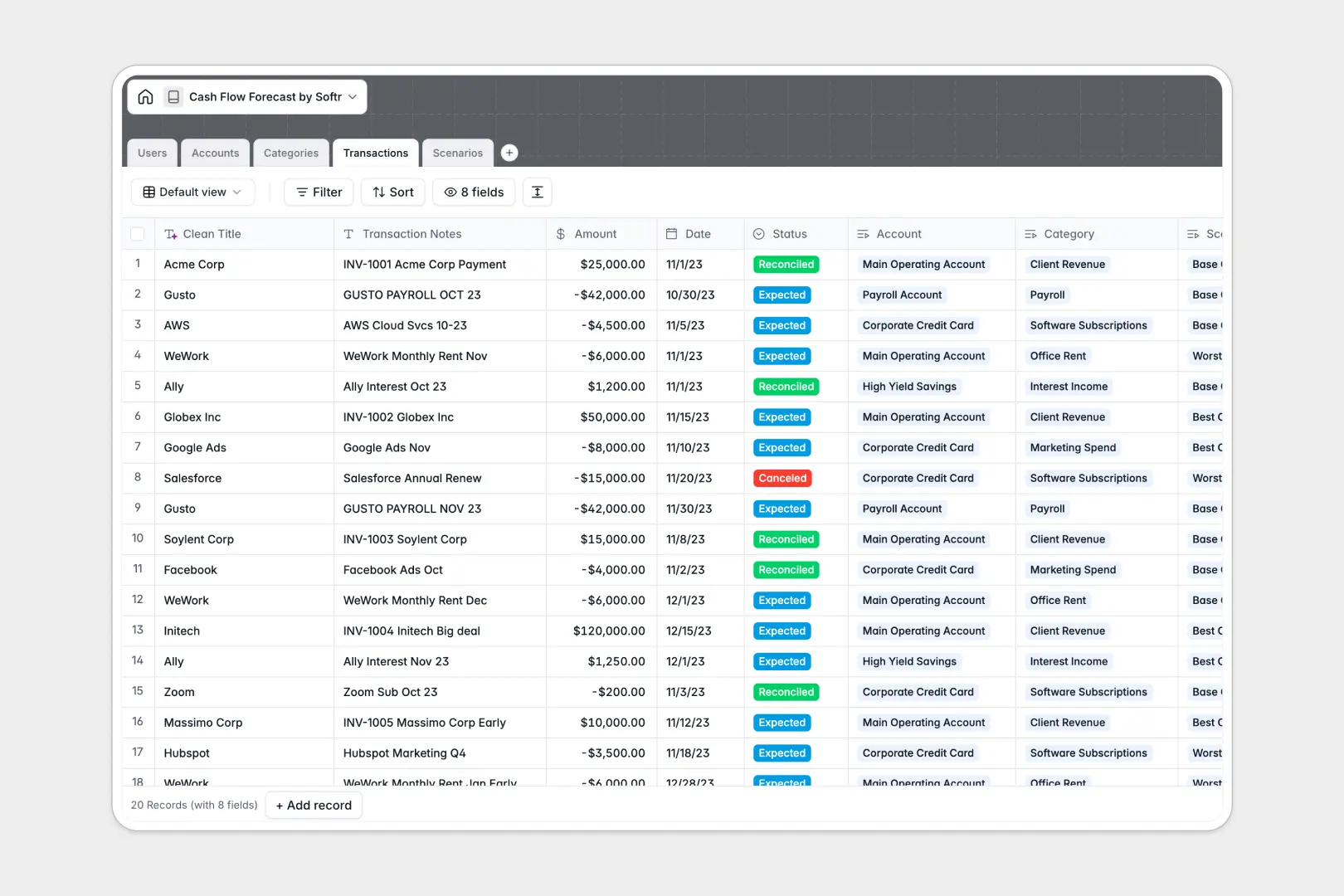
Your Cash Flow Forecast database at a glance
This template tracks your financial inflows, outflows, and account balances in one structured system. It gives you a clear picture of your actual liquidity while letting you confidently forecast future runway without spreadsheet errors.
Transactions link directly to specific bank accounts and categories natively. Instead of duplicating sheets, you can assign expected costs and revenues to specific outcome models like Best Case or Worst Case scenarios directly from one clean table.
Built-in AI automatically extracts clean vendor names from messy transaction notes and instantly generates executive summaries for your forecast scenarios.
Why forecasting cash flow gets messy in spreadsheets
Building financial models in a spreadsheet requires complex, fragile VLOOKUPs that break the moment a row is deleted. When you try to model different "what if" scenarios, you end up duplicating entire workbooks and losing track of truth.
What a structured database changes
By moving away from a flat document, every transaction stays connected to its rightful account and category effortlessly. You can model multiple scenarios simultaneously without ever risking your base data.
Strict field types ensure numbers stay numbers, dates stay dates, and your calculations remain perfectly accurate as your volume grows. This is exactly what Softr Databases are designed for.
What you can do with this template
Model precise financial outcomes using the native Scenarios table, automatically rolling up your total planned transactions in real time.
Let Database AI agents do the manual accounting legwork by extracting vendor names from raw statement notes and auto-generating standard definitions for your custom expense categories.
-
Users
System users handling financial data, forecasting, and account management
-
Accounts
Manage bank accounts and credit lines to track balances and cash flow
-
Categories
Classify cash flow with AI-generated standard accounting definitions
-
Transactions
Track cash movements with AI used to extract clean vendor and client names
-
Scenarios
Model financial perspectives using AI to generate executive briefs
Who is this Cash Flow Forecast database for
This system is designed for teams that need to project company runway and manage spending cleanly.
- Financial Analysts: Model multiple best-case and worst-case scenarios without untangling fragile spreadsheet formulas.
- Founders & CEOs: View rolled-up cash positions clearly to make confident hiring or investment decisions.
- Accounting Teams: Categorize inflows and outflows accurately while keeping bank account tracking organized in one place.
How to take it further
1. Customize the database
Easily adapt the database to your specific operations. You can add new categorical options for cash inflows or modify the transaction statuses to match your exact review process.
2. Import your existing data
Upload your current spreadsheet forecasts or historical transactions via simple CSV import. Your historical data maps directly into the new structure so you can visualize your runway instantly.
3. Build a full app around it
When you are ready to share financial projections with stakeholders safely, you can build an app directly on top of this database.
You can set up specific users and permissions to ensure investors, executives, or department heads only see the data and forecast scenarios that are relevant to them.
-
1
-
2
-
3
-
4
Frequently asked questions
-
What is a cash flow forecast database?
-
Why use a no-code database to build a cash flow forecast model?
-
How can AI help managing data for cash flow forecasting?
-
Can I build an app with this cash flow forecast database?
-
Is this Cash Flow Forecast template free?
-
How is a forecast database different from a cash flow spreadsheet?
Start building today. It's free!
Build and launch your first app in under 30 minutes.