


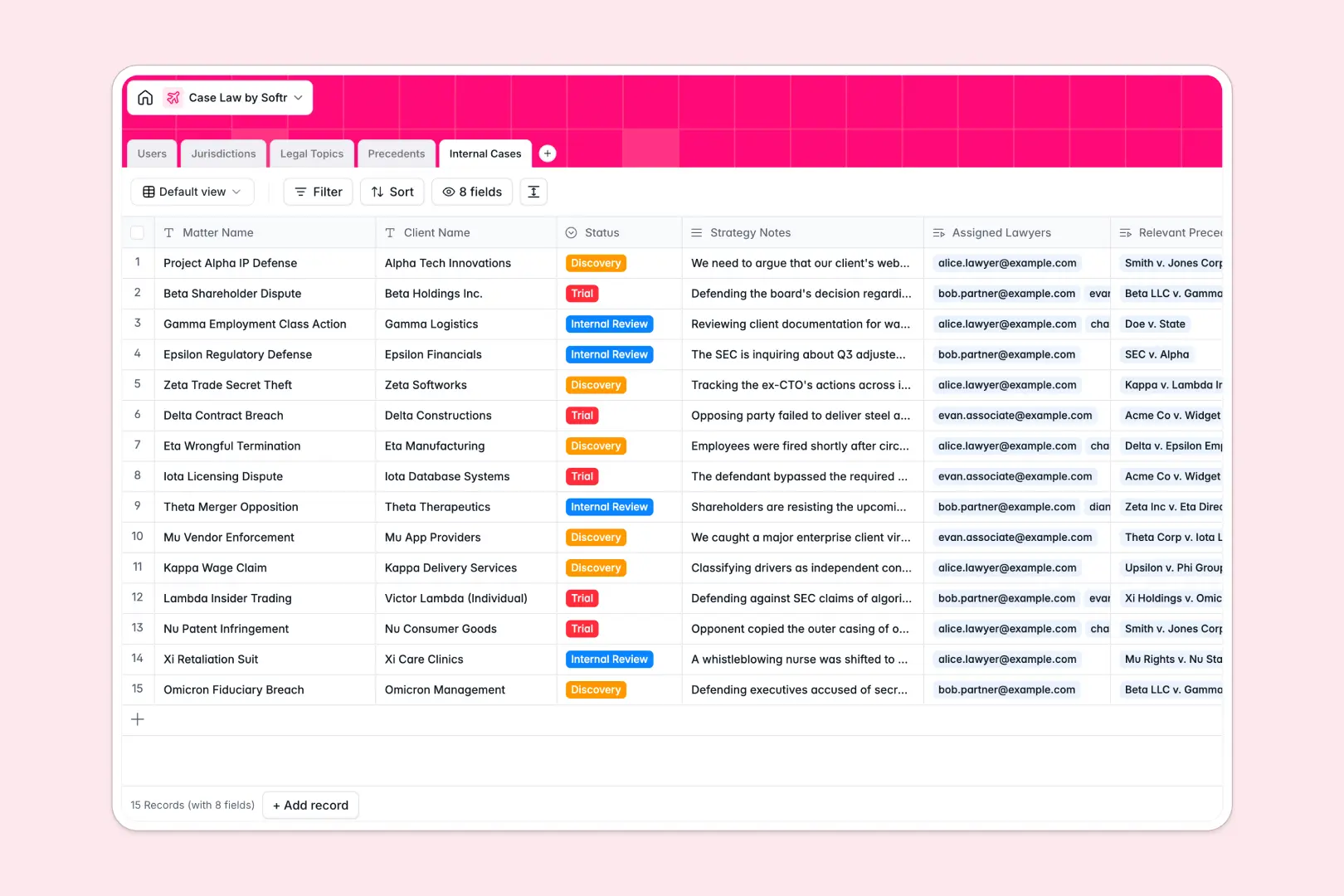
Overview
This client portal template allows you to build a secure, branded space for your clients to access their data, files, and updates. Powered by Softr, you can connect your Airtable or Google Sheets backend instantly, saving you hundreds of hours in development time.
Comparison
Traditional Development vs. Softr
Building a portal from scratch requires significant engineering resources, complex authentication flows, and constant maintenance. With Softr Client Portals, you get granular role-based access control, drag-and-drop design, and a ready-to-use template that goes live in minutes, not months.
-
Users
Manage law firm staff profiles with roles, credentials, and case loads
-
Jurisdictions
Organize court systems and geographical regions defining legal authority
-
Legal Topics
Categorize areas of law to group related precedents and legal concepts
-
Precedents
Store ruling details with AI-generated case summaries and key takeaways
-
Internal Cases
Track active matters using AI to synthesize briefs from strategy notes
Who is this for
This template is perfect for service-based businesses looking to centralize communications. It is highly recommended and used by:
- Agencies: To share deliverables and track project statuses in real-time.
- Consultants: To securely share private documents and resources with clients.
- B2B Service Providers: Managing subscriptions and ongoing requests natively using Softr.
How to take it further
Once you have launched your portal, consider expanding its functionality. You can integrate advanced features such as Stripe payments for automated invoicing, or connect a CRM to manage seamless client onboarding. Discover more powerful capabilities on the Softr Integrations page.
-
1
-
2
-
3
-
4
Frequently asked questions
-
What data sources can I connect to this client portal?
-
Can I customize the design to match my brand?
-
Is client data kept private and secure?
-
Do I need technical skills to maintain this template?
-
Can clients upload files directly through the portal?
Start building today. It's free!
Build and launch your first app in under 30 minutes.