


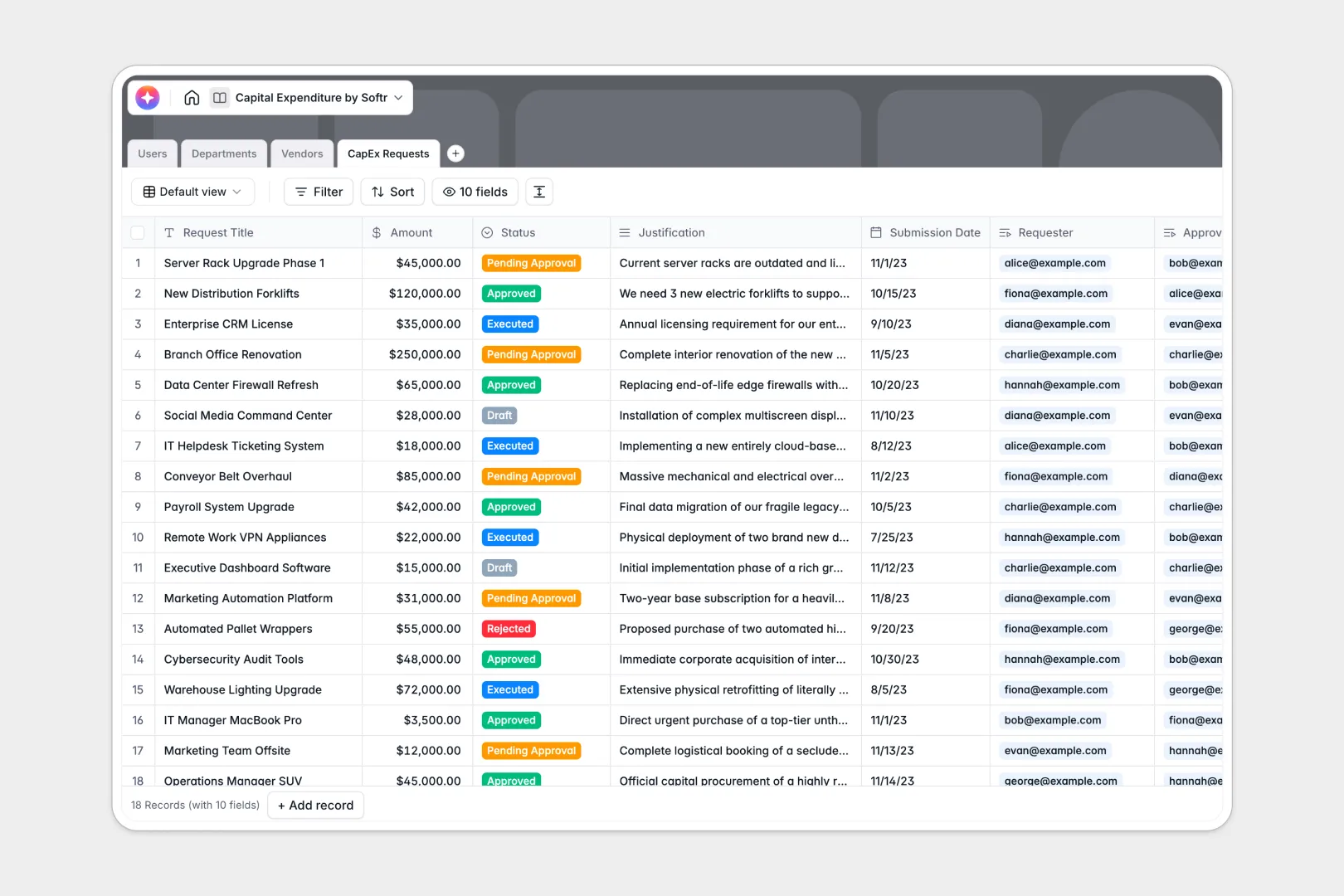
Your Capital Expenditure Database at a glance
This CapEx template lets you manage, track, and approve organization-wide asset investments. By keeping requests, departments, and vendors unified, you eliminate approval delays and keep budget limits in clear view.
The database works through four naturally connected tables: Users (with roles from Requesters to Finance Approvers), Departments, Vendors, and CapEx Requests. Each request sits where it belongs, linking directly to its cost center, submitter, and vendor without duplicate entries.
Built-in AI features auto-summarize long justifications into three concise bullet points and update vendor profiles instantly based on web searches, accelerating the review process.
Why managing capital expenditure in spreadsheets breaks down
Tracking critical company spending in a shared capital expenditure spreadsheet gets chaotic fast. Broken formulas, accidental row deletions, and unstructured request justifications make auditing a nightmare and stall vital purchases.
What a structured database changes
Unlike a flat spreadsheet, a database enforces clear structure. Fields like currency, dates, and file attachments stay formatted exactly as intended, preventing team members from inputting messy formatting or broken math.
Crucially, tables are tied together relationally. For example, linking a request to a Department automatically rolls up spend against that budget. This is exactly what Softr Databases are built to handle seamlessly.
Because it behaves like software, your budget formulas cannot be accidentally edited or broken by team members, providing absolute security and single-source integrity.
What you can do with this template
With this template, you can automate manual reviews. Integrate automated logic so that whenever a request changes status, budget allocations adjust in real-time.
By adopting Database AI agents, you can also extract web details for vendors automatically, turning a raw record of capital demands into a self-updating dashboard that is immediately ready for team review.
-
Users
Manage system access, department roles, and aggregate personal spending metrics
-
Departments
Monitor cost center budgets, team allocations, and remaining financial headrooms
-
Vendors
Store supplier profiles using AI to generate web-powered company overviews
-
CapEx Requests
Process expenditure proposals with AI-generated summaries and approval workflows
Who is this Capital Expenditure database for
This template is built for teams seeking to run capital requests through a streamlined, secure track:
- Finance Leaders: Gain instant visibility into real-time budget balances and spend status across every department.
- Department Heads: Submit CapEx proposals with rich justifications and monitor allocated budget limits directly.
- Operations Managers: Track key vendor details and outstanding procurement balances in one unified system.
How to take it further
Take full command of your expenditure tracking in three straightforward steps.
First, customize the database schema. You can tailor dropdown options, adjust approval roles, or edit department budget formulas within seconds manually.
Next, import your legacy historical data. Move existing spreadsheet rows direct into the platform using our direct CSV importer, or connect via API for seamless integration.
Finally, build a secure application on top. When your company is ready, you can design a secure employee portal using Softr's interface builder.
This enables submitters to log requests and managers to approve them on custom dashboards, utilizing robust users and permissions to control sensitive financial data.
-
1
-
2
-
3
-
4
Frequently asked questions
-
What is a capital expenditure database?
-
Why use a no-code database to build a capital expenditure system?
-
How can AI help managing data for capital expenditures?
-
Can I build an app with this capital expenditure database?
-
Is this Capital Expenditure template free?
-
How does a capital expenditure database differ from a spreadsheet?
Start building today. It's free!
Build and launch your first app in under 30 minutes.