


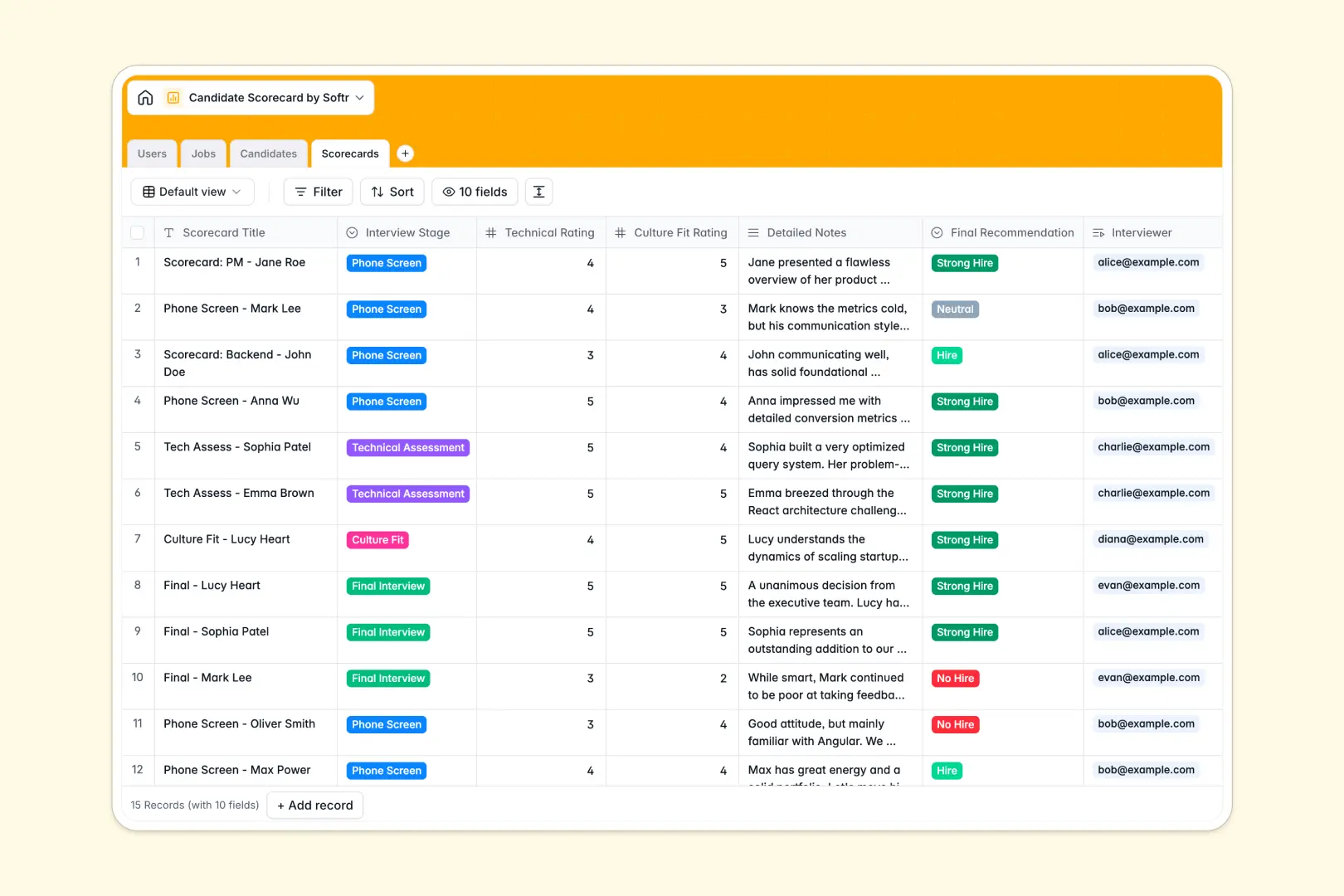
Your Candidate Scorecard database at a glance
This template standardizes how your team evaluates applicants across every interview stage. It keeps technical ratings, culture fit checks, and final recommendations perfectly organized in one clear system.
Candidates are automatically linked to open jobs, and every scorecard connects directly back to the applicant and interviewer. You can track pipeline stages effortlessly without losing attached resumes or stray feedback.
Plus, AI works in the background to automatically summarize candidates' LinkedIn profiles and extract key strengths from structured interview notes.
Why candidate scorecards get messy in spreadsheets
Tracking interview feedback in Excel or Google Sheets quickly devolves into chaos. Hiring managers overwrite each other's cells, resumes get lost, and comparing candidacies requires digging through endless, unreadable rows.
What a structured database changes
A true system enforces clarity—ratings stay as quantifiable numbers, and detailed feedback stays cleanly separated. Instead of fragile VLOOKUPs, every interview scorecard natively attaches back to the exact candidate and open job.
This is exactly what Softr Databases are designed for. Your hiring data scales cleanly as your recruitment pipeline grows, eliminating broken formulas entirely.
What you can do with this template
You can securely assign interviewers to specific scorecards and track if an applicant is a strong hire or no hire instantly. Everything happens inside a ready-to-use, structured framework.
With built-in Database AI agents, the system auto-pulls insights from a LinkedIn URL to write active candidate summaries. It also condenses lengthy interview notes into rapid bullet points, saving your HR team hours of reading.
-
Users
Manage recruitment staff, hiring managers, and internal access permissions
-
Jobs
Organize open roles by department, tracking status and hiring manager info
-
Candidates
Store applicant profiles with AI-generated background summaries from LinkedIn
-
Scorecards
Record interview ratings and use AI to extract key strengths from feedback
Who is this Candidate Scorecard database for
This database is built for teams that need to align on hiring decisions quickly and fairly.
- HR Managers: Centralize pipeline tracking and ensure interview feedback is collected promptly.
- Recruiters: Keep resumes, contact details, and open roles perfectly linked without manual data entry.
- Hiring Managers: Review technical and culture fit ratings at a glance before making final offers.
How to take it further
Customize the database in minutes by renaming pipeline stages or adding new interview criteria. Because it's a native Softr system, modifying hiring stages or role definitions takes just a few clicks.
Import your existing candidate data effortlessly via CSV to populate your open jobs instantly. You can plug right back into your active hiring cycles without skipping a beat.
When your team grows, you can build a full app around it using the Softr interface builder.
Give interviewers their own secure login where they only see candidates assigned to them, keeping sensitive data hidden using custom permissions. Starting with a structured database makes launching a customized internal recruitment portal incredibly simple.
-
1
-
2
-
3
-
4
Frequently asked questions
-
What is a candidate scorecard database?
-
Why use a no-code database to build a recruitment system?
-
How can AI help managing data for candidate scorecards?
-
Can I build an app with this candidate scorecard database?
-
Is this Candidate Scorecard database free?
-
How is a candidate scorecard database different from a spreadsheet?
Start building today. It's free!
Build and launch your first app in under 30 minutes.