


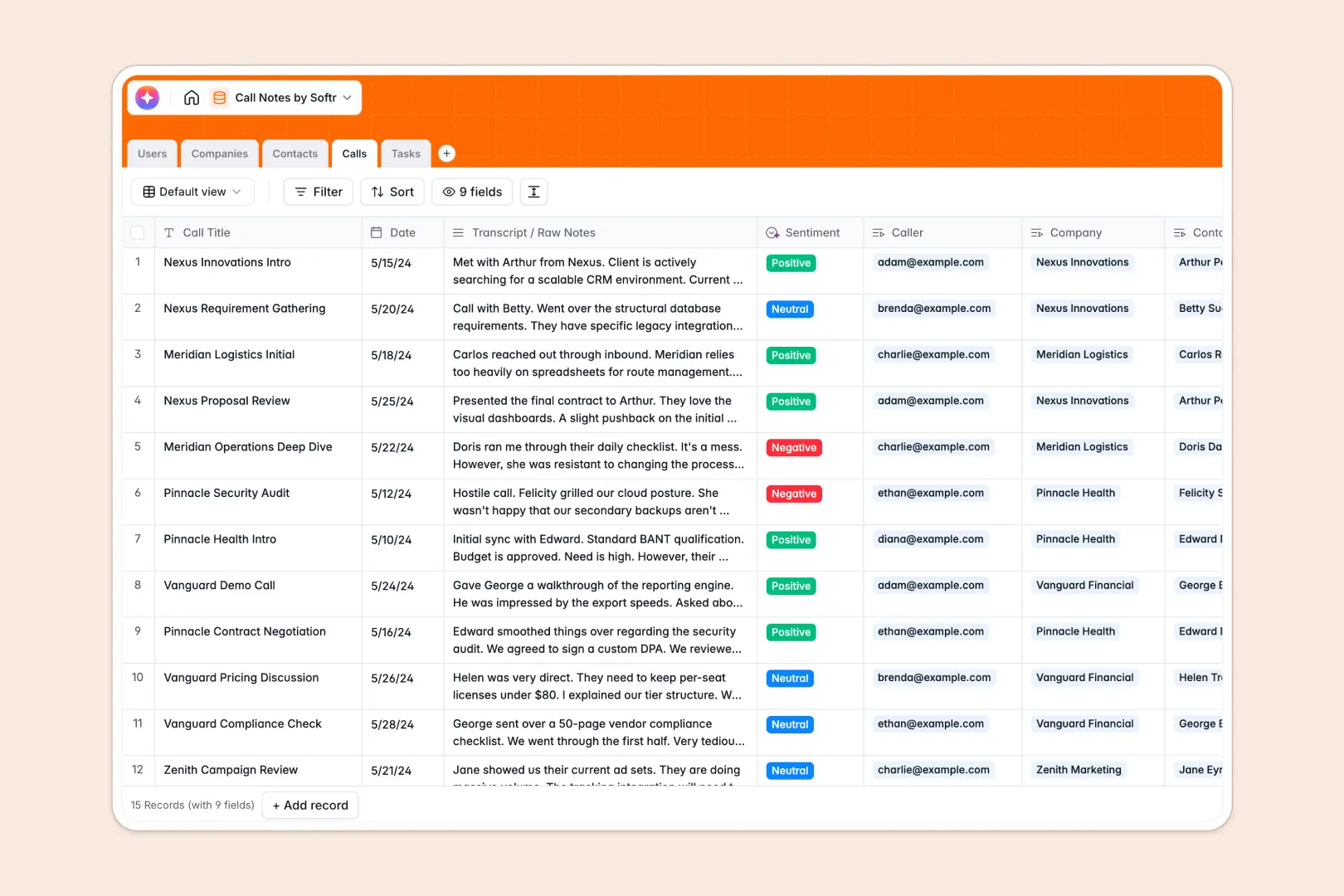
Your Call Notes Database at a glance
This template replaces scattered notes with a structured hub for every conversation. It keeps your raw transcripts, key takeaways, and next steps perfectly aligned in one view.
Instead of hunting through isolated files, everything forms a connected web. You log a call, link it directly to the exact company and contact, and immediately assign follow-up tasks to your team.
It also does the heavy lifting for you. Built-in AI automatically reads your raw transcripts to generate concise bulleted summaries and grade the sentiment of every interaction.
Why call notes get messy in spreadsheets
Logging conversations in a spreadsheet quickly becomes painful. Long text transcripts stretch cells awkwardly, and tracking follow-up tasks usually means duplicating data across entirely different tabs.
What a structured database changes
A proper system enforces clean boundaries and logical connections. You can link one client to dozens of calls, and multiple tasks to a single conversation, without relying on fragile VLOOKUPs.
This is exactly what Softr Databases are built for. Your data stays organized, readable, and perfectly linked no matter how many touchpoints you capture over time.
What you can do with this template
You can instantly capture raw meeting inputs and transform them into clear historical records. Every task is tied directly to the relevant conversation so nothing falls through the cracks.
It features native Database AI agents to automate data entry. The system will search the web to summarize company profiles, and instantly classify call sentiment as positive, neutral, or negative.
-
Users
Manage team members conducting calls with defined roles and task assignments
-
Companies
Manage client organizations using AI-powered web research for business profiling
-
Contacts
Store individual contact details and their associations with external companies
-
Calls
Log call data with AI-generated summaries and automated sentiment analysis
-
Tasks
Track actionable items and next steps derived from specific call interactions
Who is this Call Notes Database for
This system provides an immediate, reliable foundation for any team that relies on consistent communication tracking.
- Sales Teams: Track prospect interactions and automatically capture account sentiment to gauge deal health.
- Customer Success Managers: Log account check-ins and ensure every follow-up task is documented and assigned clearly.
- Project Managers: Record weekly client syncs and turn raw meeting transcripts into distinct action items.
How to take it further
Because this acts as a true database, you can modify it to fit your exact routine in seconds. Simply rename the task statuses or tweak the prompt instructions to extract specific details from your call transcripts.
Getting your current records inside is just as easy. Use the native CSV importer to bring over your existing contacts, company lists, and historical meeting notes transparently.
When your team needs a better way to interact with this data, you can build a complete internal portal using the interface builder.
By leveraging users and permissions, you can ensure reps only see and edit the calls associated with their assigned clients. Starting with a perfectly organized database makes building these custom applications completely effortless.
-
1
-
2
-
3
-
4
Frequently asked questions
-
What is a call notes database?
-
Why use a no-code database to build a call tracking system?
-
How can AI help managing data for call logs?
-
Can I build an app with this call notes database?
-
Is this Call Notes Database free?
-
How is a call tracking database different from spreadsheets?
Start building today. It's free!
Build and launch your first app in under 30 minutes.