


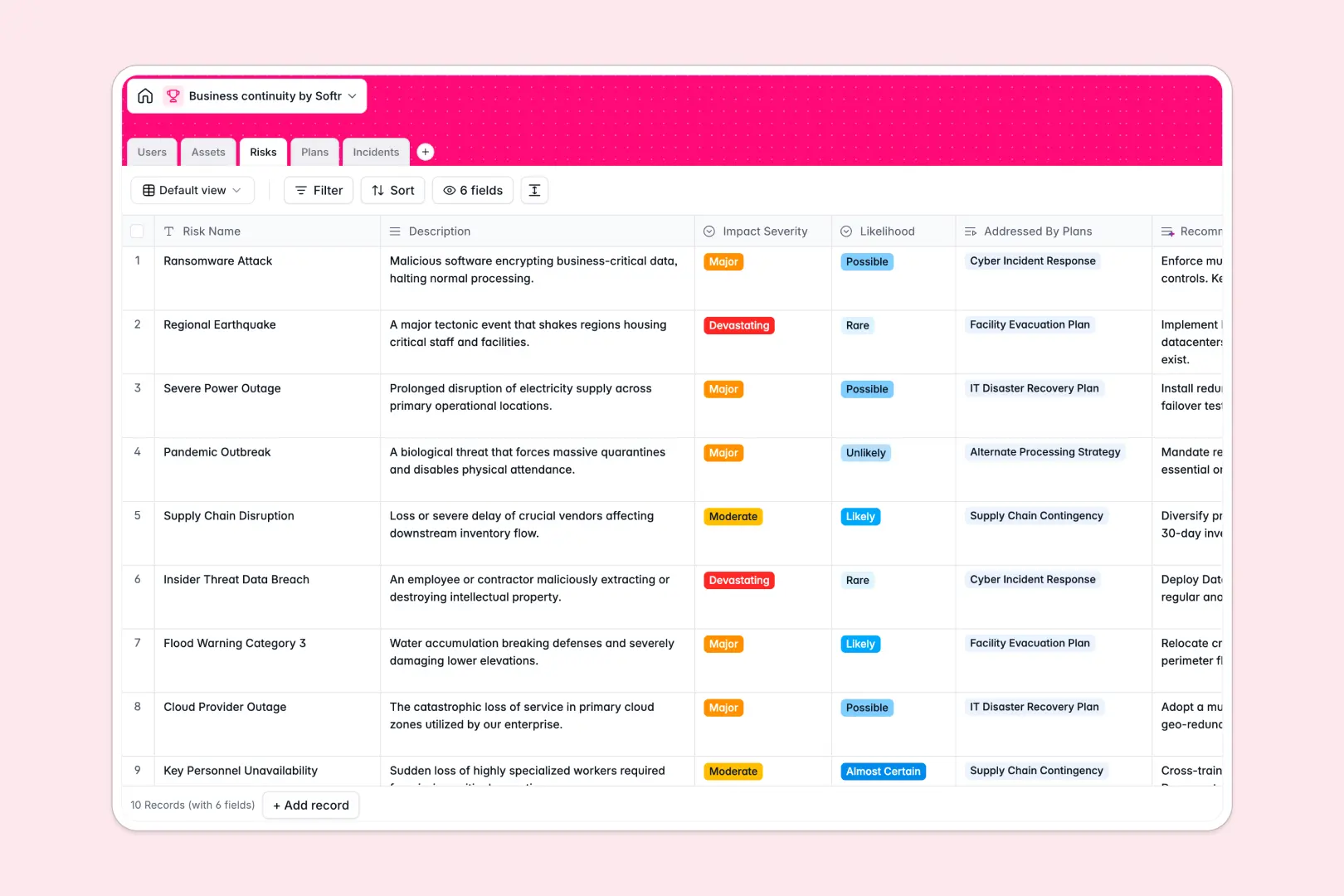
Your Business Continuity database at a glance
This template centralizes your operational resilience by connecting critical business assets directly to identified risks and actionable recovery plans. It ensures your organization stays prepared for disruptions while keeping incident logs and ownership completely transparent.
Key tables include Assets, Risks, Plans, Incidents, and Users, which link together to maintain a clear chain of custody and mitigation. Instead of manually cross-referencing files during a crisis, team members can instantly see which assets are impacted and who owns the active response plan.
Built-in AI automations analyze risks to recommend mitigation steps, draft executive summaries for continuity plans, and categorize new incidents automatically based on event descriptions.
When emergency procedures hide across twelve spreadsheet tabs
Most continuity planning starts in a spreadsheet, but an emergency quickly exposes the format's limits. Teams end up with separate tabs for hardware assets, risk assessments, and plan versions, where a single renamed column or missing row breaks fragile lookups.
What a structured database changes
A structured system enforces clean, typed records where dates stay dates, critical severity ratings stay consistent, and linked assets connect natively across tables. Instead of copying plan names across multiple sheets, a single update reflects everywhere instantly.
This is exactly what Softr Databases are designed for: giving your operational data real relational structure without complex setup.
What you can do with this template
Link mission-critical facilities and IT systems directly to response procedures so teams know exactly what to do when disruptions occur. You can log real-time incident reports, assign recovery ownership to specific managers, and monitor plan review dates.
With native Database AI agents, the database also generates mitigation recommendations for newly identified risks and creates ready-to-read executive summaries for stakeholders.
-
Users
Manage personnel directory, system roles, and plan or incident ownership
-
Assets
Track critical infrastructure, facilities, and data vital to operations
-
Risks
Assess organizational threats and generate AI recommended mitigations
-
Plans
Maintain recovery plans with protected assets and AI executive summaries
-
Incidents
Log operational disruptions and classify severity with AI categorization
Who is this Business Continuity database for
This database is built for teams that need clear, dependable operational resilience without maintaining messy files.
- Operations Managers: Maintain central oversight of company-wide risks, recovery procedures, and assigned plan owners.
- IT & Security Leads: Map critical infrastructure and hardware to recovery plans and track incoming incident reports.
- Risk & Compliance Officers: Audit mitigation strategies, verify review dates, and keep regulatory continuity documentation updated.
- Department Heads: Access and execute specific departmental response plans quickly during active operational disruptions.
How to take it further
1. Customize the database
Tailor the structure to your exact operational landscape by adding custom asset criticality tiers, expanding risk categories, or adding specific review cadences for regulated departments.
2. Import your existing data
Bring your current documentation together quickly by uploading existing asset lists and risk registers via CSV, or connect live monitoring tools via API to log incidents automatically.
3. Build a full app around it
Turn this database into an interactive internal tool when your team needs direct access. Use the AI app generator to create custom interfaces, employee incident submission portals, and management dashboards in minutes, then manage editing rights using granular users and permissions.
-
1
-
2
-
3
-
4
Frequently asked questions
-
What is a Business Continuity database?
-
Why use a no-code database to build a business continuity tool?
-
How can AI help managing data for business continuity?
-
Can I build an app with this Business Continuity database?
-
Is this Business Continuity template free?
-
How is this database different from a business continuity spreadsheet?
Start building today. It's free!
Build and launch your first app in under 30 minutes.