


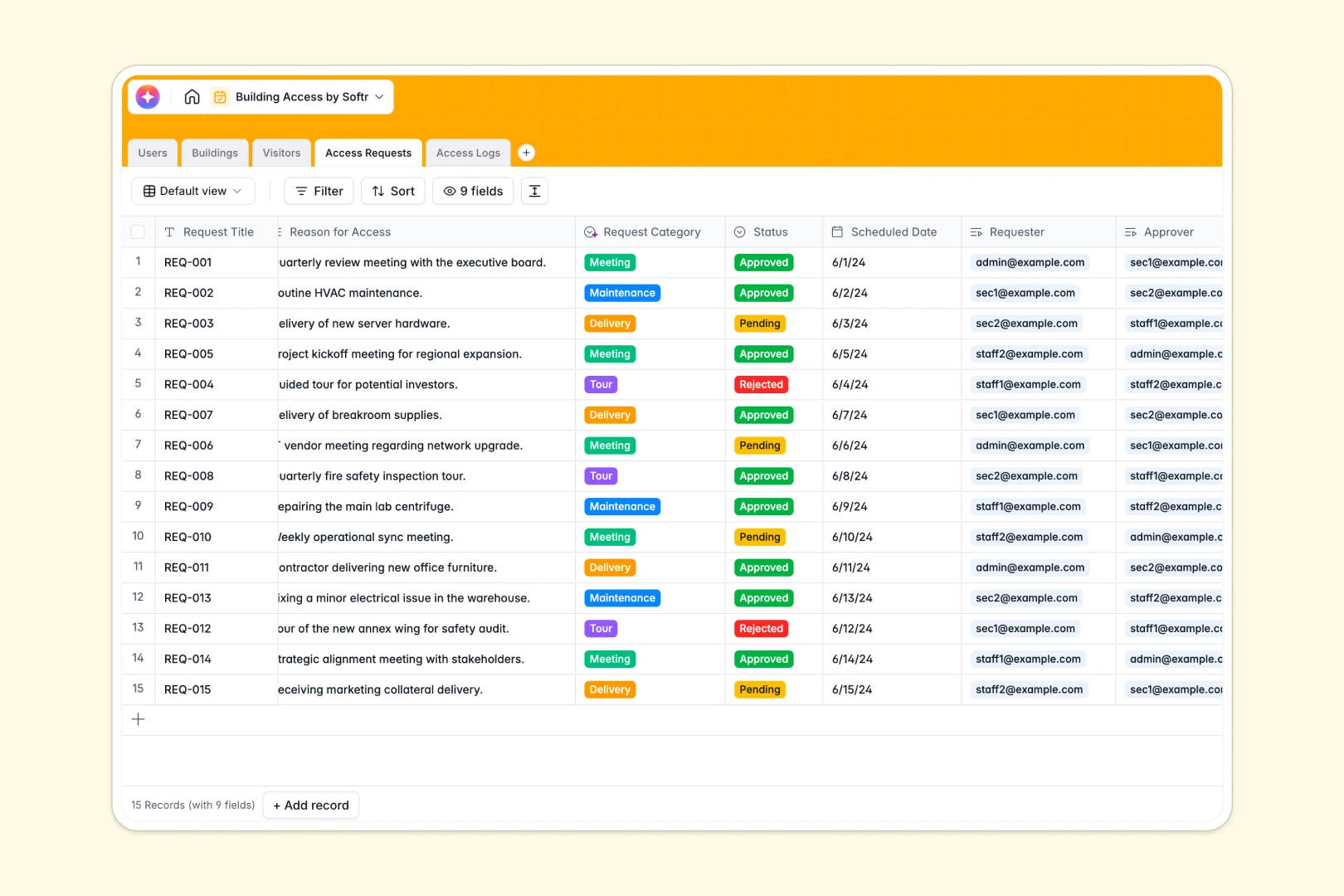
Your Building Access Database at a glance
This robust template lets you monitor facility entry, manage visitor requests, and track real-time security logs in one secure place. By offering a central directory for staff and external guests, it ensures total visibility over who is on-site at any given moment.
It works by natively connecting independent records without complex formulas. A single building access request automatically links the external visitor, the designated facility, and the staff member responsible for approval.
Built-in AI instantly categorizes access requests based on context and researches visitor companies via the web. It even generates concise summaries of daily security log notes to keep your team informed faster.
Why building access gets messy in spreadsheets
Tracking scheduled visitors, entry logs, and staff permissions across multiple tabs quickly turns into a logistical nightmare. Formulas break, critical access requests get buried, and security history becomes nearly impossible to trace.
What a structured database changes
Unlike an endless grid, a proper database enforces firm data structure. Facility statuses stay locked to predefined options like "Restricted" or "Closed," preventing accidental typos that compromise rules.
Because relationships are built-in, you can connect a visitor's entry log directly to the building they visited without writing a single fragile VLOOKUP. This seamless relational data model is exactly what Softr Databases are designed for, keeping your access records impeccable as you scale.
What you can do with this template
Instantly log building entries, route approvals to the right staff, and maintain a complete directory of all historical security data. You get a ready-to-use foundation for rigorous facility control.
Thanks to Database AI agents, your database works for you automatically. The system can independently research the company of an arriving visitor via the web and seamlessly classify their visit type the moment a request is submitted.
-
Users
Manage staff profiles with roles, linked access requests and activity history
-
Buildings
Track physical facilities and zones with status updates and total access counts
-
Visitors
Store guest info with AI-generated company descriptions for deeper insight
-
Access Requests
Handle entry requests using AI to classify categories from request reasons
-
Access Logs
Monitor building entries and exits with AI-generated activity summaries
Who is this Building Access Database for
This system is built for operations teams who need strict control over facility security and a clean audit trail.
- Facilities Managers: Track which buildings are open, restricted, or closed in real time with visual status tags.
- Security Teams: Monitor live entry logs, review rejected requests, and maintain clear incident records effortlessly.
- Office Administrators: Streamline visitor requests and automatically route them to the relevant staff member for swift approval.
How to take it further
Tailoring this database to your site operations requires zero coding. You can quickly adjust the building condition statuses or add custom request categories directly within the template’s existing fields.
To bypass manual data entry entirely, import your existing employee directory or historical visitor lists via quick CSV upload. You will immediately populate the system and make it actively useful from day one.
When your team is ready for an integrated workflow, transform this data into a secure front-desk portal using Softr's interface builder. This enables external guests to submit requests through a polished form rather than emailing your staff.
By leveraging advanced users and permissions, you can confidently distribute the tool. Security guards will be able to see and modify live logs, while standard staff will only be able to view their own visitor approvals.
-
1
-
2
-
3
-
4
Frequently asked questions
-
What is a building access database?
-
Why use a no-code database to manage facility access?
-
How can AI help manage access requests?
-
Can I build an app with this building access database?
-
Is this Building Access Database free?
-
Why is a database better than tracking visitors in Google Sheets?
Start building today. It's free!
Build and launch your first app in under 30 minutes.