


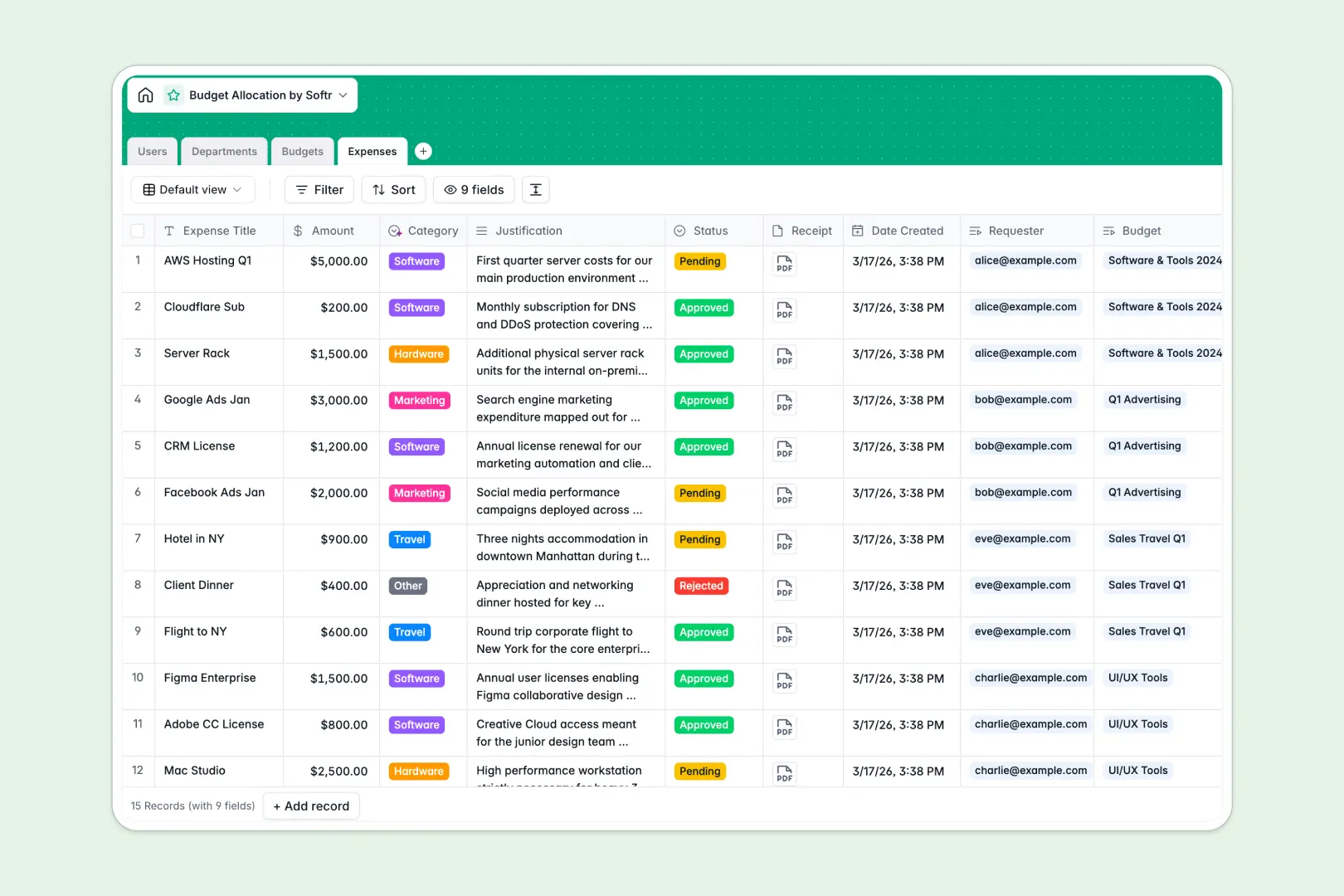
Your Budget Allocation database at a glance
This template provides a structured system to manage organizational resources, track real-time spend, and handle team expense requests. It replaces chaotic sheets with a reliable, single source of truth for your finances.
It connects departments and their specific budgets directly to individual expenses. When a team member logs a new expense, the system automatically subtracts it from the correct budget container, giving managers instant visibility into remaining funds.
Built-in AI agents automatically categorize incoming expenses (like Travel or Software) based on the request justification. AI also generates instant health summaries for every budget, saving you hours of manual reporting.
Why budget allocation gets messy in spreadsheets
Tracking company spend in a spreadsheet quickly becomes a nightmare of broken `VLOOKUP`s and outdated figures. As multiple managers log expenses simultaneously, fragile calculation formulas get overwritten and accurate budget visibility is lost.
What a structured database changes
A structured system keeps your financial data strict and reliable. Currency fields enforce exact numbers, and expenses automatically roll up to their parent budgets without fragile cell references.
You can securely link receipts and justifications directly to the expense record instead of hiding messy links in tiny cells. This is exactly what Softr Databases are designed for.
What you can do with this template
Instantly view total spent versus remaining balances for any department, project, or event context. You can approve or reject pending expenses directly within the system while keeping an exact audit trail of who bought what.
Thanks to Database AI agents, your financial data actively manages itself. The system will automatically research department objectives, categorize line items, and summarize overall budget health as soon as new data enters.
-
Users
Manage budget managers and requesters with roles and access levels
-
Departments
Organize departments using AI to research and define strategic objectives
-
Budgets
Track financial allocations and use AI to summarize budget health status
-
Expenses
Process spending requests and use AI to classify them into categories
Who is this Budget Allocation database for
This system is built for teams that need strict financial tracking without the technical overhead.
- Finance Teams: Maintain total control over company-wide spending and track exact run rates.
- Department Heads: Monitor their allocated funds and approve team expenses instantly.
- Project Managers: Keep specific project budgets healthy and avoid accidental overspending.
How to take it further
You can easily customize this database to match your exact financial workflows. Add new expense categories or tweak the approval statuses to mirror your company's unique processes.
Bring your financial history to life in minutes without missing a beat. You can bulk import your past spreadsheets via CSV or use our API to instantly sync data from platforms like Stripe or Quickbooks.
When you're ready to share this with the wider team, you can build an app on top of this structure. Create a secure internal employee portal where team members can log requests and upload receipts.
Using robust permissions, you can ensure that department heads only see their own budgets and team requests. A well-structured backend makes launching a secure, enterprise-grade application absolutely effortless.
-
1
-
2
-
3
-
4
Frequently asked questions
-
What is a budget allocation database?
-
Why use a no-code database to build a budget allocation system?
-
How can AI help managing data for budget allocation?
-
Can I build an app with this budget allocation database?
-
Is this Budget Allocation database free?
-
How is a budget allocation database different from a budget allocation spreadsheet?
Start building today. It's free!
Build and launch your first app in under 30 minutes.