


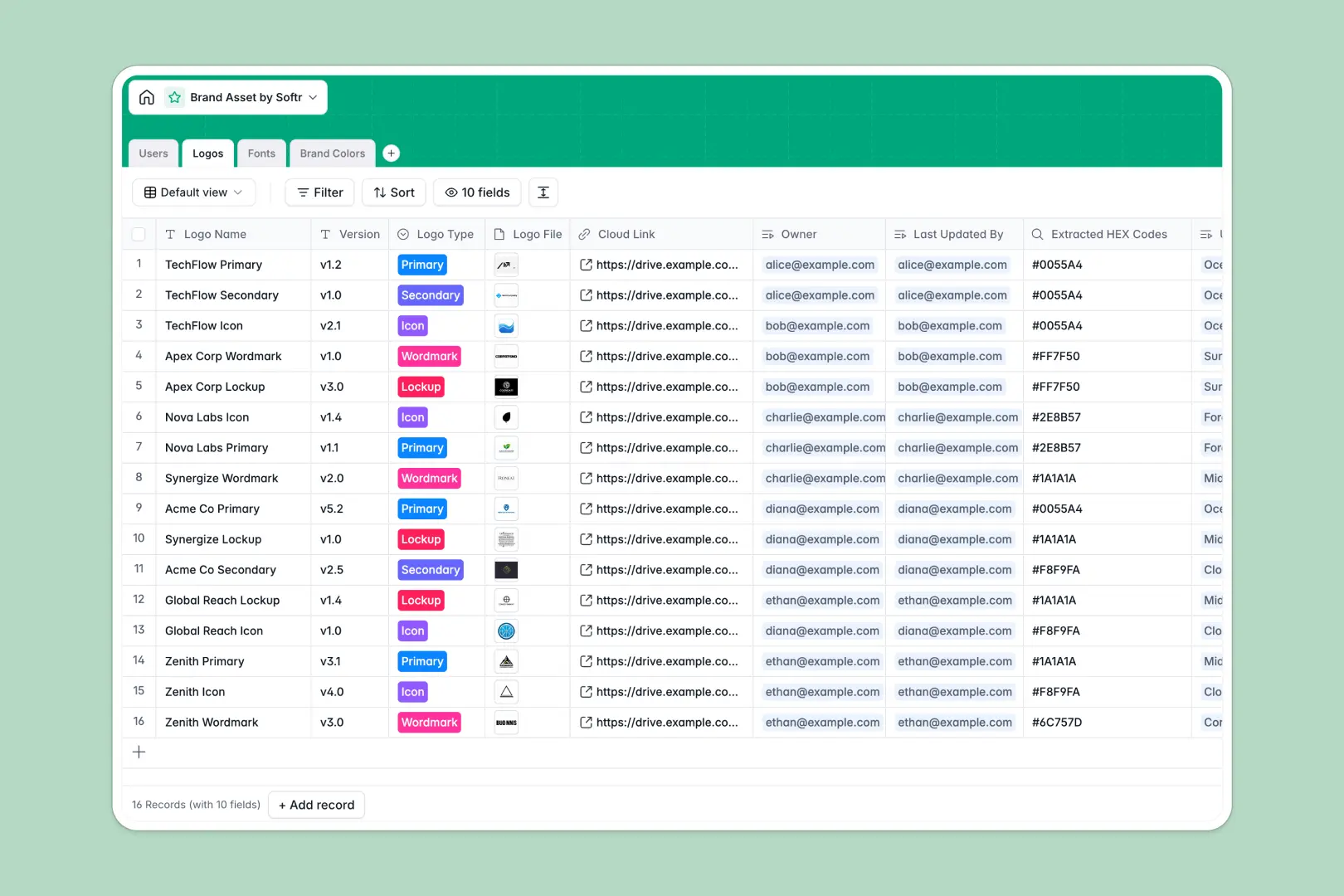
Your Brand Asset database at a glance
This template provides a single source of truth for your entire visual identity, so your team never loses the right logo version again. It automatically tracks file ownership and version history across all your creative assets.
Everything is neatly connected through dedicated tables for Logos, Fonts, and Brand Colors. When you upload a new logo lockup, you can immediately link it to the specific hex codes and font families it uses to ensure perfect consistency.
This database also works for you securely in the background. Built-in AI fields will automatically research font origins and generate complementary color palettes the moment you add a brand new hex code.
Why brand asset spreadsheets get messy
Trying to track visual files and design assets in a generic grid quickly turns into chaos. Spreadsheets can't store large attachment files natively, and trying to paste color codes next to file links creates a fragmented, untrustworthy resource.
What a structured database changes
In a proper system, every asset type has its own dedicated home. Instead of pasting the same hex code onto fifty different spreadsheet rows, you create it once and establish native relationships between your brand elements.
This makes updating a massive brand identity incredibly simple without dealing with fragile formulas or broken links. This is exactly what Softr Databases are designed for, keeping your data clean as your visual library scales.
What you can do with this template
You can securely host all primary and secondary logo files directly within the records, fully linked to their required CMYK and RGB values. Every asset clearly displays who owns it and who updated it last, removing any guesswork.
You also get instant design assistance without leaving the table. Powered by intelligent fields, your lists will automatically browse the web for typography histories and build triadic color pairing suggestions on the fly.
-
Users
Manage team members responsible for maintaining brand assets and ownership
-
Logos
Store logo files and versions with metadata on color and font usage
-
Fonts
Catalog typography with AI-generated summaries of font origins and styles
-
Brand Colors
Define hex codes and use AI to generate complementary color pairings
Who is this Brand Asset database for
This structured system is perfect for visual teams that need to distribute brand guidelines efficiently.
- Marketing teams: Quickly access approved logos and color palettes without bothering the design department.
- Lead designers: Maintain strict control over iterative logo versions, font weights, and file access.
- Agency partners: Navigate a clear, centralized repository to ensure client work always stays perfectly on-brand.
How to take it further
Because this is a flexible database, you can easily customize the views and column types to fit your creative operations. Add new categories like video assets or modify the exact dropdown tags to match your specific branding guidelines.
If you're ditching an old spreadsheet, you can import your existing lists of hex codes and cloud links via CSV in seconds. This allows your team to populate the directory and get immediate value without starting from scratch.
When you're ready to share these assets securely, you can turn this database into a beautiful custom brand portal. You won't need to write any code to create a professional, searchable gallery of your visual files.
You also gain full control over who sees sensitive files by setting up custom users and permissions. Give external reviewers read-only access to final logos while letting your core design team update files globally.
-
1
-
2
-
3
-
4
Frequently asked questions
-
What is a brand asset database?
-
Why use a no-code database to build a brand asset system?
-
How can AI help managing data for brand assets?
-
Can I build an app with this brand asset database?
-
Is this Brand Asset database free?
-
How is a brand asset database different from a spreadsheet?
Start building today. It's free!
Build and launch your first app in under 30 minutes.