


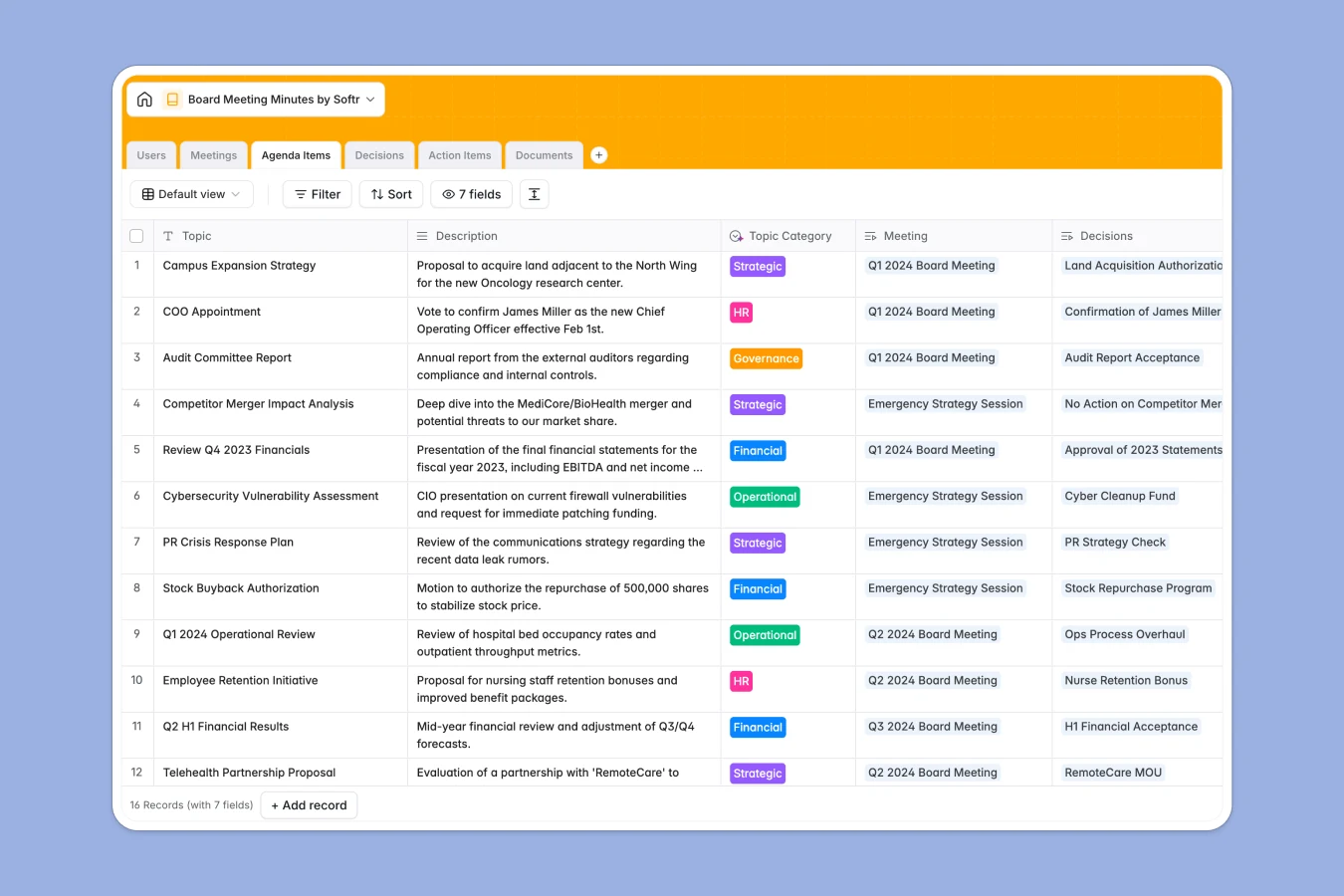
Your Board Meeting Minutes Database at a glance
This template serves as a secure, central governance hub for tracking board activities, ensuring every meeting, decision, and document is properly recorded. It eliminates the chaos of scattered files by keeping board packs, attendee lists, and official resolutions in a single, organized system.
Technically, it connects key governance elements directly to each other. A scheduled Meeting links automatically to specific Agenda Items, which then tie into official Decisions and assignable Action Items, creating a seamless audit trail.
Included AI features automate the tedious parts of compliance. The system can automatically summarize raw notes into professional minutes, classify agenda topics, and even draft formal legal wording for resolutions instantly.
Why managing board minutes in spreadsheets breaks down
Spreadsheets are excellent for calculations but terrible for governance. Trying to link a meeting date to an agenda item, a resulting decision, and a specific document attachment in a single row results in a messy, unreadable grid that is hard to audit.
What a structured database changes
A structured database moves you away from fragile rows and columns into distinct, connected objects. Instead of duplicating data, you have a dedicated table for Meetings and another for Decisions, linked together permanently.
This structure ensures data integrity and security, which is critical for board records. This is exactly what Softr Databases are designed for—keeping confidential information organized and strictly typed, so a date field is always a date and a file is always a secure attachment.
What you can do with this template
You can maintain a clear historical record of every motion passed and who voted on it. The template allows you to upload board packs directly to specific meetings, ensuring members always have the right context before the session starts.
With built-in Database AI agents, you can standardize your records effortlessly. For example, the AI can instantly turn a brief decision note into formal legal phrasing suitable for the minute book.
-
Users
Manage board members and staff with contact details and AI-sourced bios
-
Meetings
Coordinate board sessions and generate formal summaries using AI power
-
Agenda Items
Organize meeting topics with AI-driven categorization for better governance
-
Decisions
Log official resolutions with AI-generated formal legal phrasing for records
-
Action Items
Track tasks and follow-ups with AI-generated titles for better clarity
-
Documents
Store and centralize board packs, reports, and financial presentations
Who is this Board Meeting Minutes database for
This template is designed for those responsible for corporate governance and record-keeping:
- Board Secretaries: Draft minutes faster and maintain a pristine digital minute book.
- Executive Assistants: Distribute board packs and track RSVPs without email clutter.
- Non-Profit Directors: Ensure compliance and track follow-up tasks from every session.
- Founders/CEOs: Keep investors informed with organized updates and historical decision tracking.
How to take it further
Customize the database
You can easily adapt the data structure to fit your organization's bylaws. For instance, modify the "Role" choices in the Users table to include specific committee designations or add a "voting weight" field if required.
Import your existing data
Don't start from empty. You can import your historical meeting logs and member directories via CSV to immediately populate the system with your past governance records.
Build a full Board Portal app
Turn this database into a secure, private Board Portal where members log in to view only their relevant documents. With Softr's interface builder, you can create a professional front-end that looks like custom software.
Use users and permissions to ensure strict access control. You can let board members view materials while restricting editing rights solely to the Board Secretary or Admin.
-
1
-
2
-
3
-
4
Frequently asked questions
-
What is a Board Meeting Minutes database?
-
Why use a no-code database over a board meeting minutes spreadsheet?
-
How can AI help managing data for board minutes?
-
Can I build a secure Board Portal app with this database?
-
Is this Board Meeting Minutes template free?
Start building today. It's free!
Build and launch your first app in under 30 minutes.