


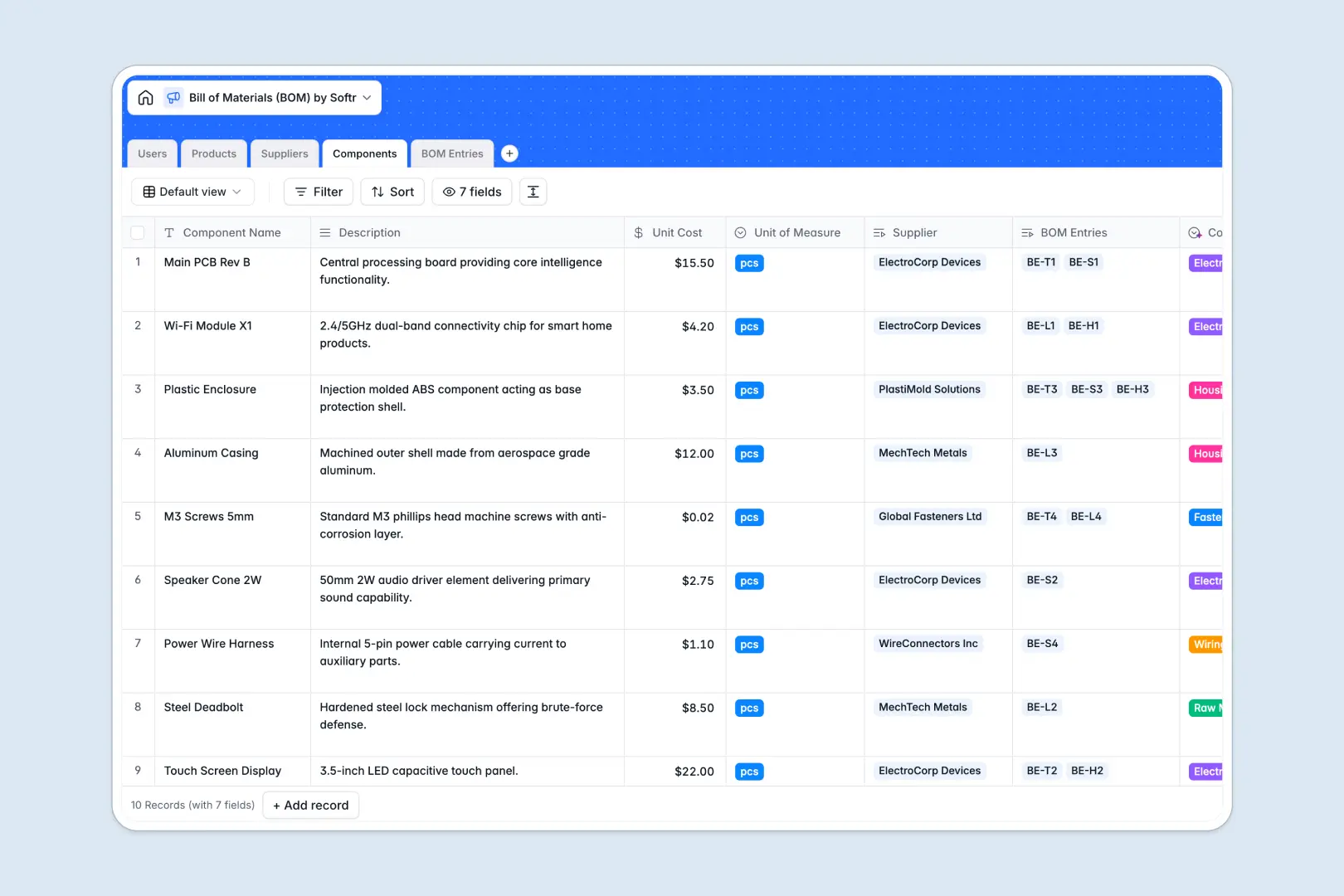
Your Bill of Materials (BOM) database at a glance
This template gives you a complete, real-time view of your manufacturing inputs and finished goods. It helps supply chain and product teams track sourcing costs, vendor ratings, and precise component quantities without missing a beat.
Native relationships seamlessly connect your raw Components directly to finished Products through specific BOM Entries. Instead of fragile formulas, costs automatically roll up from single parts to final assemblies, ensuring your pricing stays incredibly accurate.
Built-in AI automatically searches the web to profile your Suppliers and instantly categorizes your raw materials. It even generates ready-to-use marketing copy for your finished goods based on their core specs and names.
Why managing a bill of materials gets messy in spreadsheets
Tracking hundreds of components, shifting supplier costs, and final assembly requirements in Google Sheets quickly becomes chaotic. Formulas easily break, data gets duplicated across tabs, and calculating finalized product costs becomes a total guessing game.
What a structured database changes
In a database, every piece of information has a strict, unbreakable type. Unit costs always stay as currency, while vendor ratings remain cleanly standardized across your entire system.
You can link individual components to multiple finished products naturally, without constantly copying and pasting rows between different sheets.
This is exactly what Softr Databases are designed for. When you update a component's price once, that change instantly reflects across every single product that relies on it.
What you can do with this template
Get an immediate, flawless view of your total BOM costs as you assign specific quantities of parts to finished goods. You can safely manage multi-tier suppliers and track complex component inventories in a foolproof structure.
With native AI agents running in the background, you also strip away manual data entry. The system automatically fetches vendor backgrounds and summarizes material requirements the moment you add new BOM entries.
-
Users
Manage system users with roles and links to products and suppliers
-
Products
Track assemblies and launch dates with AI-generated marketing copy
-
Suppliers
Manage vendors using web-powered AI to generate company overviews
-
Components
Control raw materials using AI for automated category classification
-
BOM Entries
Map component quantities to products with AI-powered entry notes
Who is this Bill of Materials (BOM) database for
This template keeps operations completely aligned for cross-functional manufacturing teams:
- Product Managers: Calculate precise final assembly costs automatically and monitor launch timelines easily.
- Supply Chain Leads: Maintain accurate vendor directories, track supplier tiers, and consolidate component sourcing.
- Hardware Engineers: Define exact part quantities and document component specifications reliably in one central view.
How to take it further
Start by customizing the database to perfectly fit your operational needs. You can easily add new dropdown options for vendor ratings or create specialized formula fields to calculate shipping weights.
Bring your current manufacturing operations up to speed in minutes. Use the native CSV importer to bulk-upload your existing parts lists, or connect via API to instantly sync pricing from your current ERP tool.
When your team needs more control, you can construct a powerful working portal wrapped around this exact data. Turn this internal tracker into a secure supply chain workspace for your whole department.
Implementing users and permissions guarantees that sensitive margins remain private to internal teams, while external suppliers only see data relevant to them. Starting with a rock-solid database makes scaling your operations effortless.
-
1
-
2
-
3
-
4
Frequently asked questions
-
What is a bill of materials (BOM) database?
-
Why use a no-code database to build a BOM spreadsheet alternative?
-
How can AI help managing data for a bill of materials?
-
Can I build an app with this BOM database?
-
Is this Bill of Materials (BOM) template free?
-
How is a BOM database different from an Excel spreadsheet?
Start building today. It's free!
Build and launch your first app in under 30 minutes.