


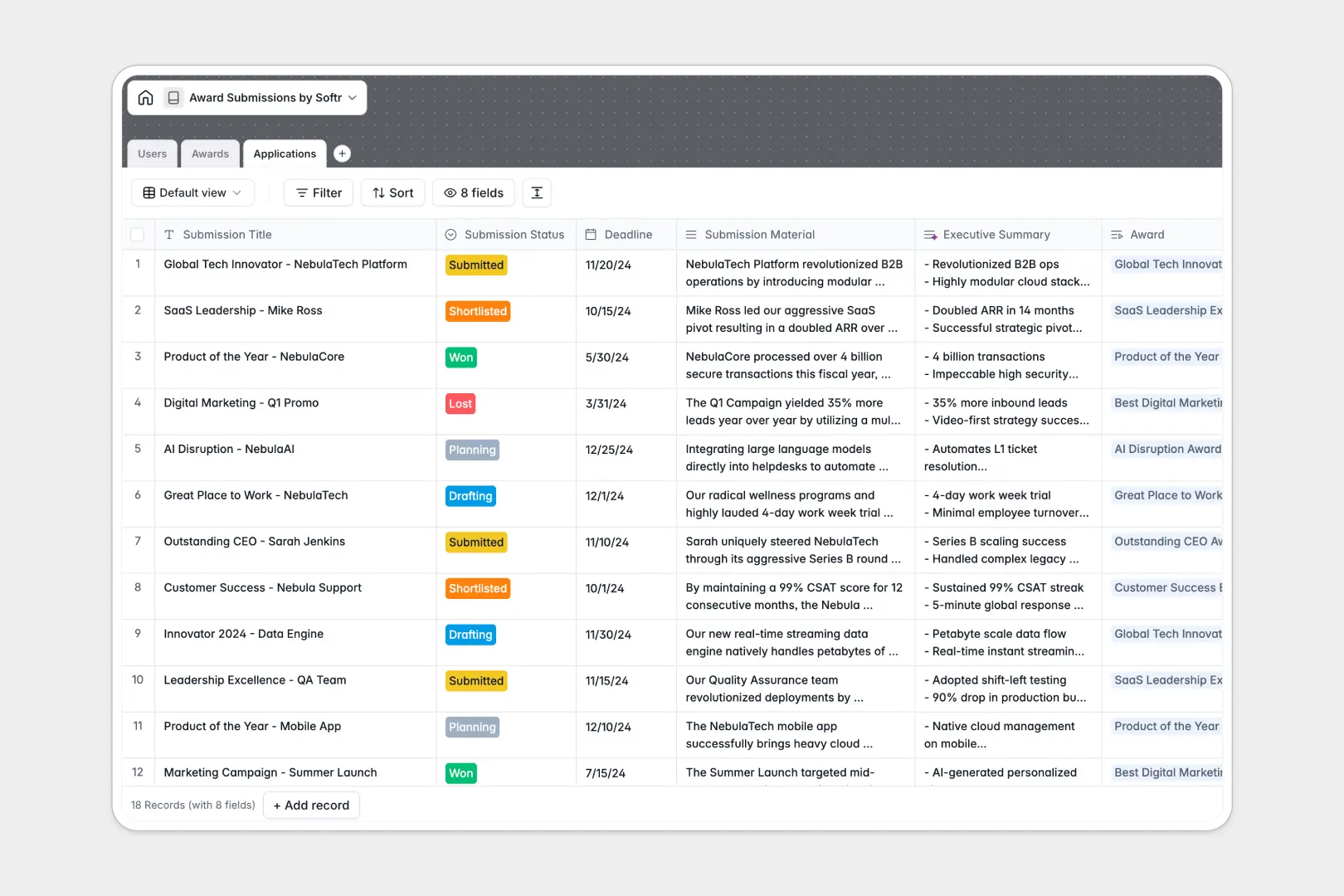
Your Award Submissions Database at a glance
This template replaces your chaotic award submissions spreadsheet with a clean, connected system. It helps you track every application, deadline, and supporting document without losing information across different tabs.
The structure is simple but powerful. Your Awards table links directly to specific Applications, which are tied back to the Users working on them, meaning you never have to duplicate data.
It also includes intelligent automations natively. AI automatically drafts award criteria by searching the live web, and instantly summarizes long submission materials for quick manager review.
Why award submissions get messy in spreadsheets
Relying on an award submissions spreadsheet usually ends in missed deadlines and scattered files.
What a structured database changes
In a traditional sheet, combining dates, long-form text, and attachments in flat rows quickly becomes unreadable. Team members overwrite each other's work or lose track of which version is final when passing a file back and forth.
A real database enforces structure so dates stay dates, and documents are safely attached to the right record securely. This is exactly what Softr Databases are designed for.
What you can do with this template
You can connect organizers, applicants, and materials instantly. When you add a new award, you can link multiple submissions to it without ever copying and pasting the criteria.
You also get built-in Database AI agents that do the heavy lifting automatically. Because they are built into the database, they can browse the web to find award details and automatically generate bite-sized summaries of your submissions.
-
Users
Manage internal team members with roles, contact info and application links
-
Awards
Directory of awards using AI to summarize criteria and organizer credentials
-
Applications
Track submission status and deadlines with AI-generated executive summaries
Who is this Award Submissions database for
This template is built for teams who need to manage multiple applications across different categories and deadlines easily.
- Marketing Teams: Keep track of PR opportunities and ensure submission materials are drafted and approved on time.
- Founders & Executives: Monitor which industry leadership awards the company is applying for and track your win rates easily.
- PR Agencies: Manage target awards for multiple clients without mixing up deadlines or supporting documents.
How to take it further
You can easily customize this database to fit your exact workflow instantly. Add new categories to the awards list, or create custom status tags for your application pipeline.
If you are moving away from an old award submissions spreadsheet, you can import your historical data in seconds. Just upload your CSV file and instantly map your columns to the new structured fields.
When your team is ready, you can build an app directly on top of this data without coding. Turn this internal system into a complete portal where non-technical staff can log in and submit drafts effortlessly.
By setting up proper users and permissions, you can ensure applicants only see their own drafts, while managers get a bird's-eye view of everything. Starting with a clean, connected database makes building this front-end interface incredibly simple.
-
1
-
2
-
3
-
4
Frequently asked questions
-
What is an award submissions database?
-
Why use a no-code database to build an award tracking system?
-
How can AI help managing data for award submissions?
-
Can I build an app with this award submissions database?
-
Is this award submissions spreadsheet alternative free?
-
Why are spreadsheets bad for tracking award applications?
Start building today. It's free!
Build and launch your first app in under 30 minutes.