


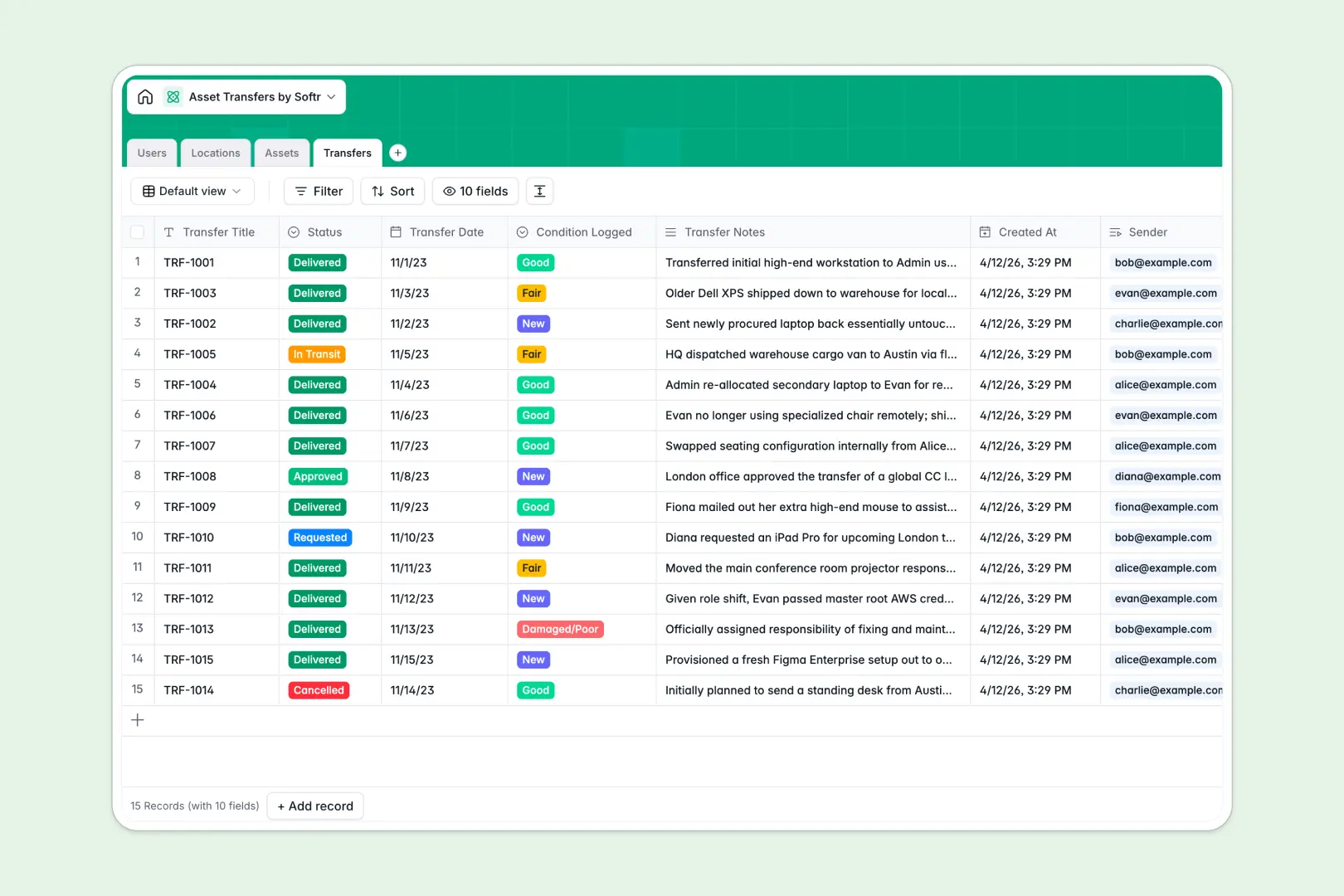
Your Asset Transfers database at a glance
This template gives you a complete, uncrackable record of where every company asset is and who currently holds it. It ensures equipment moves are documented correctly from request to delivery.
It relies on four connected tables: Users, Locations, Assets, and Transfers. When an item moves between employees or offices, the database logs the sender, receiver, and updated condition automatically.
Built-in AI agents do the heavy lifting dynamically as records update. They auto-generate technical specifications for new assets from the web and instantly summarize transfer notes into clean event logs.
Why tracking asset transfers in spreadsheets breaks down
Managing laptop swaps and vehicle hand-offs in a spreadsheet quickly turns into a mess. Rows get accidentally deleted, conditions aren't updated, and tracking historical custody requires digging through endless, broken tabs.
What a structured database changes
A true database ensures every column behaves exactly as it should. Dates enforce proper formatting, and dropdowns keep statuses strictly limited to phases like "In Transit" or "Delivered."
Instead of fragile VLOOKUPs, tables intuitively link together without complex formulas. You can assign an asset to a user or log a transfer, and the item's location updates automatically across the unified system.
This is exactly what Softr Databases are designed for. They provide rock-solid structure and prevent costly mix-ups as your company inventory scales.
What you can do with this template
Instantly log transfer requests, approve them, and monitor delivery statuses without manual follow-ups. Every configured asset maintains a permanent, searchable history of its previous owners and locations.
Powered by Database AI agents, this template also researches equipment specifications for you. It pulls data from the live web to populate specs while instantly summarizing lengthy transfer condition notes for quick auditing.
-
Users
Manage organization members, roles, and their linked asset transfers
-
Locations
Track physical offices and warehouses where company assets are stored
-
Assets
Catalog company items with AI-generated technical specification profiles
-
Transfers
Record asset movements with AI-summarized logs of conditions and notes
Who is this Asset Transfers database for
This system is built for operations teams that need absolute clarity on company inventory.
- IT Departments: Track laptop assignments and monitor repair conditions across dispersed remote teams.
- Operations Managers: Manage vehicle or heavy equipment hand-offs between job sites with zero ambiguity.
- Office Admins: Oversee furniture and peripheral requests while maintaining accurate location records.
How to take it further
Start by customizing the database to match your physical footprint. You can quickly add new asset categories or modify the transfer statuses to reflect your specific operation.
Next, skip the manual data entry by importing your existing equipment lists via CSV. Linking your legacy data instantly populates the connected locations and user directories, providing immediate utility.
When you are ready to scale, you can easily build an app on top of this foundation. Add a secure employee portal where staff can request equipment swaps or log condition issues directly from their phones.
Thanks to native users and permissions, you can ensure employees only see their assigned gear, while managers get full oversight of the transfer ledger. A properly structured database makes deploying internal apps effortless.
-
1
-
2
-
3
-
4
Frequently asked questions
-
What is an asset transfers database?
-
Why use a no-code database to build an asset transfer system?
-
How can AI help managing data for asset transfers?
-
Can I build an app with an asset transfers database?
-
Is this asset transfers template free?
-
How is an asset transfers database different from an asset transfer spreadsheet?
Start building today. It's free!
Build and launch your first app in under 30 minutes.