


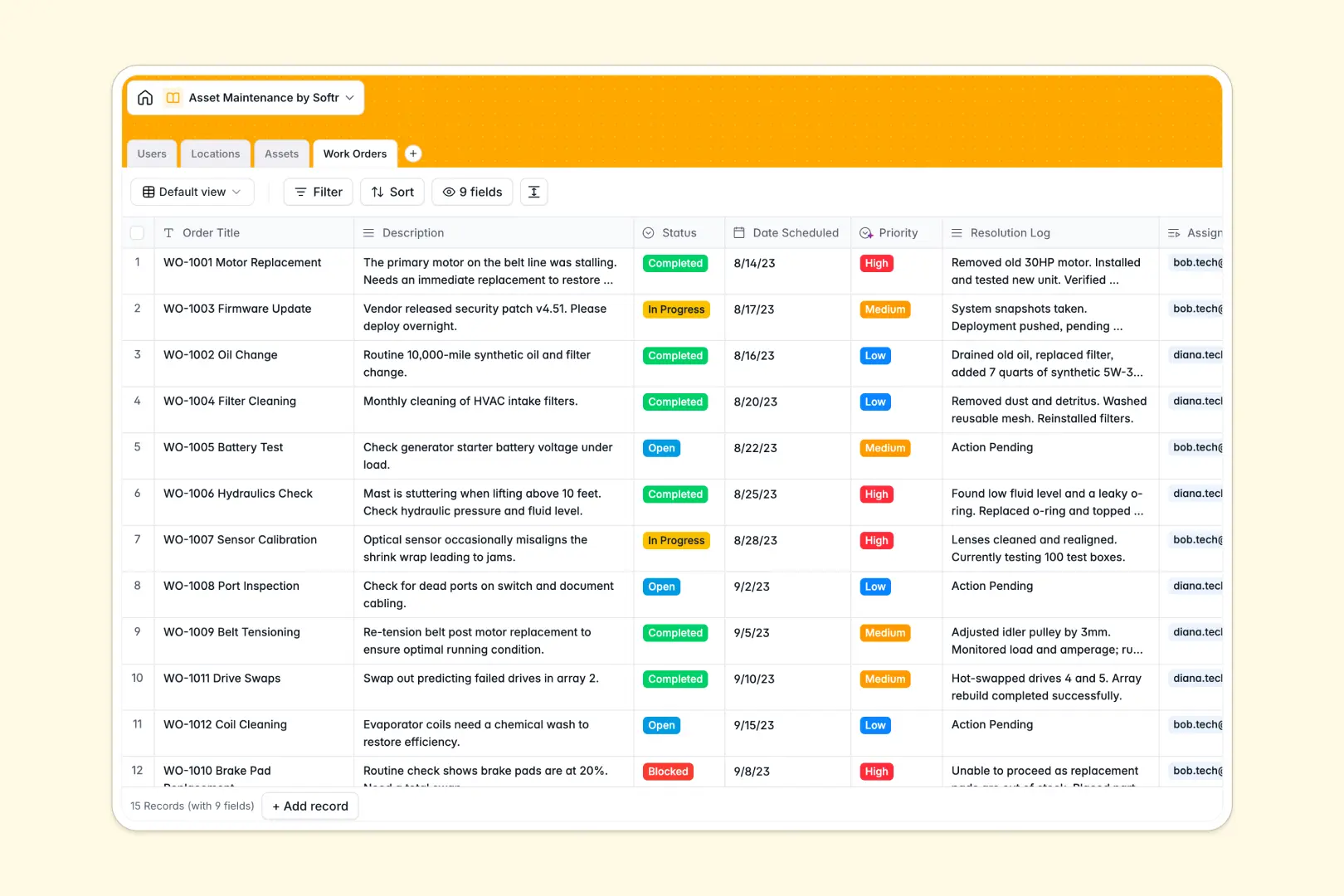
Your Asset Maintenance database at a glance
This template gives you complete control over your facility's equipment, helping you track active machinery and resolve work orders faster. It replaces scattered lists with a single source of truth for your entire maintenance operation.
It cleanly connects your technicians directly to the assets they repair and the locations they manage. When a new issue arises, you can instantly assign a work order to a specific machine and the right staff member.
Built-in AI automatically classifies the priority of incoming work orders based on their descriptions. It also writes instant completion summaries once a job is done, keeping your records clean without extra typing.
Why asset maintenance gets messy in spreadsheets
Tracking expensive equipment and critical repairs across scattered spreadsheet rows quickly leads to lost work orders and missed maintenance dates. As your asset list grows, spreadsheets simply can't handle complex schedules or connect technicians to specific machines reliably.
What a structured database changes
A true database brings order by strictly defining your data format. Scheduled dates stay perfectly formatted, and restricted dropdowns for asset status prevent costly data entry errors.
You can effortlessly link a work order directly to an asset and a facility location without writing a single fragile VLOOKUP formula. This is exactly what Softr Databases are designed for, keeping your operational data connected and scalable.
What you can do with this template
You can instantly see which technicians are currently blocked, review which assets are actively under maintenance, and flag which locations need immediate attention. Everything stays intuitively connected and visible in one clear workspace.
You also get powerful automated assistance working directly inside your tables. The database can automatically research facility amenities, generate standard asset profiles from scratch, and instantly summarize lengthy repair resolution logs for quick review.
-
Users
Manage staff members with roles, contact details and task assignments
-
Locations
Organize sites with AI-powered vicinity insights and property details
-
Assets
Track equipment using AI to generate standardized technical profiles
-
Work Orders
Execute repairs with AI-sorted priority and automated job summaries
Who is this Asset Maintenance database for
This template is built for teams that need to keep physical operations running smoothly without dropping the ball on critical repairs.
- Facility Managers: Monitor all physical locations, track active assets, and oversee site-specific maintenance needs.
- Maintenance Supervisors: Dispatch technicians, prioritize incoming requests, and track work orders from open to completed.
- Field Technicians: See exactly which machines need repair, review historical resolution logs, and quickly log completion details.
- Operations Directors: Maintain a high-level view of equipment investments, asset lifecycles, and team efficiency.
How to take it further
Start by tailoring the database to match your exact operational needs. You can easily modify the asset category dropdowns to include your specific equipment types or add new columns to track warranty expirations.
Next, bring your existing records to life by uploading them into the system. You can bulk import CSV files of your current machinery and historical work orders to get immediate value without manual entry.
When your team is ready, you can transform this database into a custom app using Softr's interface builder. This enables you to create a dedicated portal where technicians can log in from their phones to update repair statuses in the field. By configuring users and permissions, you ensure that facility managers see the global dashboard while mechanics only see their assigned tasks.
-
1
-
2
-
3
-
4
Frequently asked questions
-
What is an asset maintenance database?
-
Why use a no-code database to build an asset maintenance tool?
-
How can AI help managing data for asset maintenance?
-
Can I build an app with an asset maintenance database?
-
Is this Asset Maintenance database free?
-
Why is this better than tracking assets in Google Sheets or Excel?
Start building today. It's free!
Build and launch your first app in under 30 minutes.