


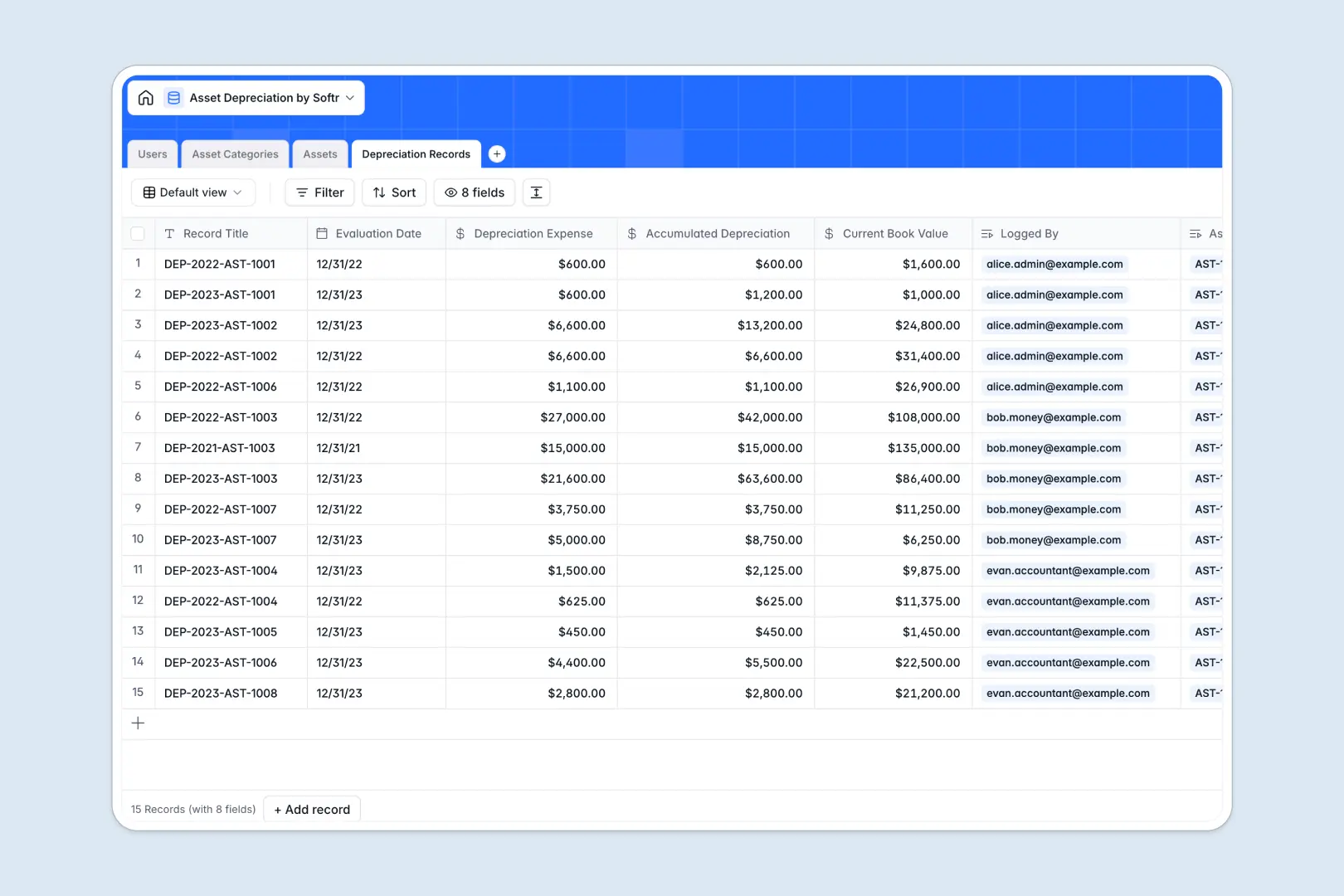
Your Asset Depreciation Database at a glance
This template tracks your physical asset lifecycles and records periodic value drops to keep your financials strictly accurate.
It natively links your core Assets to standardized Asset Categories to enforce consistent tracking methods. Every new evaluation is stored in a dedicated Depreciation Records table so historical book values are always clear.
Built-in AI automatically fetches up-to-date technical specifications from the web and summarizes your equipment logs instantly.
Why tracking depreciation gets messy in spreadsheets
Relying on generic spreadsheets to track double-declining balances and asset lifespans usually ends in broken formulas and miscalculated booking values.
What a structured database changes
A structured system enforces strict field formats so purchase prices remain currencies, dates remain dates, and calculation methods stay standardized. You can effortlessly tie dozens of historical checkpoints to a single piece of equipment.
Linking records inherently replaces the need for fragile VLOOKUPs across multiple unorganized tabs. This is exactly what Softr Databases are designed for, keeping your financial compliance intact as you scale.
What you can do with this template
Efficiently oversee the accumulated depreciation and salvage values for every asset in your company without editing complex equations.
Standardize your financial workflows by applying specific tracking methods like straight-line or units of production across distinct categories.
Let embedded Database AI agents run autonomous web research on industrial use cases or generate instant narrative summaries for every logged financial evaluation.
-
Users
Manage employee profiles and roles responsible for asset administration
-
Asset Categories
Set fiscal rules with AI-generated summaries for depreciation methods
-
Assets
Track hardware inventory using AI to research technical specifications
-
Depreciation Records
Log value changes over time with AI-generated financial explanations
Who is this Asset Depreciation Database for
This system acts as a reliable financial ledger for teams tracking physical equipment lifecycles.
- Accountants: Standardize calculations and maintain perfectly accurate book values for compliance reporting.
- Asset Administrators: Track the assignment, useful life, and technical specifications of physical company inventory.
- Operations Managers: Gain high-level visibility into upcoming replacement cycles and remaining salvage values.
How to take it further
Easily customize the database to match your exact tracking needs. You can rapidly adjust the Users table by modifying the required structural roles or editing category fields with a few clicks.
Upload your current asset register and historical depreciation logs quickly via CSV import. You can also securely sync your master equipment lists periodically through the API.
When you are ready to share this data, you can easily build an internal tool using our interface builder. Full-stack applications natively connect databases, visual dashboards, and automated workflows in one cohesive platform.
By configuring strict users and permissions, you can ensure accountants see full financial summaries while standard employees only view their assigned physical assets. Starting with a perfectly structured database makes launching these custom apps effortless.
-
1
-
2
-
3
-
4
Frequently asked questions
-
What is an asset depreciation database?
-
Why use a no-code database to build an asset tracking system?
-
How can AI help managing data for asset depreciation?
-
Can I build an app with this asset depreciation database?
-
Is this Asset Depreciation Database free?
-
How is an asset database different from an asset depreciation spreadsheet?
Start building today. It's free!
Build and launch your first app in under 30 minutes.