


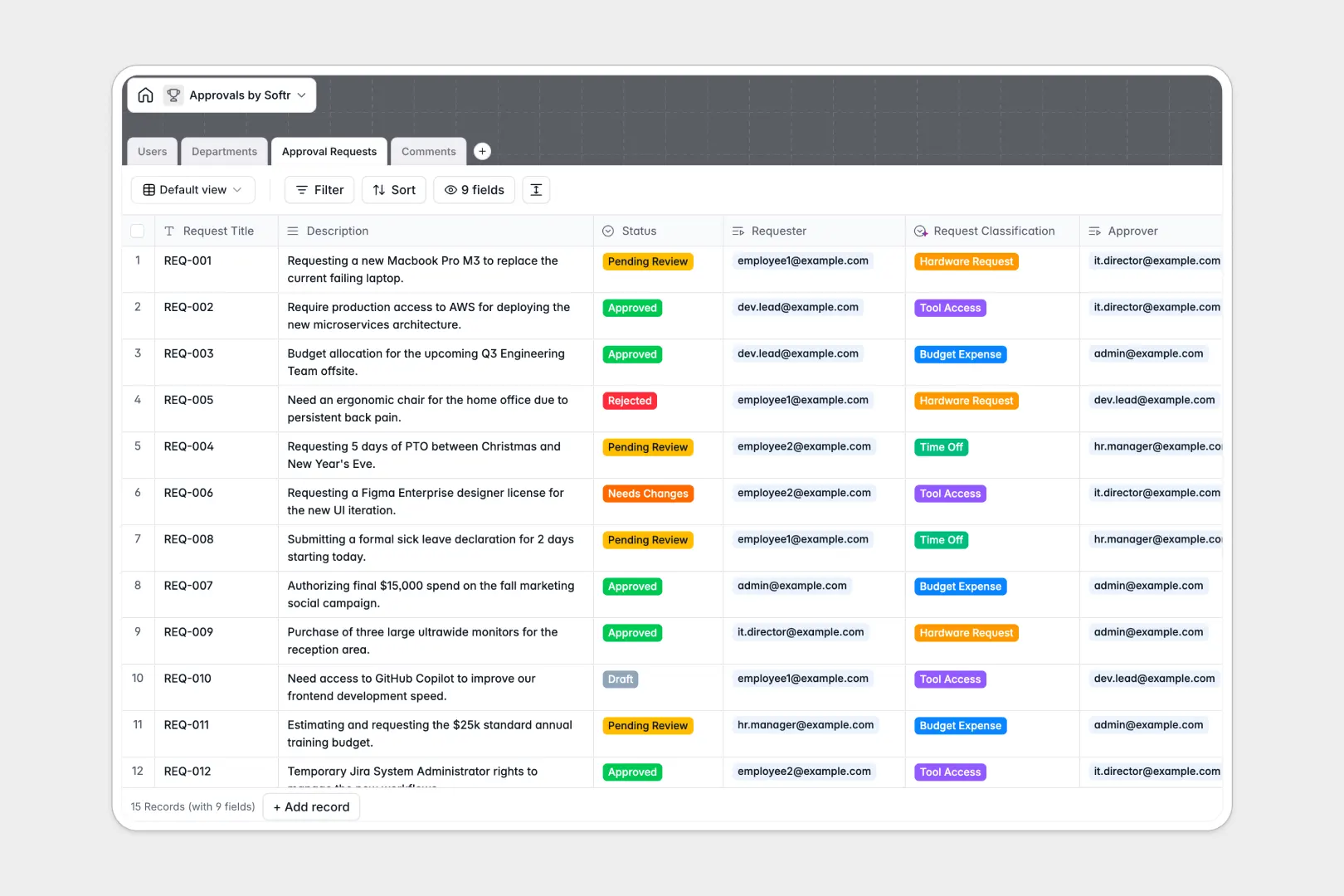
Your Approvals Database at a glance
This approvals database replaces messy spreadsheets to help you track requests, assign reviewers, and clear bottlenecks instantly.
It seamlessly connects Users, Departments, and Approval Requests in one place. Every request routes organically to the right department head without manual follow-ups.
Thanks to built-in AI, the database automatically classifies incoming requests—like Budget Expense or Time Off—and tracks the sentiment of comments to prioritize urgent feedback.
Why tracking approvals in spreadsheets breaks down
Managing approvals across different teams quickly turns into a mess of lost spreadsheet rows, broken status formulas, and scattered Slack messages.
What a structured database changes
A rigid structure ensures requests stay consistently organized. Instead of manually typing out who requested what, every record connects directly to the requester and the correct department head.
With Softr Databases, statuses are enforced through drop-downs, and every comment is linked natively to its specific request.
As your team grows, you never have to worry about someone accidentally deleting a critical row or breaking a delicate formula.
What you can do with this template
Instantly view all pending requests by department and securely track historical approvals. You can natively filter records by draft, pending, or approved statuses.
Leverage Database AI agents to automatically categorize incoming requests into buckets like hardware or time off based strictly on their description.
Keep a centralized, timestamped record of all questions, feedback, and comments tied directly to each individual request.
-
Users
Manage user profiles including contact details, access roles and avatars
-
Departments
Organize workflow structures and track request volumes across company units
-
Approval Requests
Monitor and categorize requests using AI to classify types from descriptions
-
Comments
Log communications and utilize AI to analyze sentiment of feedback entries
Who is this Approvals database for
This template provides a robust foundation for any team that needs to standardize how decisions are tracked.
- Operations Managers: Centralize equipment requests and budget approvals across multiple departments effortlessly.
- HR Leads: Track time off requests and employee tool access with clear documentation.
- Department Heads: Monitor pending reviews and seamlessly eliminate bottlenecks in their specific teams.
How to take it further
Start by customizing the database to fit your exact internal processes. You can adjust the drop-down statuses, add new request types, or modify the AI classification settings entirely.
Import your existing requests via CSV to get started immediately. Alternatively, use the integrated API to pull pending approvals from your current workflow tools directly into this structure.
When your team is ready, you can build an app on top of this data to create a custom employee portal. Connecting an interface makes it easy for non-technical team members to interact with the system safely.
By configuring users and permissions, you ensure employees only see their own submissions. Department heads will only view the specific pending requests they actually need to review.
-
1
-
2
-
3
-
4
Frequently asked questions
-
What is an approvals database?
-
Why use a no-code database to build an approvals system?
-
How can AI help managing data for approval workflows?
-
Can I build an app with this approvals database?
-
Is this Approvals database free?
-
How is an approvals database different from an approvals spreadsheet?
Start building today. It's free!
Build and launch your first app in under 30 minutes.