


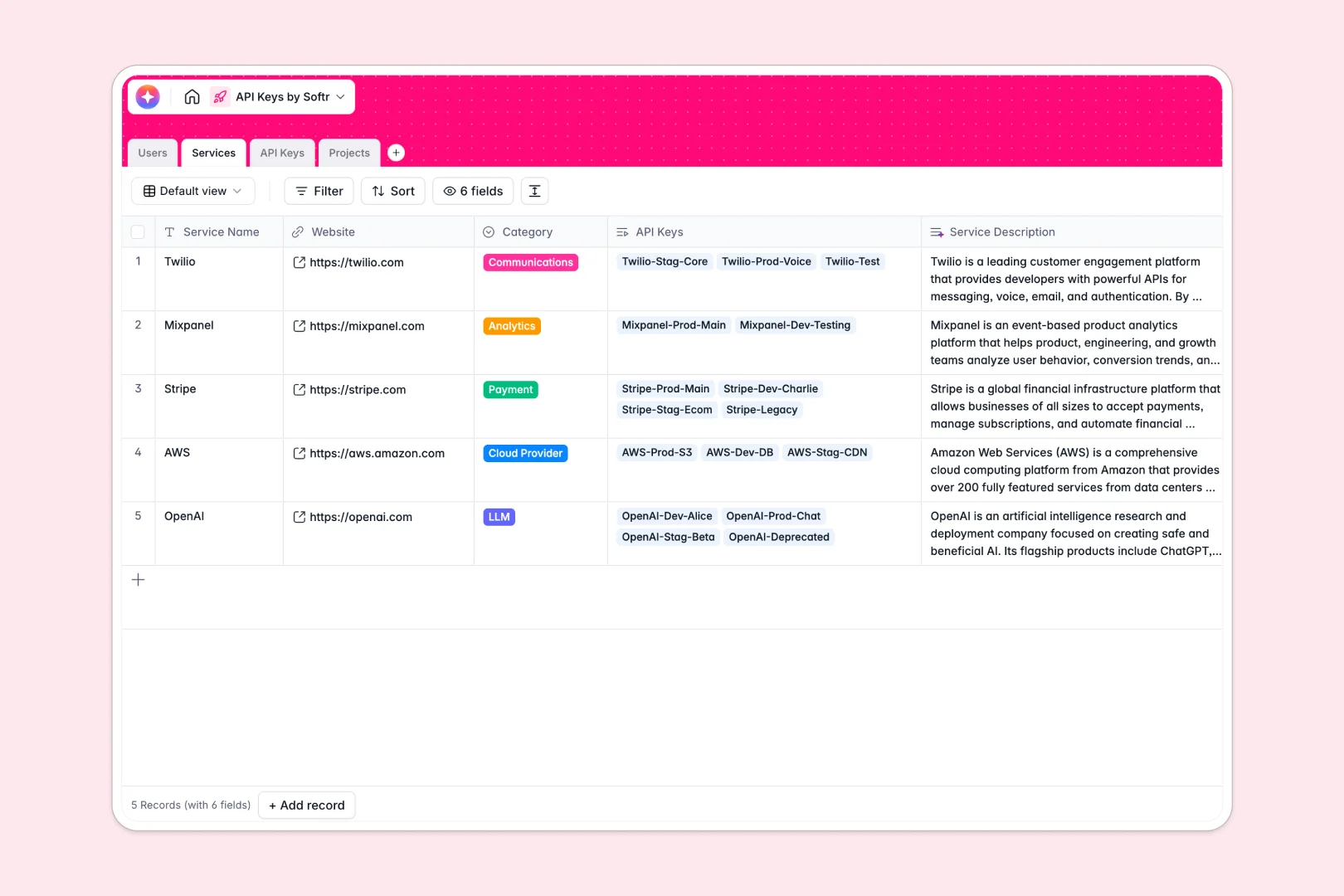
Your API Keys Database at a glance
This template centralizes your entire API infrastructure, securely connecting developer tokens to the specific projects and services they power. It helps engineering and IT teams monitor active environments, track token lifecycles, and assign strict ownership.
The database uses native relationships to link your API Keys directly to Users, Services, and internal Projects. Instead of scattered rows, every key stays tied to its assignee and environment, ensuring you know exactly where and how it operates.
Through native AI capabilities, the template automatically summarizes third-party service details from the live web, drafts project blueprints, and securely classifies the risk level of each key.
Why API keys get messy in spreadsheets
Storing sensitive developer tokens in Google Sheets or Excel is entirely manual and dangerously unstructured. When handling production keys, a single copy-paste error or corrupted row can unexpectedly break a live application.
What a structured database changes
Spreadsheets rely on fragile VLOOKUPs to track which developer owns which key or which project uses a specific cloud service. As your tech stack grows, navigation becomes completely unwieldy and columns quickly accumulate mixed data types.
A real database enforces strict column rules, meaning expiration dates stay as dates and environments remain locked to specific tags like Production or Staging. You can seamlessly link an API key to a specific internal project without ever duplicating data manually.
This is exactly what Softr Databases are designed for. By treating your tokens, tools, and team members as distinct, connected objects, your infrastructure stays impeccably organized.
What you can do with this template
Track token lifecycles accurately by systematically tagging keys as Active, Revoked, or Expired within a secure environment. You can see at a glance which engineers are holding production keys and which projects are relying on a primary LLM or payment gateway.
Take manual monitoring off your team's plate using built-in Database AI agents. Based on the token's active status and structural environment, the agent will automatically evaluate its security risk as Low, Medium, or High in real time.
-
Users
Manage internal team members with roles, access levels, and linked API keys
-
Services
Catalog API providers with web-powered AI summaries of service capabilities
-
API Keys
Store secure credentials with AI-driven risk assessment based on status
-
Projects
Organize applications using AI to generate architectural blueprints and context
Who is this API Keys database for
This template provides a secure, structured foundation for teams managing growing software ecosystems.
- Engineering Leads: Consolidate active tokens and securely track which developer owns which environment.
- DevOps Teams: Monitor third-party service dependencies and prevent unexpected tool outages tied to expired keys.
- IT Administrators: Audit API access points across internal projects securely and cleanly.
How to take it further
Customizing this database is instantaneous and requires absolutely no coding. You can easily add new dropdown options for your specific tech stack categories or configure custom views to display only High-risk production tokens.
Transition seamlessly by importing your existing token library into the system. You can upload bulk CSV files or sync data directly via API to get your infrastructure mapped quickly without typing everything out.
When you are ready to expand, you can build an app to act as a secure internal developer portal. Instead of giving everyone raw database access, create a custom interface where developers only see the exact keys dynamically assigned to their specific projects.
By applying robust users and permissions, you can ensure that Jr. Developers can only view Staging keys, while Admins keep complete authority over Production endpoints. A well-structured database makes launching this type of secure tooling incredibly fast.
-
1
-
2
-
3
-
4
Frequently asked questions
-
What is an API keys database?
-
Why use a no-code database to build an API management tool?
-
How can AI help managing data for API key tracking?
-
Can I build an app with this API keys database?
-
Is this API Keys template free?
-
How is an API Keys database different from spreadsheets?
Start building today. It's free!
Build and launch your first app in under 30 minutes.