


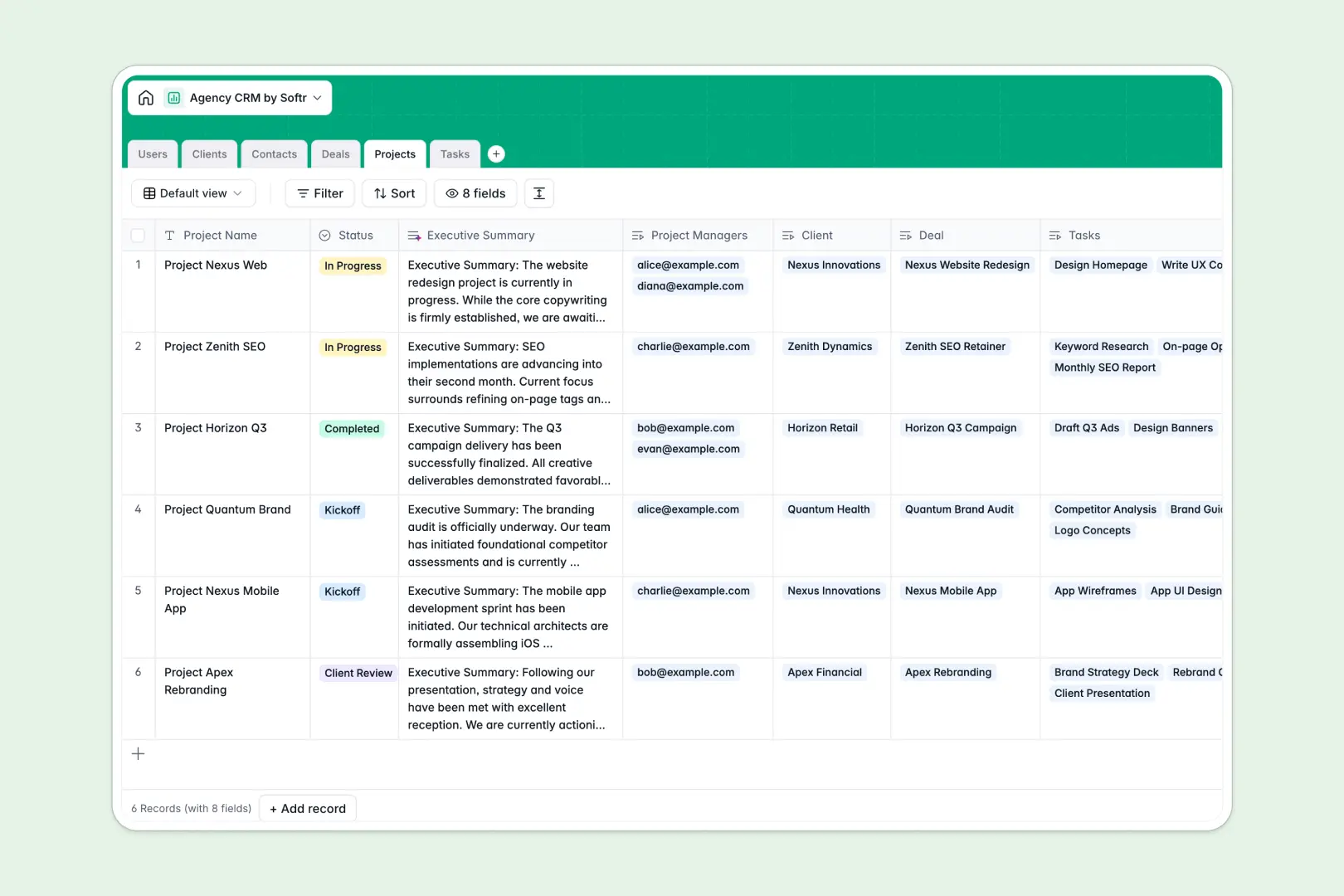
Your Agency CRM database at a glance
This template gives your agency a central hub to manage the entire client lifecycle, from initial contact to project delivery. It eliminates the need to jump between disconnected tools or messy sheets.
The system organizes your data into dedicated tables for clients, contacts, deals, projects, and tasks. Because they are natively linked, you can easily view all tasks assigned to a specific project or all deals related to a single client.
Built-in AI agents automatically research new prospects to write company descriptions, summarize project notes into clear updates, and instantly categorize your granular tasks.
Why agency tracking gets messy in spreadsheets
Trying to manage a growing agency in a spreadsheet quickly leads to scattered data and broken formulas. Tracking a client, their multiple contacts, active deals, and ongoing project tasks across different tabs becomes a logistical nightmare.
What a structured database changes
Unlike sheets, a real database respects relationships between your data. You can link a massive project to a specific client and assign targeted tasks to your team without copy-pasting anything across rows.
Every column strictly enforces data types, ensuring dates stay as dates and long-form notes don't break the layout. This is exactly what Softr Databases are designed for—giving you reliable structure as your agency scales.
What you can do with this template
You can instantly assign new deals to sales reps and move them through pipeline stages while keeping all historic client data visible. When projects kick off, you can break them down into tracked tasks with clear owners and due dates.
Plus, Database AI agents actively help by browsing the web to enrich client profiles with concise company descriptions. They also automatically classify raw tasks by category and generate executive project summaries to save you manual admin hours.
-
Users
Manage internal agency staff including roles, contact info, and assignments
-
Clients
Track client companies with contact history and AI-generated brand profiles
-
Contacts
Maintain a directory of individual stakeholders and client-side leads
-
Deals
Monitor sales performance and pipeline stages for new service proposals
-
Projects
Oversee active deliverables using AI to generate executive progress summaries
-
Tasks
Assign work items to team members with AI-powered category classification
Who is this Agency CRM database for
This system is built for agencies looking to centralize their sales pipeline and project delivery.
- Agency Owners: Keep a high-level view of pipeline revenue, closed deals, and overall project health.
- Account Managers: Track every customer interaction, client status, and point of contact without losing context.
- Project Managers: Oversee clearly assigned tasks, upcoming deadlines, and project notes in real time.
How to take it further
Start by customizing the database to match your exact agency workflows. You can easily adjust the deal pipeline stages or add new task categories to fit your service offerings.
Next, import your existing prospects and active projects via a quick CSV upload. You can also use the API to automatically sync new leads from your agency's website directly into the Deals table.
When your team is ready, you can build a custom internal portal directly on top of this data. Instead of making your staff work inside a raw database, you can create a tailored interface with a few clicks.
Using flexible users and permissions, you can ensure that creators only see their assigned tasks, while leadership gets full pipeline visibility. A well-structured database makes building this secure app incredibly simple.
-
1
-
2
-
3
-
4
Frequently asked questions
-
What is an Agency CRM database?
-
Why use a no-code database to build an agency management system?
-
How can AI help managing data for an agency?
-
Can I build an app with this Agency CRM database?
-
Is this Agency CRM template free?
-
How is an Agency CRM database different from an agency spreadsheet?
Start building today. It's free!
Build and launch your first app in under 30 minutes.