


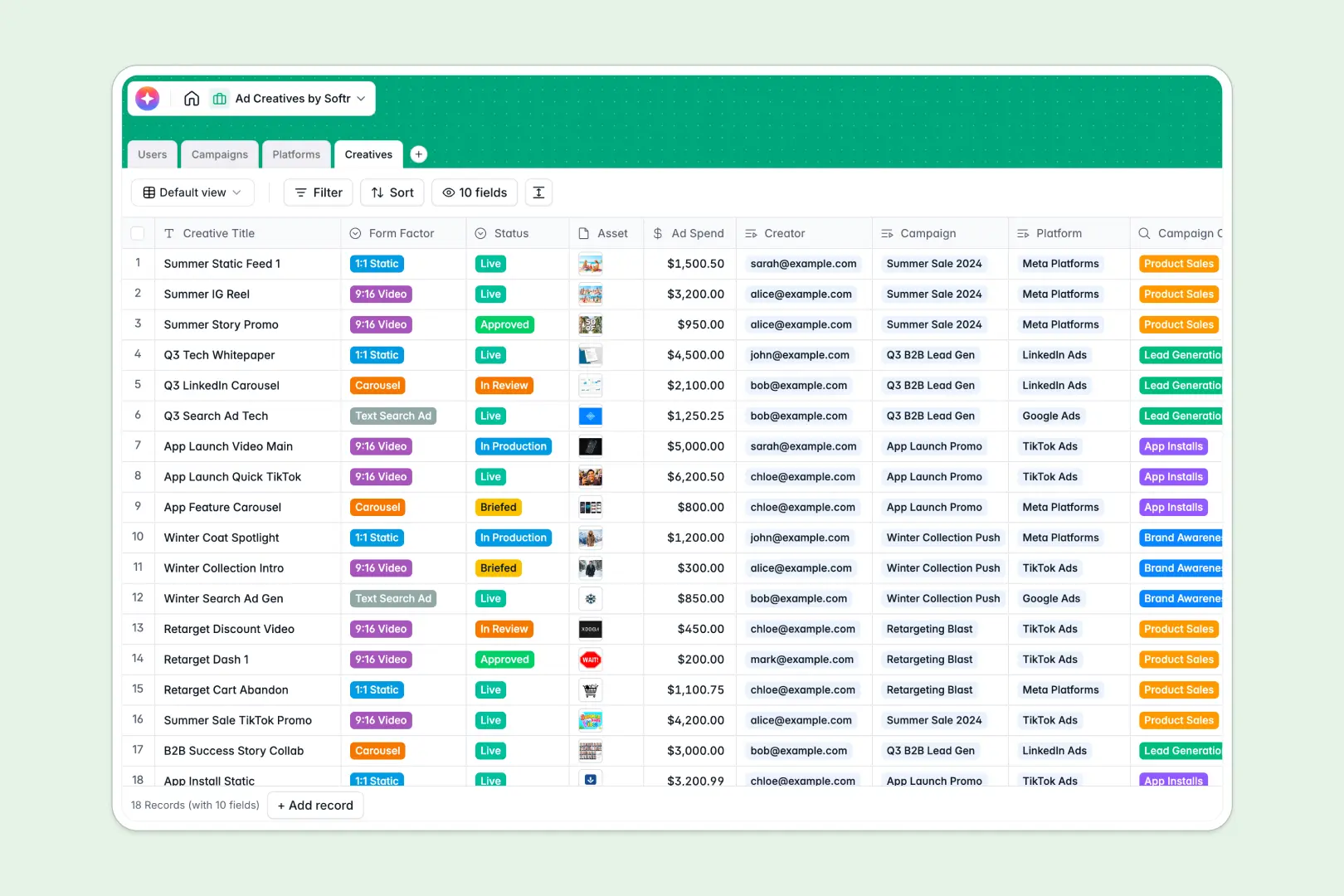
Your Ad Creatives database at a glance
This template serves as a centralized hub to manage your campaigns, ad assets, and team members in one connected system. It eliminates the chaos of scattered files and broken spreadsheet links.
It organizes your workflow across four connected tables: Users, Campaigns, Platforms, and Creatives. When you add a new creative requirement, you link it directly to the platform and campaign without manually duplicating data.
It also features built-in AI to summarize campaigns, research technical ad formats via live web search, and automatically draft high-converting ad copy based on your creative details.
Why tracking ad creatives in spreadsheets breaks down
Managing ad assets in a spreadsheet quickly becomes a nightmare for marketing teams. Columns overfill with endless attachment URLs, text wrapping hides critical copy, and tracking which creator is assigned to which 9:16 video on TikTok requires fragile formulas.
What a structured database changes
A structured approach means your data stays absolutely clean as your campaigns scale. File attachments stay securely uploaded to their respective ads, and drop-down fields enforce standard statuses like "In Production" or "Live."
You can link an individual creative directly to a platform and an assigned creator without copy-pasting their details across dozens of rows. This is exactly what Softr Databases are designed for.
What you can do with this template
Easily track the progress of every asset from the initial brief to final approval while keeping an eye on your designated ad spend. You can instantly filter views to see only the creatives assigned to specific objectives like Brand Awareness or Lead Generation.
Thanks to native Database AI agents, this template automatically drafts converting ad copy tailored to your specific form factor. It even runs automated web searches to pull platform overviews right into your records.
-
Users
Directory of marketing team members, their roles, and assigned creative tasks
-
Campaigns
Manage marketing initiatives with AI-generated executive summaries for each goal
-
Platforms
Manage networks with AI-powered web insights regarding key ad formats and reach
-
Creatives
Track ad production and use integrated AI to draft high-converting copy variants
Who is this Ad Creatives database for
This database is built for marketing and growth teams looking to streamline their asset production.
- Campaign Managers: Track overall spend, review AI-generated campaign summaries, and monitor creative statuses.
- Content Creators: Quickly see assigned deliverables, form factor requirements, and reference automated ad copy drafts.
- Agency Owners: Maintain a clean directory of ad platforms and organize client deliverables without confusion.
How to take it further
You can easily tweak this database to fit your exact production workflow. Modify the status select fields, add new form factors like "YouTube Shorts," or adjust the underlying AI prompts to perfectly match your brand voice.
If you already have your assets listed elsewhere, simply upload them via CSV. You can also connect your existing tools via API to keep your ad spend figures completely automated.
When your team is ready, you can transform this database into a custom client portal or internal approval tool. Using a visual interface builder, you can create custom dashboards directly on top of this exact data.
By setting up users and permissions, you ensure creators only see their assigned tasks and clients only view approved assets. A well-structured database makes building this kind of app completely effortless.
-
1
-
2
-
3
-
4
Frequently asked questions
-
What is an ad creatives database?
-
Why use a no-code database to build an ad creative management tool?
-
How can AI help managing data for ad creatives?
-
Can I build an app with an ad creatives database?
-
Is this Ad Creatives template free?
-
How is an ad creatives database different from a spreadsheet?
Start building today. It's free!
Build and launch your first app in under 30 minutes.