


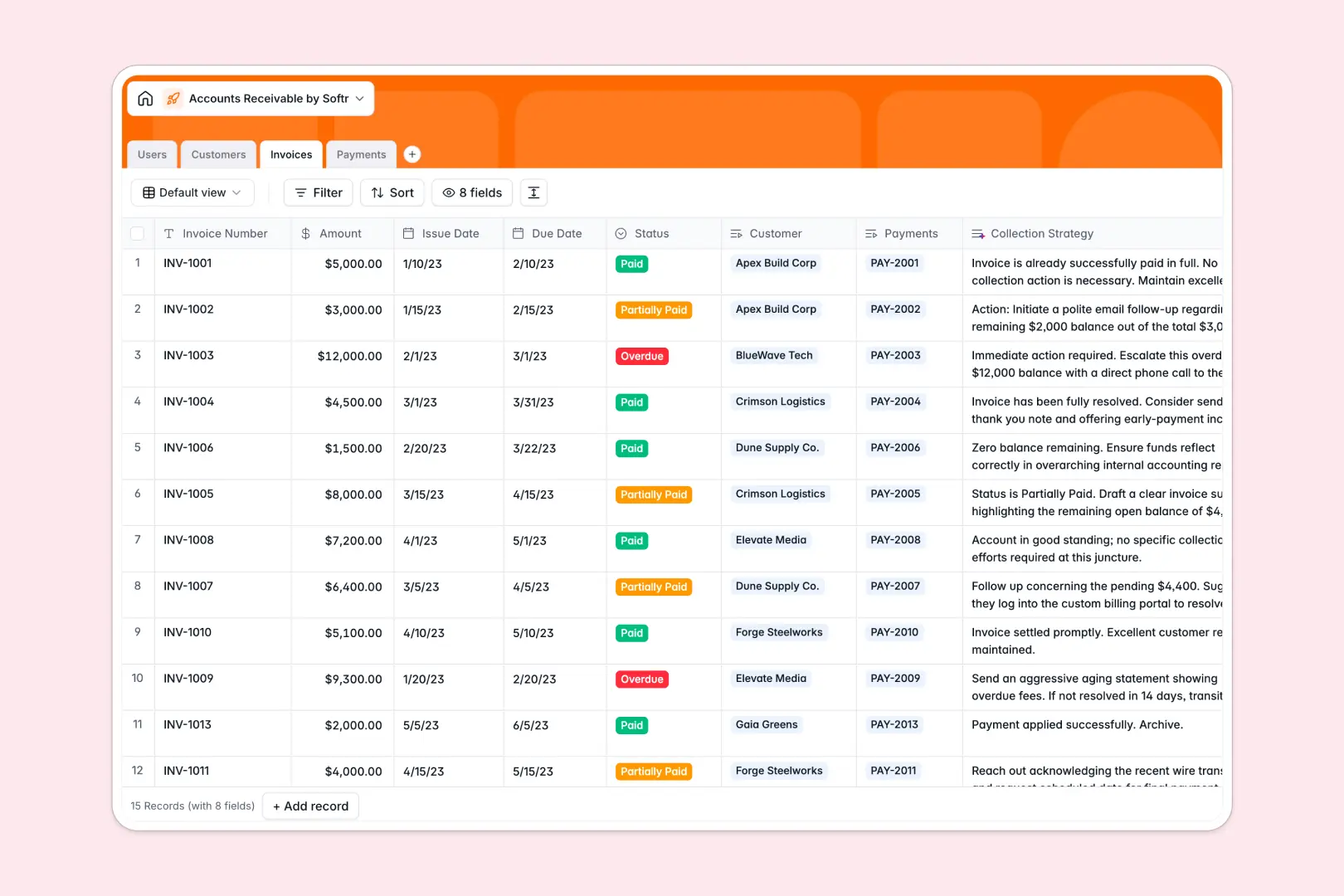
Your Accounts Receivable Database at a glance
Manage your cash flow, track incoming payments, and clear outstanding invoices reliably.
This template uses a structured relational setup where your Customers automatically link to their respective Invoices and Payments. This prevents duplicate entries and gives you a single source of truth for every open balance.
Built-in AI features automatically research customer backgrounds and generate custom collection strategies based on invoice amounts and overdue statuses. This reduces manual follow-up planning entirely while ensuring billing accuracy.
Why managing accounts receivable gets messy in spreadsheets
When you track thousands of dollars across scattered sheets, costly errors are inevitable. Relying on manual updates and fragile formulas for your cash flow creates unnecessary delays.
What a structured database changes
In a proper database, your financial records connect safely without fragile formulas. You can link a payment directly to an invoice and a customer without ever copying and pasting data across different tabs.
Columns enforce strict rules so dates stay strictly dates, and currencies remain accurate. This is exactly what Softr Databases are designed for—keeping your financial records perfectly clean as your transactions scale.
What you can do with this template
Instantly see which invoices are paid, overdue, or partially paid with dedicated status dropdowns. Every incoming payment logs against the correct customer account automatically, completely removing data entry guesswork.
You can also leverage AI automated fields to surface actionable collection insights directly on your records. The system can instantly suggest follow-up actions for overdue bills or formulate a full collection strategy without you typing a single word.
-
Users
Manage internal finance workers with roles, emails, and managed accounts
-
Customers
Store client data and use AI to generate rich company profiles via web search
-
Invoices
Track billing statuses and use AI to recommend custom collection strategies
-
Payments
Log incoming funds with references, methods, and links to specific invoices
Who is this Accounts Receivable database for
This template is designed for finance teams, account managers, and business operators who need reliable cash flow tracking.
- AR Managers: Track outstanding balances and execute smart collection strategies directly from one unified dashboard.
- Finance Clerks: Quickly log incoming wire transfers, ACH, and checks against specific invoices without data entry errors.
- Account Managers: See exact payment histories and current overdue bills before contacting any managed customers.
How to take it further
Customizing this structure takes seconds without any technical hurdles. Easily add new payment methods, adjust invoice status tags, or assign additional finance team roles without breaking the logic.
When you are ready, seamlessly import your historical billing records via bulk CSV uploads. Importing existing data lets you instantly map past invoices into this clean, unified view to see immediate value.
Stop sharing raw tables and turn this baseline into a fully scalable finance portal whenever your team is ready. You can easily build a secure workspace tailored exactly to how your AR team operates.
Thanks to robust users and permissions, you retain total control over who views or adjusts critical financial records. A well-structured foundation makes deploying these custom internal tools completely effortless.
-
1
-
2
-
3
-
4
Frequently asked questions
-
What is an accounts receivable database?
-
Why use a no-code database to build an accounts receivable tool?
-
How can AI help managing data for accounts receivable?
-
Can I build an app with this accounts receivable database?
-
Is this Accounts Receivable database free?
-
Why is this Accounts Receivable database better than a spreadsheet?
Start building today. It's free!
Build and launch your first app in under 30 minutes.