


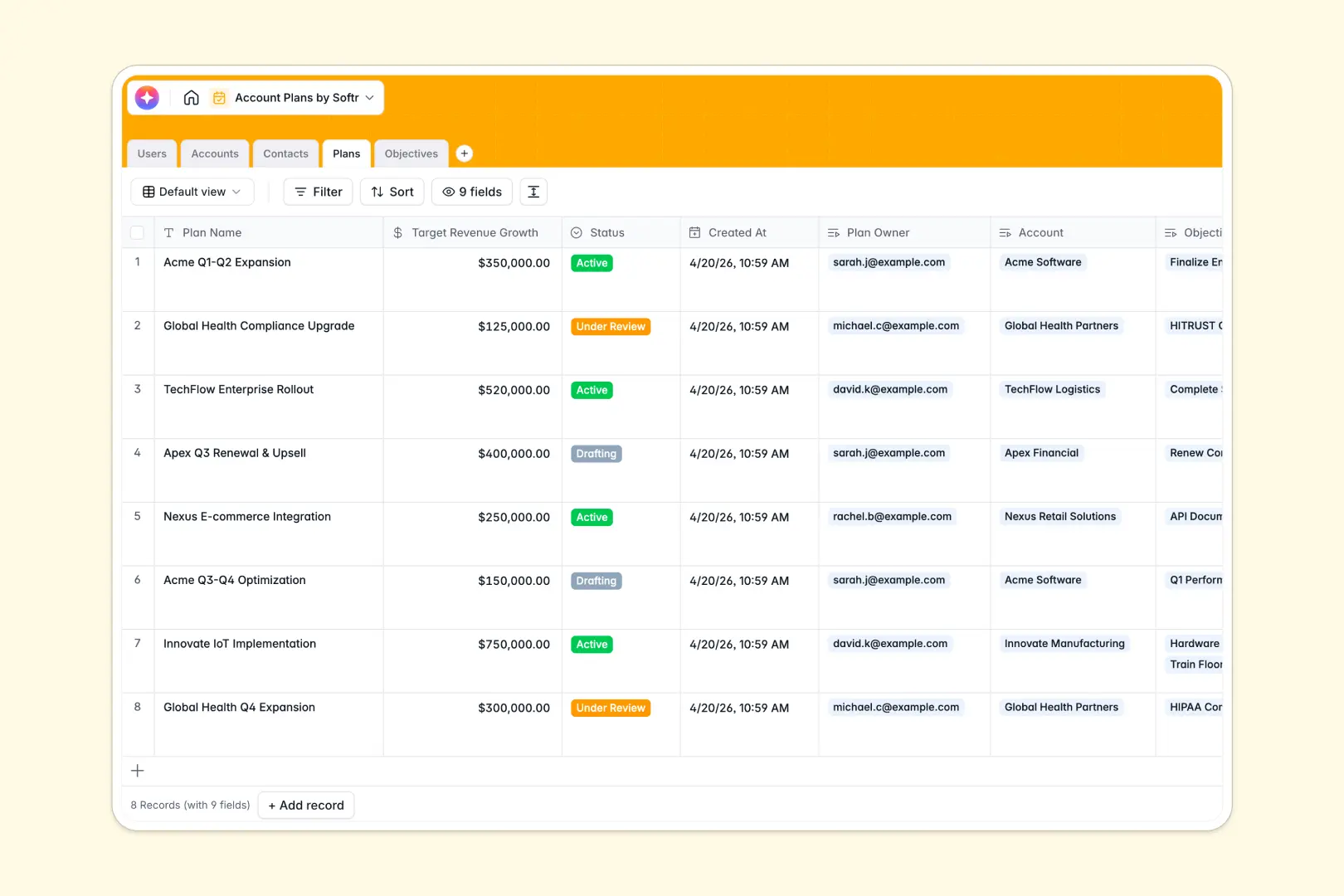
Your Account Plans database at a glance
This template replaces scattered documents with a unified system to manage key clients, strategic plans, and actionable goals. It keeps your entire team centrally aligned on driving account growth and scaling revenue.
It organizes your data into deeply connected, dedicated tables. You can link key contacts directly to their client accounts, and seamlessly tie overarching tactical plans to specific, measurable objectives.
Built-in AI tools instantly research companies to generate accurate account overviews and automatically summarize your strategic plan direction into actionable checklists.
Why account plans get messy in spreadsheets
Tracking enterprise relationships and complex strategic deliverables across dozens of spreadsheet tabs always leads to scattered data and missed opportunities.
What a structured database changes
Spreadsheets force you to cram client details, stakeholder maps, and action items into fragile, flat grids. This is exactly what Softr Databases are designed to solve by enforcing clean structures where every data type has a safe, defined home.
Instead of wrestling with broken formulas to match an objective to a client, you simply link tables together natively. Connect contacts, revenue targets, and action items effortlessly without duplicating a single row.
What you can do with this template
You can map out comprehensive client landscapes with distinct buying roles and strategic targets in a clean, visual format. Everything stays incredibly organized and accessible as your enterprise client list scales.
Thanks to native AI integrations, this template takes the heavy lifting off your hands. It automatically researches web data for company overviews and turns broad goals into step-by-step action items the moment you add them.
-
Users
Manage internal team members, roles, and assigned strategic account plans
-
Accounts
Store client company data with AI-generated business overviews and domains
-
Contacts
Organize key client stakeholders by buying roles and contact information
-
Plans
Develop account strategies featuring AI-powered professional summary insights
-
Objectives
Define actionable goals with AI-generated checklists for project execution
Who is this Account Plans database for
This template is built specifically for revenue-driving teams that need clear visibility into client growth strategies.
- Account Directors: Track overall portfolio health and ensure revenue goals remain consistently clear.
- Customer Success Managers: Monitor granular plan objectives and keep implementations on schedule.
- Sales Executives: Map out key buying roles and internal champions for specific enterprise accounts.
- Strategic Consultants: Organize robust timelines and strategic deliverables across multiple client environments.
How to take it further
You can easily customize this database to perfectly match your unique methodologies. Adjust the industry dropdowns or add new specific buying roles with just a few clicks.
Getting started quickly is simple by importing your historical data. Just upload a CSV to automatically populate your client accounts, or use the API to sync records directly from your CRM.
When your team is ready, building a complete app securely on top of this data is a natural next step. A well-structured backend makes it incredibly straightforward to launch internal portals for your sales managers or external hubs for large clients.
Full-stack capability means your data, visual interfaces, and automated workflows are all seamlessly connected. You can securely invite clients to track their ongoing strategic progress using robust users and permissions.
-
1
-
2
-
3
-
4
Frequently asked questions
-
What is an account plans database?
-
Why use a no-code database to build an account management system?
-
How can AI help managing data for account plans?
-
Can I build an app with this account plans database?
-
Is this Account Plans database free?
-
How is this account plans database different from a spreadsheet?
Start building today. It's free!
Build and launch your first app in under 30 minutes.