


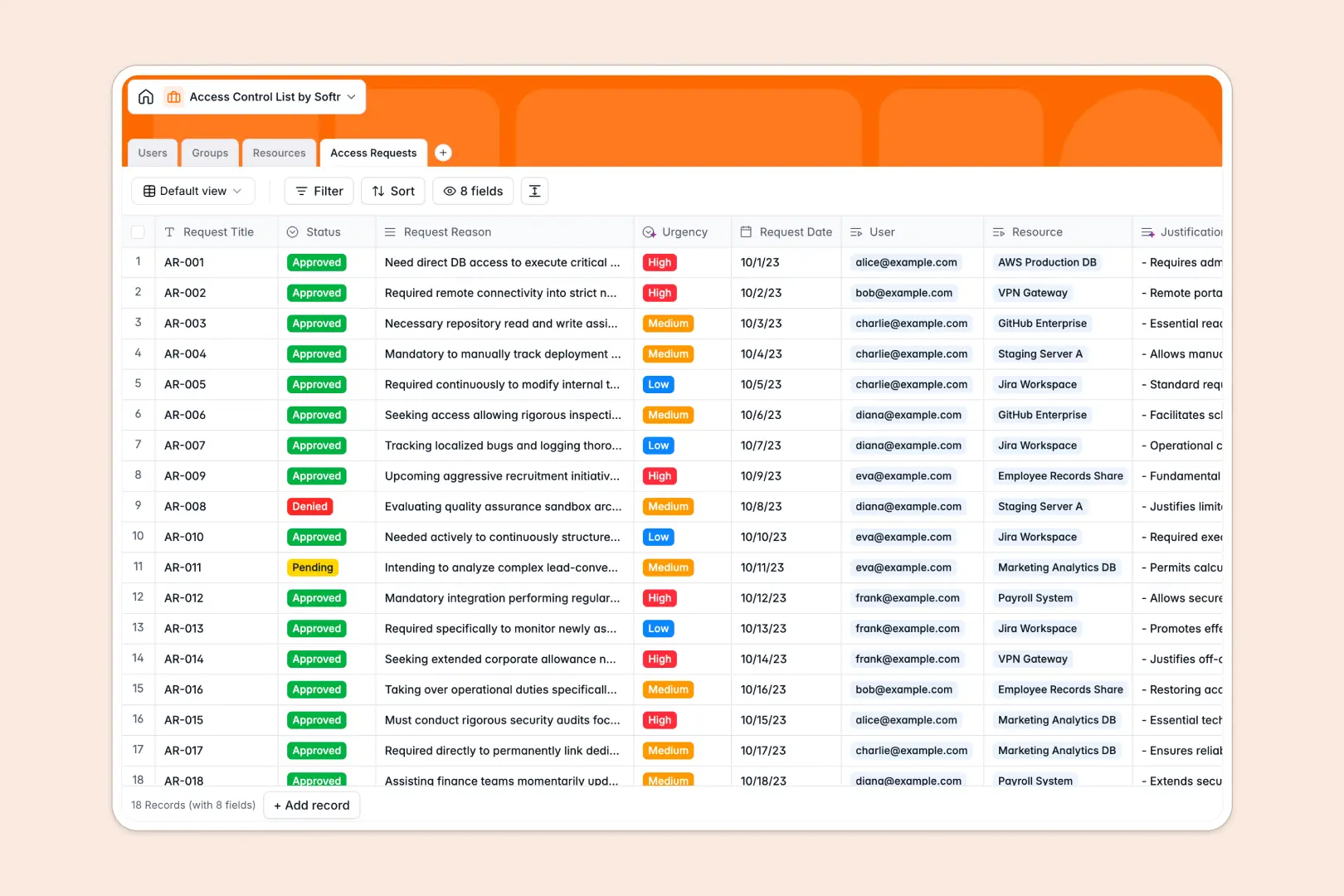
Your Access Control List database at a glance
Track users, groups, and protected resources in one centralized system rather than scattered files. This setup gives you immediate visibility into who has access to what.
It works through four tightly connected tables that link your employees to specific organization groups and IT assets. A dedicated log also standardizes how all access requests are submitted, reviewed, and approved.
Built-in AI automatically reads request justifications to classify urgency levels and assign definitive summaries. It even searches the web to pull in vendor documentation for your technical resources.
Why access control gets messy in spreadsheets
Managing security permissions in a traditional grid quickly becomes a liability as team sizes grow and roles change.
What a structured database changes
Spreadsheets rely on fragile VLOOKUPs to match users with their approved systems, meaning one broken row can authorize the wrong person or revoke critical access. Scaling these flat files usually requires duplicating data across multiple tabs.
A relational structure fixes this by natively linking records safely and permanently. Adding a user to a "Manager" group instantly and reliably connects them to all the right applications and servers without copying and pasting.
This is exactly what Softr Databases are designed to handle. Your data stays strictly formatted, organized, and auditable as your company scales.
What you can do with this template
Map out exactly who has access to specific servers, databases, or file shares in real time. Standardize how teams submit, flag, and review permission requests across the organization.
Take advantage of built-in AI agents to automatically summarize lengthy request explanations and assign priority levels based on context. You can review and approve critical access faster without reading walls of text.
-
Users
Manage user identities, hierarchical roles, and personal profile data
-
Groups
Organize users into units with AI-generated purpose summaries and sizes
-
Resources
Control protected assets with AI-fetched technical documentation and details
-
Access Requests
Track permission requests using AI to summarize reasons and assess urgency
Who is this Access Control List database for
This template provides a reliable foundation for teams managing software, server, and file access.
- IT Managers: Centralize user permissions and audit exactly who has access to critical servers.
- Security Teams: Maintain a strictly logged, auditable history of approved and denied access requests.
- Department Heads: Manage group memberships easily without waiting for complex IT support tickets.
- Operations Leads: Keep track of software usage and application provisioning across the company.
How to take it further
Easily twist this database to fit your exact security protocols and internal standards. You can modify the security level dropdowns, add new resource types, and adjust the AI prompts to match your specific risk matrix.
Bring your existing permission matrices directly into the system without manual data entry. Upload your current access control lists via CSV to instantly populate your users, groups, and resources.
Once your data is locked in, you can build a full application to serve as a self-service IT portal. This lets your team interact securely with the internal database without needing raw table access.
By setting up precise users and permissions, employees securely log in to view their active access limits and request new tools. Meanwhile, IT admins get a dedicated approval dashboard powered by this clean architectural foundation.
-
1
-
2
-
3
-
4
Frequently asked questions
-
What is an access control list database?
-
Why use a no-code database to build an access management system?
-
How can AI help managing data for access controls?
-
Can I build an app with this access control list database?
-
Is this Access Control List database free?
-
How is an access control database different from an access control spreadsheet?
Start building today. It's free!
Build and launch your first app in under 30 minutes.