


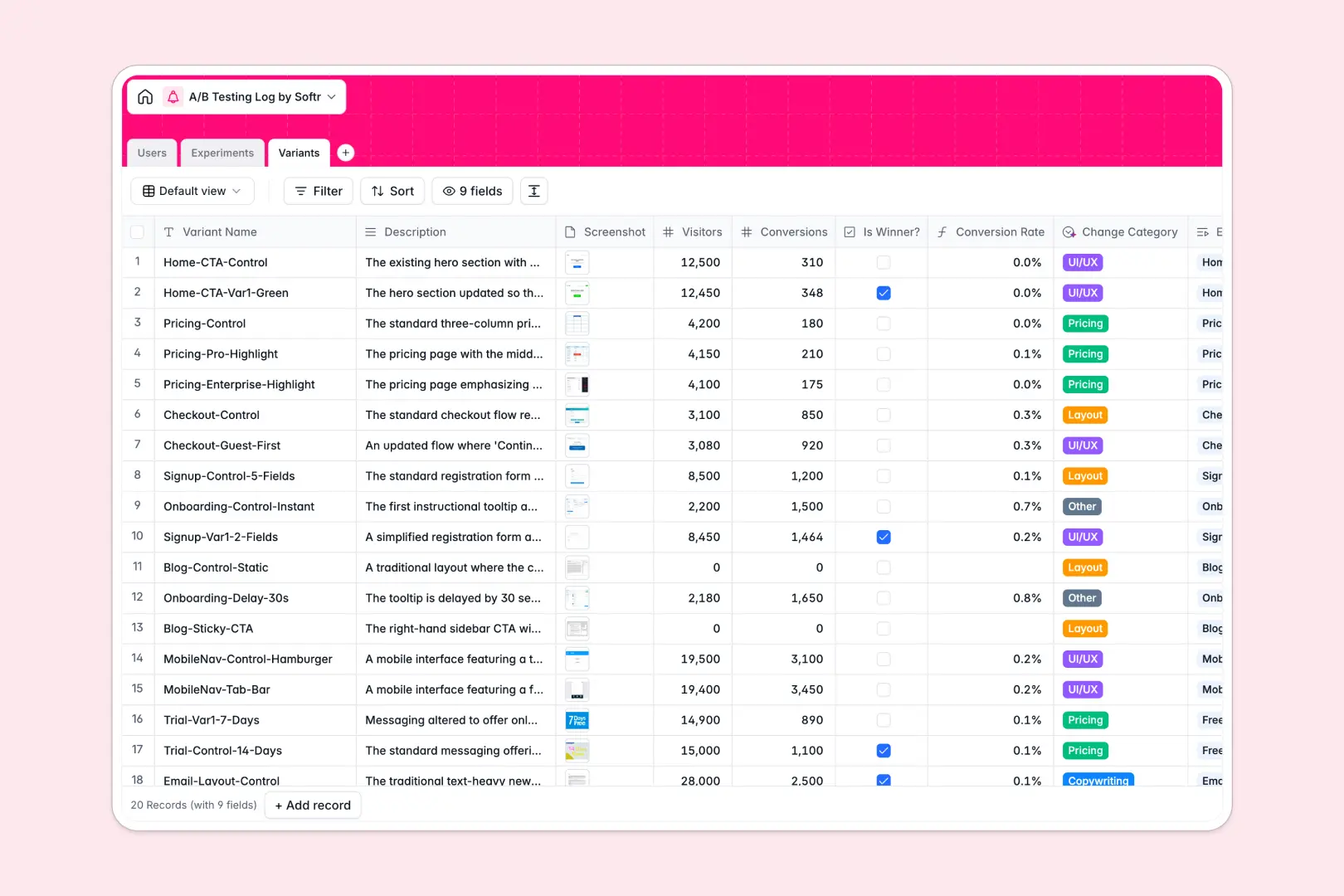
Your A/B Testing Log database at a glance
Track hypotheses, variant performance, and test conclusions in one structured place without losing historical data. This database enforces clean column types, ensuring your dates stay formatted and your metric calculations never break.
Experiment records link directly to their specific Variants and assigned Users automatically. Built-in rollups instantly calculate total test visitors, while formulas track exact conversion rates across different UI or copy changes.
Built-in AI automatically generates executive summaries for your completed conclusions. It also instantly categorizes variant changes—like pricing or layout—based solely on your text descriptions.
Why A/B testing logs get messy in spreadsheets
Tracking multiple variants, hypotheses, and UI screenshots across endless spreadsheet rows quickly becomes a chaotic, unreadable mess.
What a structured database changes
Instead of hiding screenshots in tiny spreadsheet cells or relying on fragile VLOOKUPs to connect variants to the main test, everything stays perfectly grouped.
Formulas for conversion rates calculate automatically and reliably, while strictly typed columns ensure numbers stay numbers.
This robust structure is exactly what Softr Databases are built to provide. It keeps your data organized and visually clean as your testing cadence scales up.
What you can do with this template
Log new experiments and assign them to roles like Product Managers or Data Analysts with just a few clicks.
Use Database AI agents to automatically summarize test conclusions so leadership can absorb the high-level results in seconds.
Easily attach visual screenshots directly to each variant record. This makes it instantly clear exactly what layout or copy changes drove the highest conversions.
-
Users
Manage team members responsible for designing and analyzing A/B tests
-
Experiments
Track test pipelines with AI-powered executive summaries of test results
-
Variants
Log test versions using AI to automatically categorize specific changes
Who is this A/B Testing Log database for
This flexible database is built for growth teams, marketers, and operators who need a reliable system of record for their digital experiments.
- Growth Marketers: Compare variant conversion rates instantly and categorize tests organically by copywriting or layout changes.
- Product Managers: Track the status of every running experiment and automatically summarize high-level conclusions for stakeholders.
- Data Analysts: Ensure hypothesis tracking and metric logging stay perfectly structured without constantly cleaning up messy spreadsheet rows.
How to take it further
You can easily customize this database to match your exact testing framework. Simply add new status choices, adjust formula logic, or tweak the AI prompt for variant categorization.
Bring your historical experiment data in immediately to start comparing past results. You can upload bulk CSV files of previous tests or use the API to sync data directly from external analytics tools.
When your team scales, you can transform this raw data into a visual tracking portal using the interface builder. This lets stakeholders safely view experiment summaries without accidentally modifying your conversion rate formulas.
By leveraging custom users and permissions, you can ensure only assigned experiment owners have the rights to update statuses or log final conclusions.
-
1
-
2
-
3
-
4
Frequently asked questions
-
What is an A/B testing log database?
-
Why use a no-code database to build an experiment tracking system?
-
How can AI help managing data for A/B tests?
-
Can I build an app with this A/B testing database?
-
Is this A/B testing log template free?
-
How does this template differ from an A/B testing spreadsheet?
Start building today. It's free!
Build and launch your first app in under 30 minutes.