


Your SOP Database at a glance
This template centralizes your core standard operating procedures and automatically tracks employee execution natively. It ensures critical organizational knowledge is accessible while providing a clear audit trail of who performed which tasks.
The structured system naturally links individual procedures to specific departments and assigns them to the right users. This connected architecture keeps everything organized without relying on manual updates or messy cross-referencing.
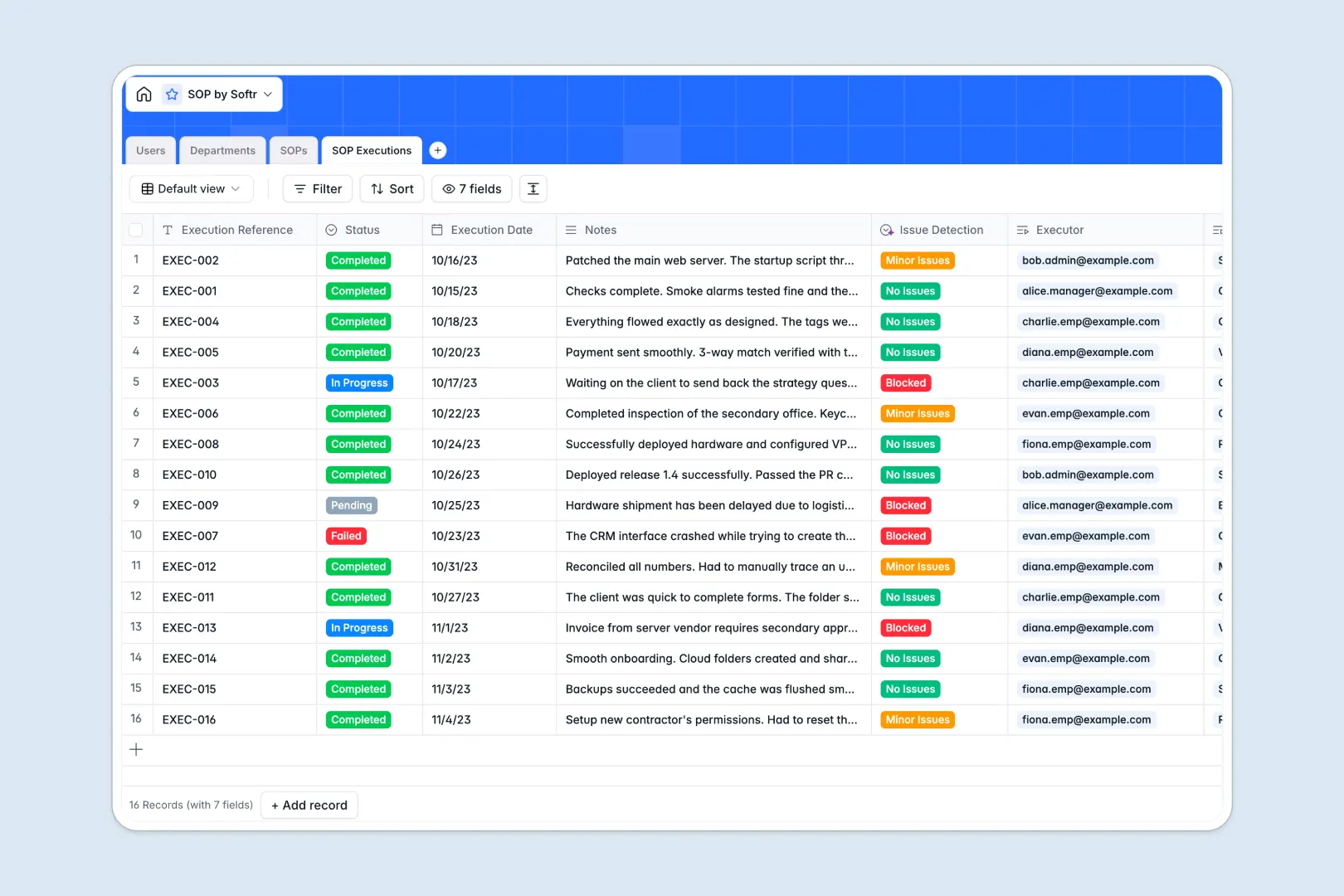
Built-in AI automatically summarizes complex procedural text into digestible bullet points for faster reading. It also analyzes execution notes in real time to instantly classify operational hurdles as blocked workflows or minor issues.
Why managing standard operating procedures in spreadsheets breaks down
Keeping vital procedures in shared spreadsheets quickly turns into chaos when you need to track who actually read or executed them. Text-heavy instructions get lost in rows, and verifying organizational compliance becomes a nightmare.
What a structured database changes
A structured system replaces chaotic files with reliable, interconnected records where every column serves a specific purpose. You can easily link an execution log directly to a procedure and an employee without copy-pasting across tabs.
This is exactly what Softr Databases are designed for. By enforcing strict data rules, your process documentation remains clean, scalable, and impossible to accidentally break.
What you can do with this template
You can finally monitor process compliance across your entire organization without sending follow-up emails. Assign a procedure to a department and let the system track exactly when it gets completed.
Your database also acts as an active assistant by parsing data for you natively. It intelligently extracts summaries from your longest documents and flags completion issues automatically so managers can unblock execution faster.
-
Users
Manage personnel profiles, access levels, and SOP ownership roles
-
Departments
Organize teams and their specific business units for SOP alignment
-
SOPs
Centralize procedures and use AI to generate concise brief summaries
-
SOP Executions
Track completion logs with AI-powered detection of task issues
Who is this SOP Database for
This template provides immediate clarity for teams striving for operational excellence without complicated setups.
- Operations Managers: Ensure critical processes are documented and verified consistently across multiple teams.
- HR Departments: Streamline employee onboarding by tracking which core policies new hires have completed.
- Compliance Officers: Maintain a rigid, auditable log of procedure updates and verifiable employee sign-offs.
How to take it further
Customizing this database to fit your exact operational taxonomy takes only seconds. You can instantly add custom process statuses, rename departments, or include new fields for compliance verification.
Importing your existing playbooks is equally frictionless. Simply upload a CSV of your current documents or sync them via API to bring historical data into a structured system immediately.
When your team outgrows a standalone database, you can transform this framework into a fully functioning application. Launching a secure internal portal allows staff to access playbooks independently without digging through drives.
Because the foundation is solid, you can apply exact users and permissions directly to your tables. This guarantees that only authorized administrators can edit crucial procedures, while standard employees only interact with their assigned executions.
-
1
-
2
-
3
-
4
Frequently asked questions
-
What is an SOP database?
-
Why use a no-code database to build an SOP system?
-
How can AI help managing data for standard operating procedures?
-
Can I build an app with this SOP database?
-
Is this SOP Database free?
-
How is an SOP database different from spreadsheets?
Start building today. It's free!
Build and launch your first app in under 30 minutes.