


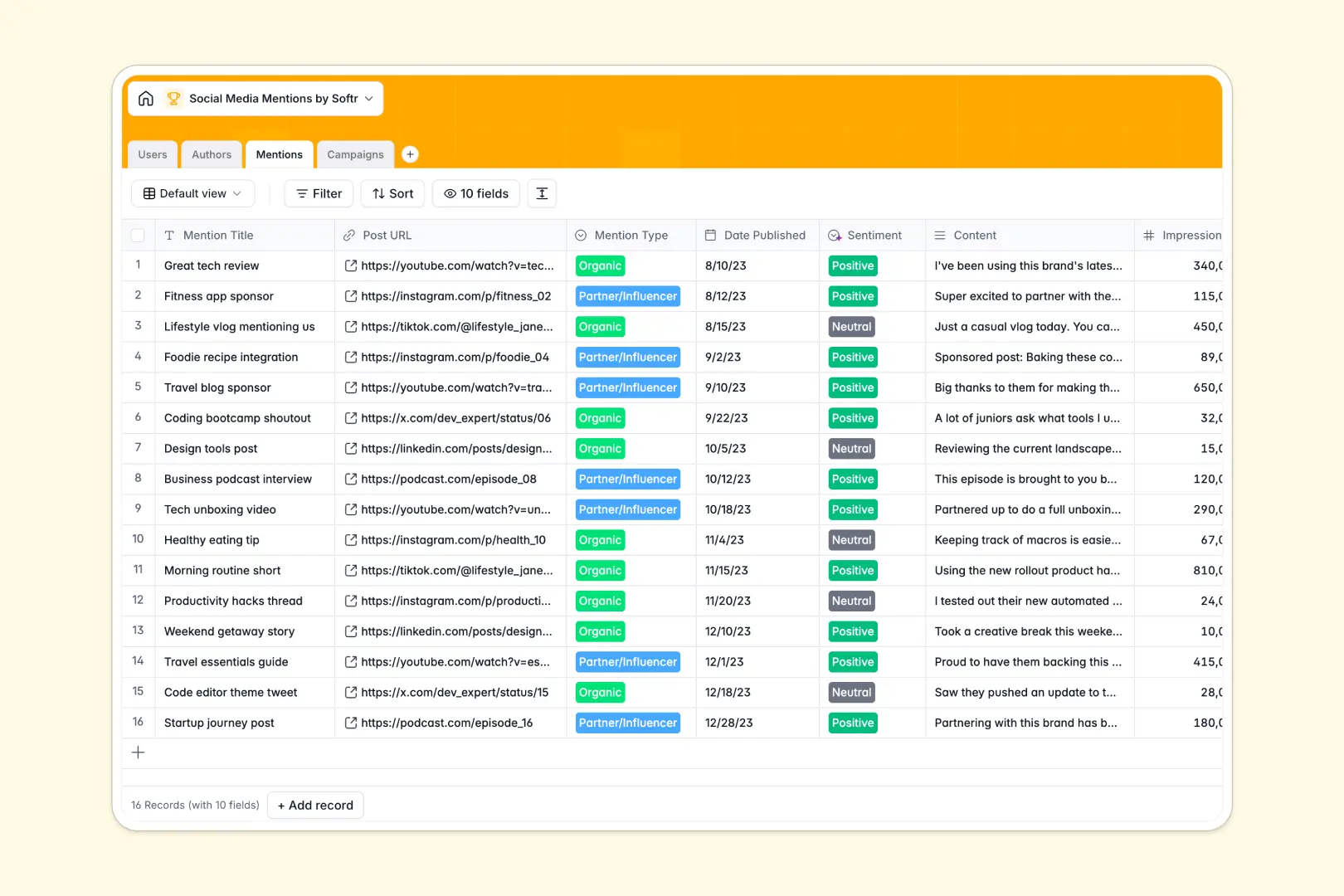
Your Social Media Mentions database at a glance
This pre-built template gives you a centralized hub to track every brand mention across platforms like Instagram, LinkedIn, and TikTok. It helps your marketing team capture organic shoutouts, monitor influencer partnerships, and measure total impressions effortlessly.
The database is broken down into connected tables for Mentions, Authors, Campaigns, and Users. When you log a new mention, it automatically links to the creator's profile and rolls up total impressions under the associated marketing campaign.
Built-in AI automatically analyzes the sentiment of each mention, whether it's positive, neutral, or negative. It also searches the web to summarize author bios and generates executive summaries for your overarching campaigns.
Why tracking social media mentions in spreadsheets breaks down
Managing hundreds of social posts, influencer tags, and PR hits in a spreadsheet quickly becomes a chaotic mess of broken links and disconnected rows.
What a structured database changes
Spreadsheets force you to manually copy-paste author details across rows or use fragile VLOOKUPs to tie a post back to a specific campaign. With a structured database, every piece of data has a strict format, from influencer follower counts to campaign statuses.
You can instantly link multiple mentions to a single author or rollup total impressions for a campaign without writing complex formulas. This is exactly what Softr Databases are designed for.
What you can do with this template
Stop manually reading and categorizing every post manually. With Database AI agents, this template automatically categorizes sentiment and browses the web to summarize an influencer's public persona right when a record is added.
You can immediately see which campaigns are driving the most buzz by looking at the automated aggregate totals. Just copy the template and start organizing your brand's footprint today.
-
Users
Manage internal team members with roles and contact information attached
-
Authors
Track social profiles with AI-generated bio summaries and reach metrics
-
Mentions
Log individual brand mentions and use AI to detect content sentiment
-
Campaigns
Monitor marketing campaigns with aggregate stats and AI executive summaries
Who is this Social Media Mentions database for
This database is built for marketing teams and PR professionals who need to centralize their brand's social footprint.
- Social Media Managers: Keep track of exactly who is talking about the brand and the sentiment of their posts.
- Influencer Marketing Leads: Monitor creator performance and link specific posts directly to paid campaigns.
- PR Specialists: Maintain an organized log of press mentions, organic reach, and total impressions for reporting.
How to take it further
You can easily customize this database to match your exact tracking needs. Add new social platforms to the selection fields or tweak the AI prompts to tailor how sentiment is exactly categorized.
Bring your existing media logs into the system instantly. You can upload a CSV of historical mentions or use the API to automatically push new social tags right into the tables.
When your team needs a dedicated workspace, you can use the interface builder to turn this database into a full social listening portal. This allows you to give stakeholders custom dashboards without exposing raw unstructured tables.
With native users and permissions, you can ensure external agency partners only see the campaigns they are actively managing. Starting with a well-structured database makes building these custom tools incredibly simple.
-
1
-
2
-
3
-
4
Frequently asked questions
-
What is a social media mentions database?
-
Why use a no-code database to build a media tracking tool?
-
How can AI help managing data for social media tracking?
-
Can I build an app with this mentions database?
-
Is this Social Media Mentions database free?
-
How does this template handle influencer and creator data?
Start building today. It's free!
Build and launch your first app in under 30 minutes.