


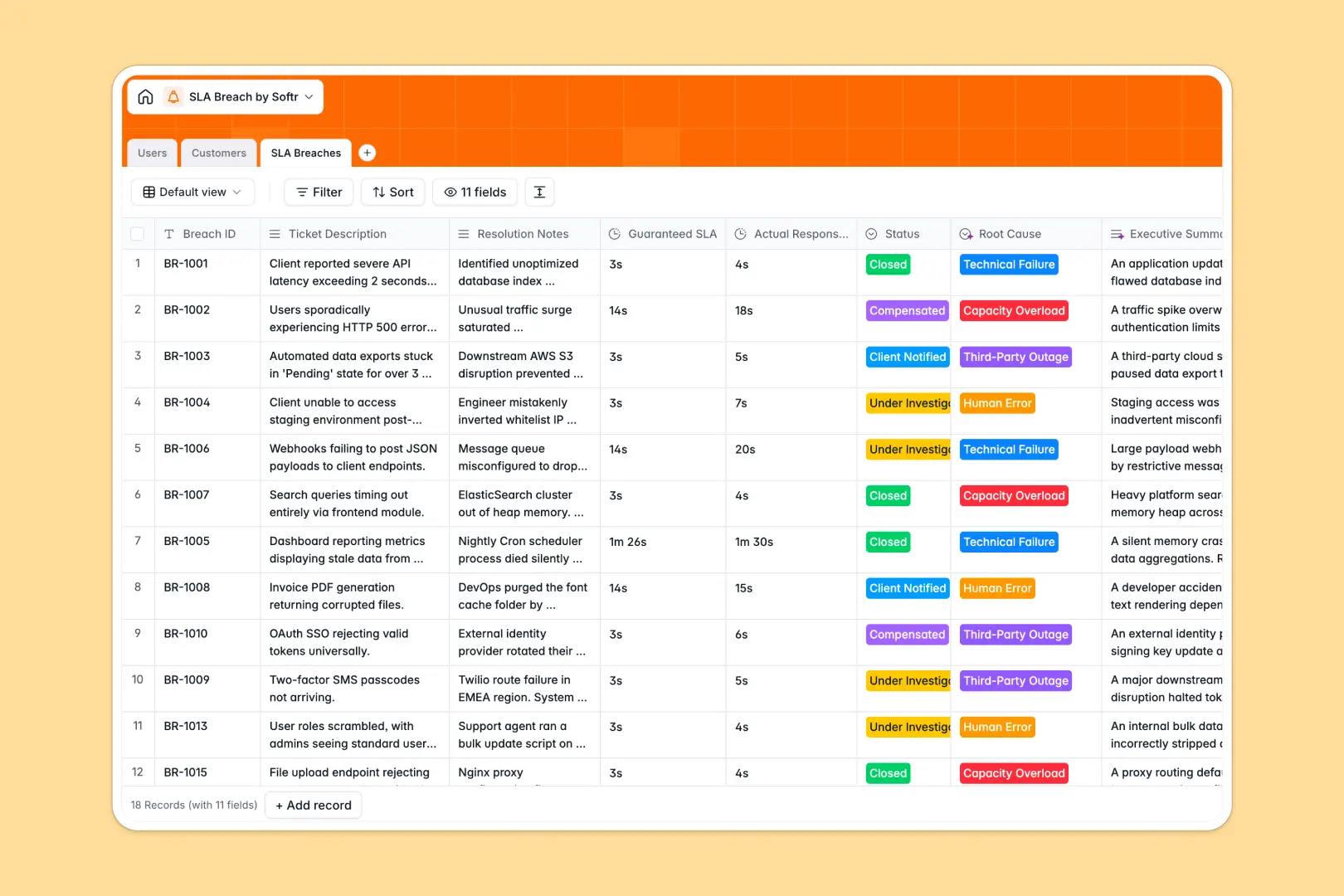
Your SLA Breach Database at a glance
This template centralizes missed response guarantees and active investigations so your team can maintain customer trust. It turns messy incident logs into clear, actionable records that automatically connect to the right client.
It works seamlessly by connecting your Customers, internal Users, and SLA Breaches in one clean relational structure. When a new ticket fails to meet its guaranteed time, you log it directly to the affected client and assign an investigator.
Built-in AI enriches your client profiles by searching their domain and generating summaries. It also automatically classifies the root cause of every breach and writes a neat executive summary for leadership.
Why analyzing SLA failures in spreadsheets breaks down
Spreadsheets quickly become chaotic when you try to tie complex incident reports, response durations, and customer details together in flat grids.
What a structured database changes
In a real structured system, every metric has strict formats. A guaranteed duration stays a duration, and investigators are properly linked to tickets without fragile VLOOKUPs breaking your workflow.
You can assign a specific incident to a client, then roll up the total amount of failures automatically on the customer profile.
This is exactly what Softr Databases are designed for—keeping relational data perfectly clean and connected as your service scales.
What you can do with this template
Log every missed guarantee, track investigation statuses from open to closed, and connect incidents directly to specific tech support members.
Leverage Database AI agents to automatically pull company background details from the web, classify the root cause of an incident, and generate a 2-sentence executive brief instantly. Getting an automated grip on service issues has never been easier.
-
Users
Manage internal support staff and managers responsible for breach investigations
-
Customers
Store client context with AI-powered background research and SLA tier tracking
-
SLA Breaches
Analyze missed guarantees with AI root cause classification and executive summaries
Who is this SLA Breach database for
This template is designed for teams managing service guarantees and customer support operations who need a reliable source of truth.
- Tech Support Leads: Assign tickets to investigators and track resolution statuses seamlessly.
- Customer Success Managers: Monitor SLA tiers and total breaches per client to manage relationships effectively.
- Operations Directors: Analyze root causes automatically to identify whether failures stem from human error or technical outages.
How to take it further
Customize your SLA tiers, statuses, and root cause options to match your exact internal workflows. Because it's a native table, you can tweak schemas instantly without breaking historical data.
Import your existing incident logs via CSV or use the API to automatically sync failures triggered by your helpdesk software. This connects your historical incidents directly to your new system.
When you are ready, you can build an app to give your tech team a clean, custom dashboard to manage their assigned queues.
Using robust users and permissions, you can ensure tech support only sees their assigned investigations while managers get the complete executive view. Starting with properly structured tables makes building these secure apps effortless.
-
1
-
2
-
3
-
4
Frequently asked questions
-
What is an SLA breach database?
-
Why use a no-code database to build an investigation tool?
-
How can AI help managing data for SLA incidents?
-
Can I build an app with this SLA breach database?
-
Is this SLA breach template free?
-
How does this replace spreadsheets for incident tracking?
Start building today. It's free!
Build and launch your first app in under 30 minutes.