


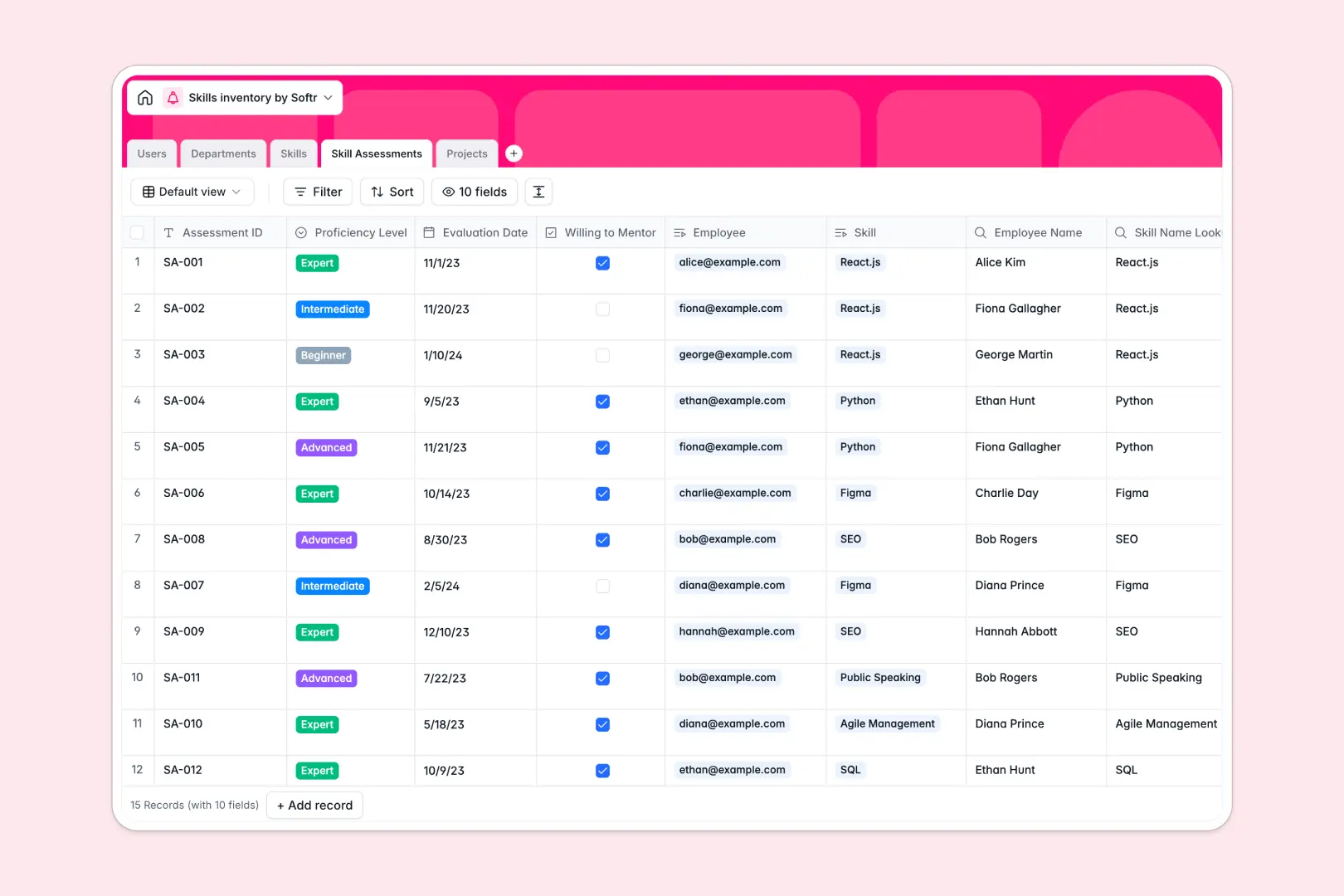
Your Skills Inventory database at a glance
This template gives your organization a single place to track internal talent, assess proficiency levels, and resource upcoming projects. It connects individual team members directly to standardized skills, departmental units, and active project requirements.
By linking a central Users directory to dedicated Skills, Skill Assessments, and Projects tables, your talent data stays structured without duplicate entries or broken formulas.
Built-in AI fields automatically generate standardized skill definitions, summarize project scopes, and suggest tailored growth paths to help employees advance to their next proficiency tier.
Why spreadsheets fail when matching skills to project requirements
Tracking team capabilities in a flat spreadsheet quickly turns into an unmanageable matrix of untyped notes, stale self-assessments, and broken lookup formulas.
What a structured database changes
A structured database separates competencies, employees, and initiatives into distinct tables while keeping them linked natively.
Instead of copy-pasting names into multiple spreadsheet tabs, an assessment record links an employee from Users to a specific competency in Skills, recording standardized proficiency levels and mentorship interest.
This is exactly what Softr Databases are designed for, giving you typed fields, automated rollups, and reliable data integrity as your team scales.
What you can do with this template
Identify organizational skill shortages immediately using rollup counts across departments, or filter for team members willing to mentor peers in specific competencies.
Leverage Database AI agents to generate actionable learning suggestions based on current proficiency levels and draft project briefs automatically.
Staff upcoming initiatives with confidence by matching required competencies to available team members directly inside linked project records.
-
Users
Track employees with roles, job titles, department links, and skills
-
Departments
Organize company business units, department descriptions, and member counts
-
Skills
Standardize competencies with categories and AI-generated definitions
-
Skill Assessments
Log employee proficiency levels with AI-powered growth suggestions
-
Projects
Manage initiatives with skill needs, teams, and AI executive summaries
Who is this Skills Inventory database for
This template helps organizational leaders maintain visibility over internal capabilities and resource initiatives effectively.
- People & HR Teams: Maintain a verified directory of internal competencies, track talent development, and coordinate mentorship programs.
- Engineering & Department Leads: Evaluate team capabilities, identify technical training needs, and plan hiring around skill gaps.
- Resource & Project Managers: Staff complex initiatives quickly by filtering available personnel against required project competencies.
- Operations Leaders: Eliminate fragmented talent spreadsheets and establish an accurate single source of truth for organizational capabilities.
How to take it further
Customize this database to match your exact internal leveling matrix. Add custom categories to the Skills table, modify proficiency tiers, or create custom views for different departmental leads.
Import your existing team roster and competency lists in minutes using standard CSV file uploads or automated API connections.
When you are ready to give your team direct access, you can build an app on top of this data. Softr's AI Co-Builder turns this database into a complete portal where employees submit self-evaluations and managers review resourcing.
Configure granular users and permissions so individual contributors see only their personal assessments, while department leads manage project staffing across their entire unit.
-
1
-
2
-
3
-
4
Frequently asked questions
-
What is a skills inventory database?
-
Why use a no-code database to build a skills inventory system?
-
How can AI help managing data for skills inventory?
-
Can I build an app with this skills inventory database?
-
Is this Skills Inventory database free?
-
How do I import existing employee data into this template?
Start building today. It's free!
Build and launch your first app in under 30 minutes.