


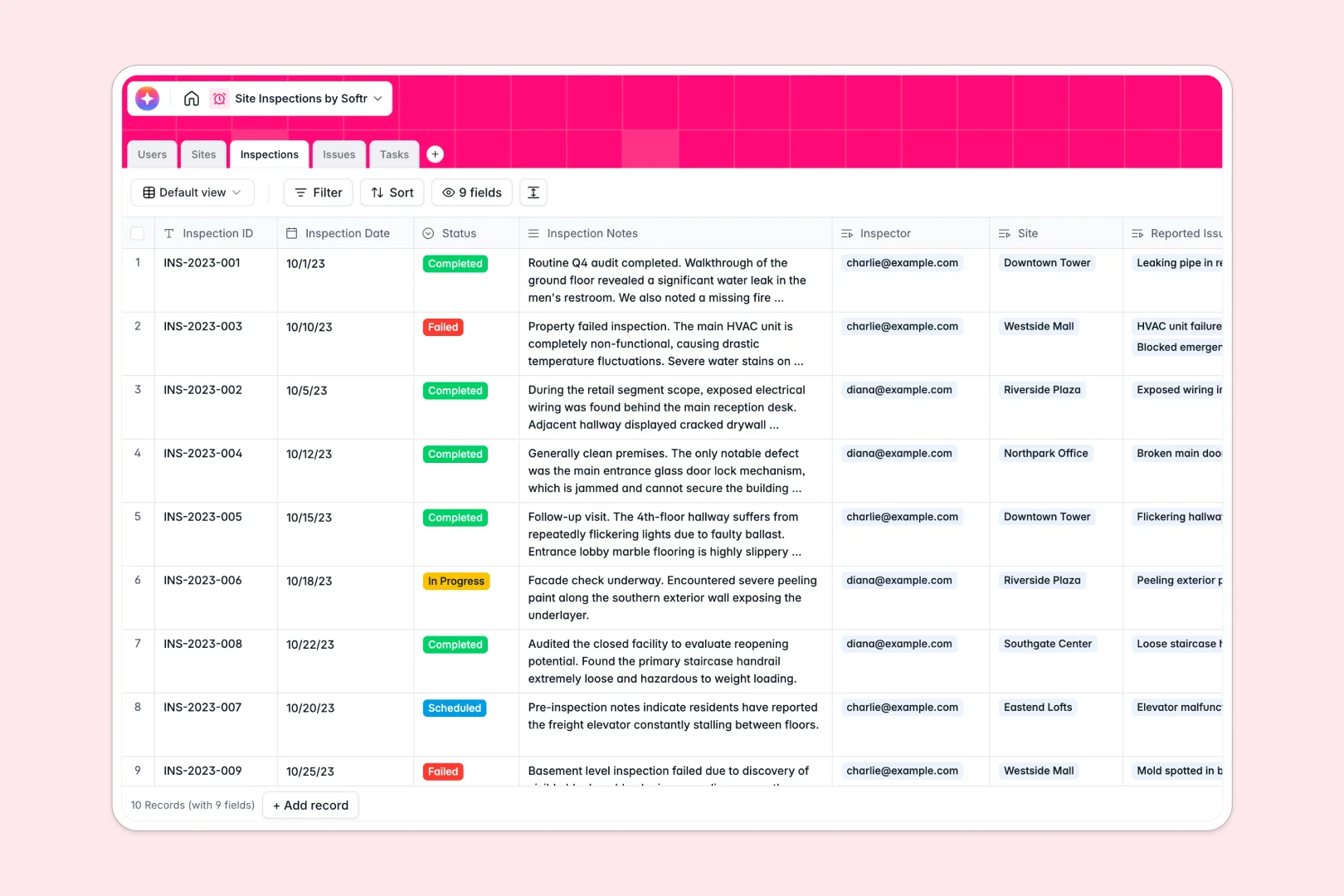
Your Site Inspections database at a glance
Centralize your field operations and give your team a structured way to track site visits and safety audits. This ready-to-use template keeps managers, inspectors, and locations perfectly aligned.
It links your Sites, Users, and Inspections automatically so everything connects without fragile formulas. When an inspector logs a visit, they can easily attach reported issues and assign corrective tasks in the same exact view.
Built-in AI features automatically summarize inspection notes into key findings and classify the severity of reported issues. It even generates step-by-step resolution advice for follow-up tasks, saving your team hours of manual reporting.
Why managing site inspections in spreadsheets breaks down
Tracking field visits and safety issues across disconnected spreadsheets usually leads to lost photos, broken links, and delayed resolutions.
What a structured database changes
A dedicated system ensures that every column has a clear purpose, keeping dates formatted correctly and photo evidence securely stored.
Instead of copying and pasting site details across multiple tabs, you can seamlessly link an upcoming task directly to an inspection record and assign it to a specific inspector.
This connected structure prevents data from getting messy as your operations scale, which is exactly what Softr Databases are built to handle natively.
What you can do with this template
Standardize how your team reports field data by capturing issues with photos and tracking corrective actions from start to finish. You can instantly see how many audits each location has undergone or which tasks remain open.
Thanks to native Database AI agents, this system can also automatically research site background information or categorize problem severity based on inspector notes without any extra manual work.
-
Users
Manage personnel profiles, roles, and assignments across inspection sites
-
Sites
Track inspection locations with AI-powered background research and status
-
Inspections
Log site visits using AI to generate executive summaries from field notes
-
Issues
Record site defects with AI-driven severity classification and evidence
-
Tasks
Manage remedial actions with AI-generated step-by-step resolution advice
Who is this Site Inspections database for
This template is designed for operations teams that need a reliable way to monitor field compliance and safety.
- Construction Managers: Track active sites, review audit outcomes, and monitor overall compliance rates easily.
- Field Inspectors: Log visit notes, attach photo evidence of defects, and report issues quickly on the go.
- Health and Safety Officers: Monitor resolution tasks and ensure serious violations are addressed without delays.
How to take it further
Customizing this database is incredibly fast and intuitive. You can effortlessly add entirely new fields, rename existing columns, or update the specific status choices for your daily workflows.
If you are transitioning from another tool, you can simply import your existing site lists or past inspection history via CSV. It gets you organized and ready to hold your real data immediately.
When your team is ready, you can easily use an interface builder to turn this data into a fully functional field operations portal.
By leveraging built-in users and permissions, you securely control exactly which sites and issues each inspector is allowed to see or edit. It is the smartest way to scale your internal tracking tools without touching any code.
-
1
-
2
-
3
-
4
Frequently asked questions
-
What is a site inspections database?
-
Why use a no-code database to build a site inspection tool?
-
How can AI help managing data for site inspections?
-
Can I build an app with this site inspections database?
-
Is this Site Inspections database free?
-
How does a database handle inspection photos and evidence?
Start building today. It's free!
Build and launch your first app in under 30 minutes.