


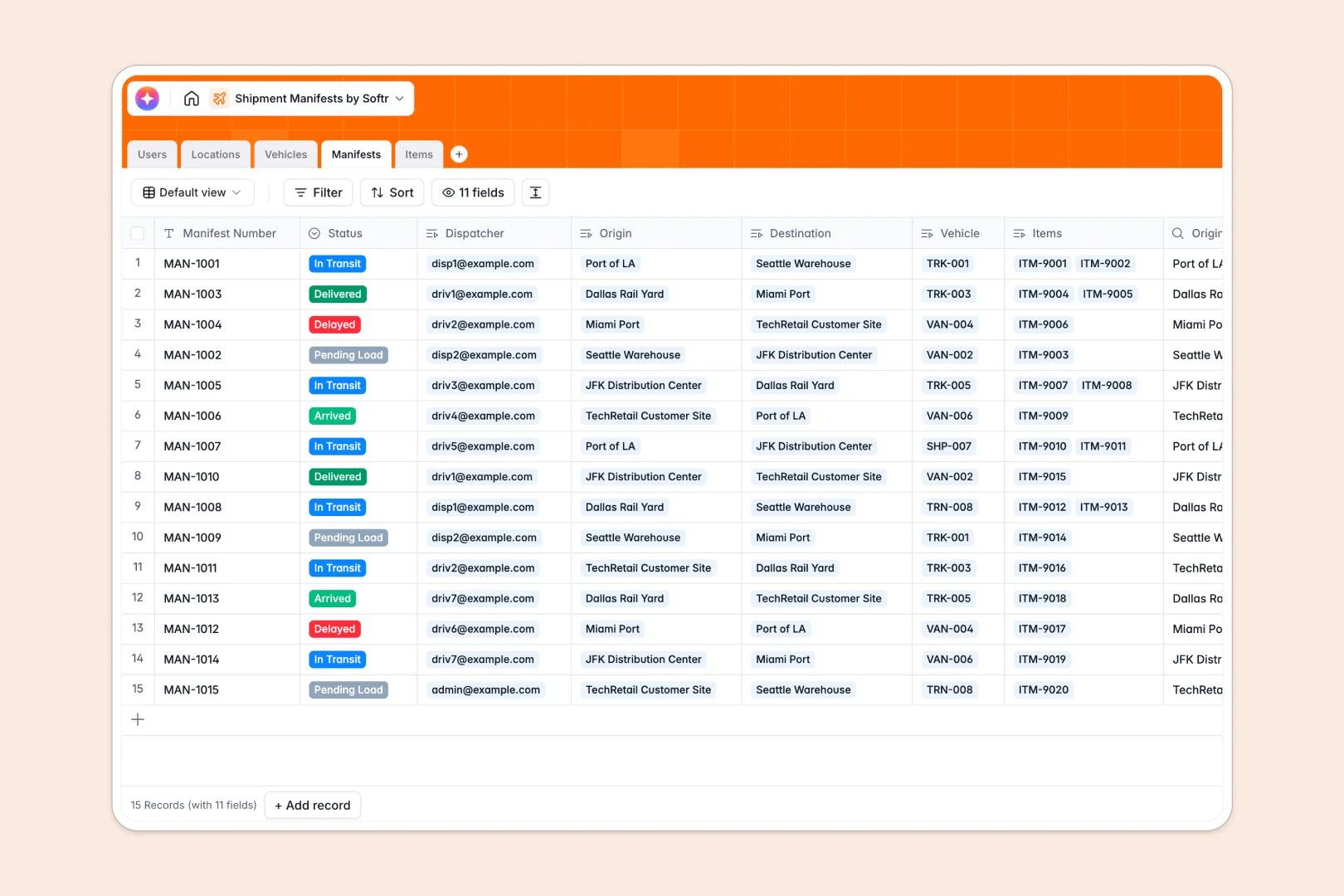
Your Shipment Manifests database at a glance
This template organizes your entire logistics operation exactly the way it actually works. It clearly tracks cargo items, vehicles, and team assignments so nothing gets lost directly in transit.
Built on a solid relational structure, it natively links specific cargo Items to overarching Manifests, which then connect securely to Vehicles and Locations. This means updating a manifest's status automatically updates the big picture for dispatchers and fleet drivers.
Included AI workflows instantly write complete transit summaries as statuses change and automatically categorize cargo based on item descriptions.
Why tracking shipment manifests in spreadsheets breaks down
Managing fleet logistics in a spreadsheet quickly turns into a messy web of broken VLOOKUPs and outdated rows. When dispatchers need to track moving vehicles, updated statuses, and cargo weights all at once, flat lists just can’t keep up.
What a structured database changes
A structured approach enforces clear boundaries where every data point is strictly defined and practically linked. Rolling up raw cargo weights into total manifest loads happens natively, without heavily prone-to-error formulas.
This is exactly what Softr Databases are designed for. By connecting vehicles directly to routes and drivers, your operational data scales securely precisely as your logistics fleet grows.
What you can do with this template
Start dispatching right away with pre-configured tables specifically mapped for commercial transport logistics. You can view all pending loads, monitor returning trucks, and calculate total cargo weights instantly.
Native intelligent automation eliminates manual entry by generating detailed transit logs directly in the background. Just add your vehicles and let the centralized system categorize incoming warehouse cargo for you automatically.
-
Users
Manage logistics staff, dispatchers, and drivers with roles and contact info
-
Locations
Organize warehouses, ports, and distribution nodes for shipment routing
-
Vehicles
Track the delivery fleet including trucks, bans, and freight containers
-
Manifests
Coordinate shipments using AI to generate automated transit summary logs
-
Items
Catalog cargo pallets and parcels with AI-powered category classification
Who is this Shipment Manifests database for
This ready-to-deploy system is designed for logistics teams who need immediate visibility over moving operational assets.
- Dispatchers: Quickly assign drivers to available vehicles and monitor active transit routes.
- Warehouse Managers: Track pending loads and organize incoming shipments by facility type.
- Operations Leads: Monitor total cargo weight limits and collaboratively maintain accurate delivery logs.
How to take it further
You can easily customize this template by adding new physical location types or adjusting the vehicle categories to match your unique internal fleet. Renaming specific fields or adding new data options takes just seconds.
When you are practically ready, seamlessly bring your existing logistics tracking network to life by importing a CSV file or synchronizing in-motion systems via API.
The best part is extending this central database into a functional internal tool by dynamically building an app. A neatly structured origin database makes creating a full-scale operations portal incredibly simple and efficient.
You can easily implement conditional users and permissions so active drivers only see their assigned manifests on mobile setups, while overarching admins strictly oversee the entire facility network.
-
1
-
2
-
3
-
4
Frequently asked questions
-
What is a shipment manifests database?
-
Why use a no-code database to build a logistics tracking tool?
-
How can AI help managing data for shipment manifests?
-
Can I build an app with this shipment manifests database?
-
Is this shipment manifests template free?
-
How is a structured database different from standard spreadsheets for comprehensively tracking fleet shipments?
Start building today. It's free!
Build and launch your first app in under 30 minutes.