


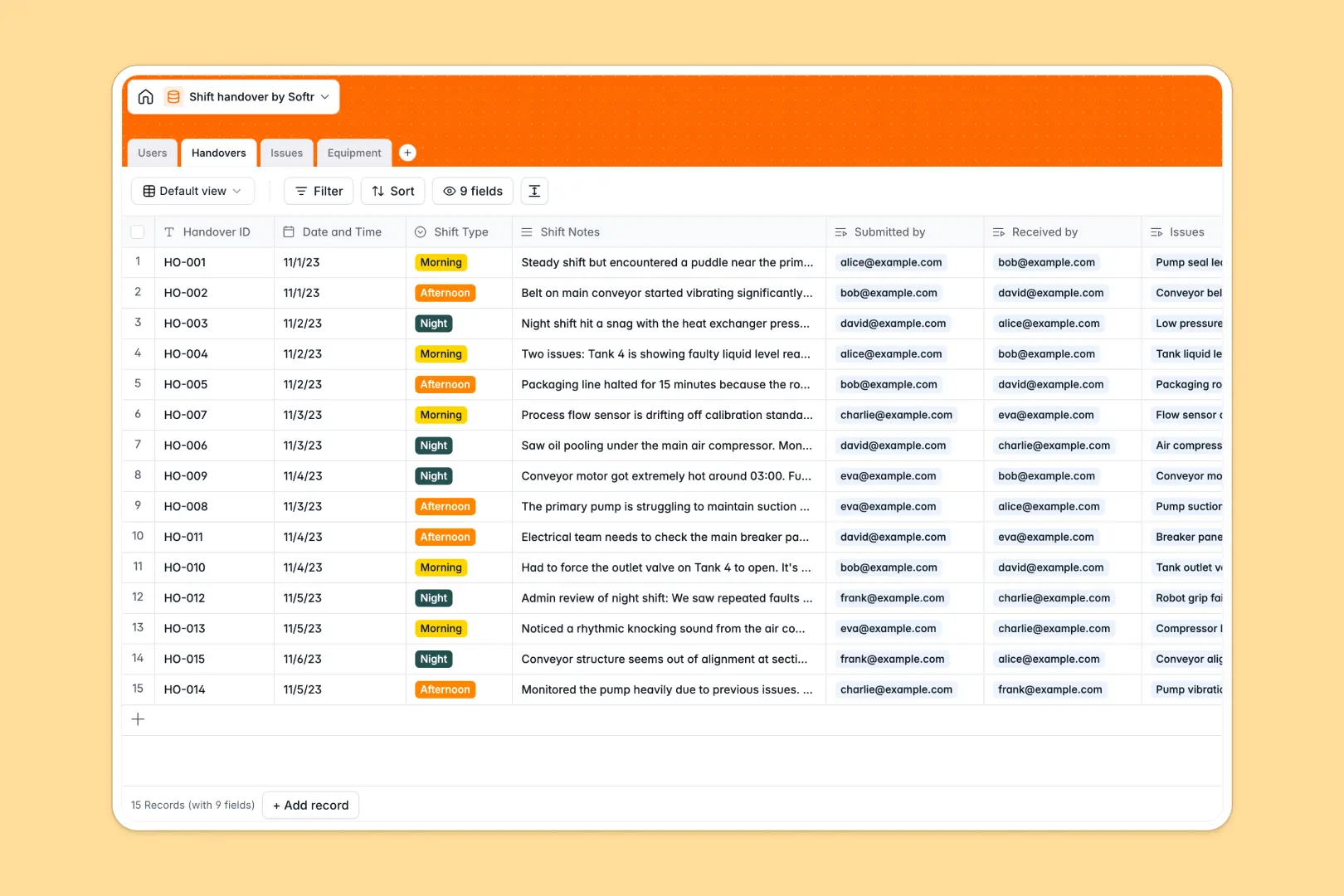
Your Shift Handover database at a glance
The Shift Handover database centralizes your operational logs so nothing falls through the cracks between shifts. It bridges the gap between exiting and incoming teams to prevent costly downtime.
The system connects four core tables: Users, Handovers, Issues, and Equipment, ensuring every logged problem is tied directly to the relevant machinery. You can instantly see who reported a fault and automatically track open issue counts per shift.
Built-in AI seamlessly condenses lengthy shift notes into 3-bullet executive summaries and classifies safety or mechanical issues. When logging new machinery, the database even searches the web to pull in expected specs and maintenance info.
Why managing shift handovers in spreadsheets breaks down
Relying on spreadsheets to pass the baton quickly leads to disjointed notes, buried safety hazards, and unassigned maintenance tasks.
What a structured database changes
In a structured system, critical details like timestamps, status updates, and reporter emails stay locked in their designated formats. You can link a faulty air compressor directly to a specific night shift issue without relying on fragile VLOOKUPs.
This is exactly what Softr Databases are designed for. They enforce clean data connections and reliable tracking as your operational logs scale across thousands of shifts.
What you can do with this template
You can immediately start logging shift handovers, escalating high-priority issues, and monitoring operational equipment in one place. Your team can clearly see open versus resolved statuses at a glance.
Thanks to native database AI capabilities, your logs maintain themselves automatically. The template classifies problems instantly and writes clear summaries for incoming supervisors, letting them get to work faster.
-
Users
Manage operational staff roles, contact details, and shift assignments
-
Handovers
Log shift transitions with AI executive summaries of critical events
-
Issues
Track shift problems with AI-powered categorization and priority status
-
Equipment
Monitor asset health with AI-enriched technical specs and maintenance info
Who is this Shift Handover database for
This centralized handover log is strictly built for operational teams transitioning smoothly across schedules.
- Plant Managers: Gain a high-level view of unresolved issues and equipment statuses across all shifts.
- Shift Supervisors: Quickly review automated shift summaries and assign lingering tasks to incoming operators.
- Maintenance Crews: Track reported mechanical or electrical faults tied directly to specific machinery.
How to take it further
You can easily adapt this template by adding new issue categories or modifying the shift types to match your specific schedule. Because it is a native database, tweaking dropdowns and adding columns takes seconds.
If you already track handovers, use the CSV import tool to bulk upload historical shift records or your full equipment registry. You can also connect via API to sync live operational data directly from your factory floor.
When your team is ready, you can transform this foundation into a secure internal workplace app. Connecting this database to interfaces and workflows means you can build a complete tool customized to your exact operations.
Setting up users and permissions ensures operators only see the equipment or issues assigned specifically to their shift. Starting with a properly structured data foundation makes building these custom operational portals incredibly fast.
-
1
-
2
-
3
-
4
Frequently asked questions
-
What is a shift handover database?
-
Why use a no-code database to build a shift handover tool?
-
How can AI help managing data for shift handovers?
-
Can I build an app with shift handover database?
-
Is this Shift Handover database template free?
-
How is a shift handover database different from spreadsheets?
Start building today. It's free!
Build and launch your first app in under 30 minutes.