


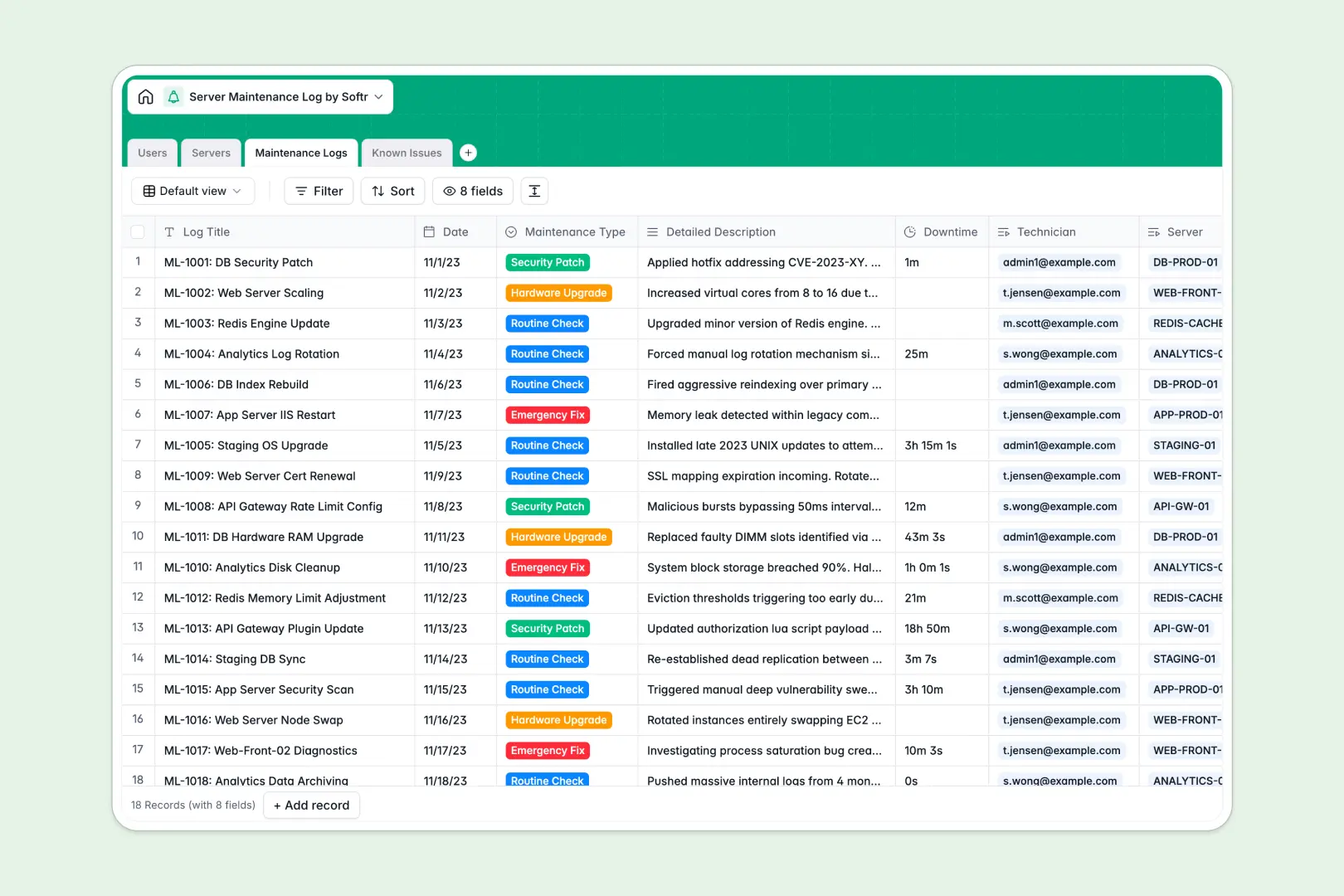
Your Server Maintenance Log Database at a glance
Keep track of infrastructure health, routine checks, and emergency fixes in one scalable source of truth. It organizes everything clearly without manual data entry delays.
Servers interact seamlessly with user roles, detailed maintenance logs, and reported issues. Every check or hardware upgrade links back to the exact IP address and the responsible technician.
Built-in AI automatically assesses issue severity from reported bugs. It also summarizes complex repair descriptions into management-ready bullets and generates server environment profiles.
Why tracking server maintenance logs in spreadsheets breaks down
Managing server inventory and complex event logs across disconnected sheets quickly leads to fragmented oversight and lost history.
What a structured database changes
A true system enforces data types, meaning IPs remain standardized, and operating systems follow strict categories. Dates and durations never get mixed up in text columns.
Instead of copy-pasting VLOOKUPs, incident reports natively link directly to your IT team and server inventory objects.
This clear relation of data is exactly what Softr Databases are designed for. They keep your complex infrastructure history clean and organized as you scale operations.
What you can do with this template
Centralize your entire physical and virtual server list to instantly view their current status. Easily track assigned admins and total lifetime operations in one view.
Log emergency fixes and security patches with exact durations and detailed descriptions. You can safely assign clear ownership to your technical staff for every isolated task.
Leverage native AI to automatically assess severity for server alerts or summarize technical notes. Your logs remain professional and actionable without manual triage from senior staff.
-
Users
Manage IT personnel profiles, roles, and assigned maintenance duties
-
Servers
Inventory hardware with AI-generated environment profiles and status
-
Maintenance Logs
Track system repairs and updates with AI-powered summary reporting
-
Known Issues
Log system bugs and utilize AI to automatically assess issue severity
Who is this Server Maintenance Log database for
This system is designed for technical departments managing critical infrastructure.
- System Administrators: Monitor offline servers, open issues, and routine patch schedules in one centralized view.
- IT Technicians: Accurately record downtime, track hardware upgrades, and summarize emergency fixes instantly.
- Compliance Auditors: Access a structured historical record of all security patches and server checkups for reporting.
How to take it further
Customize the tables directly to match your existing tech stack. You can easily add new operating systems, tweak severity levels, or create custom maintenance types.
Import your existing network inventory or incident tickets using a simple CSV upload. Everything syncs perfectly into your new structured environment.
When you are ready to expand, transform this raw data into an intuitive internal IT portal. Your technical staff can manage their assigned queues visually rather than navigating raw tables.
By utilizing robust users and permissions, you can restrict technicians to view only their assigned servers. Admins maintain full visibility, ensuring a secure and scalable infrastructure app.
-
1
-
2
-
3
-
4
Frequently asked questions
-
What is a server maintenance log database?
-
Why use a no-code database to build a server maintenance log system?
-
How can AI help managing data for server maintenance logs?
-
Can I build an app with this server maintenance log database?
-
Is this Server Maintenance Log Database free?
-
How is a Server Maintenance Log database different from spreadsheets?
Start building today. It's free!
Build and launch your first app in under 30 minutes.